Cirklon Sequencer User Manual
Creating and Assigning an Instrument
Let’s return to the task of creating and assigning an instrument.
This is done from the TRACK page. If not already selected, press TRACK to get there.
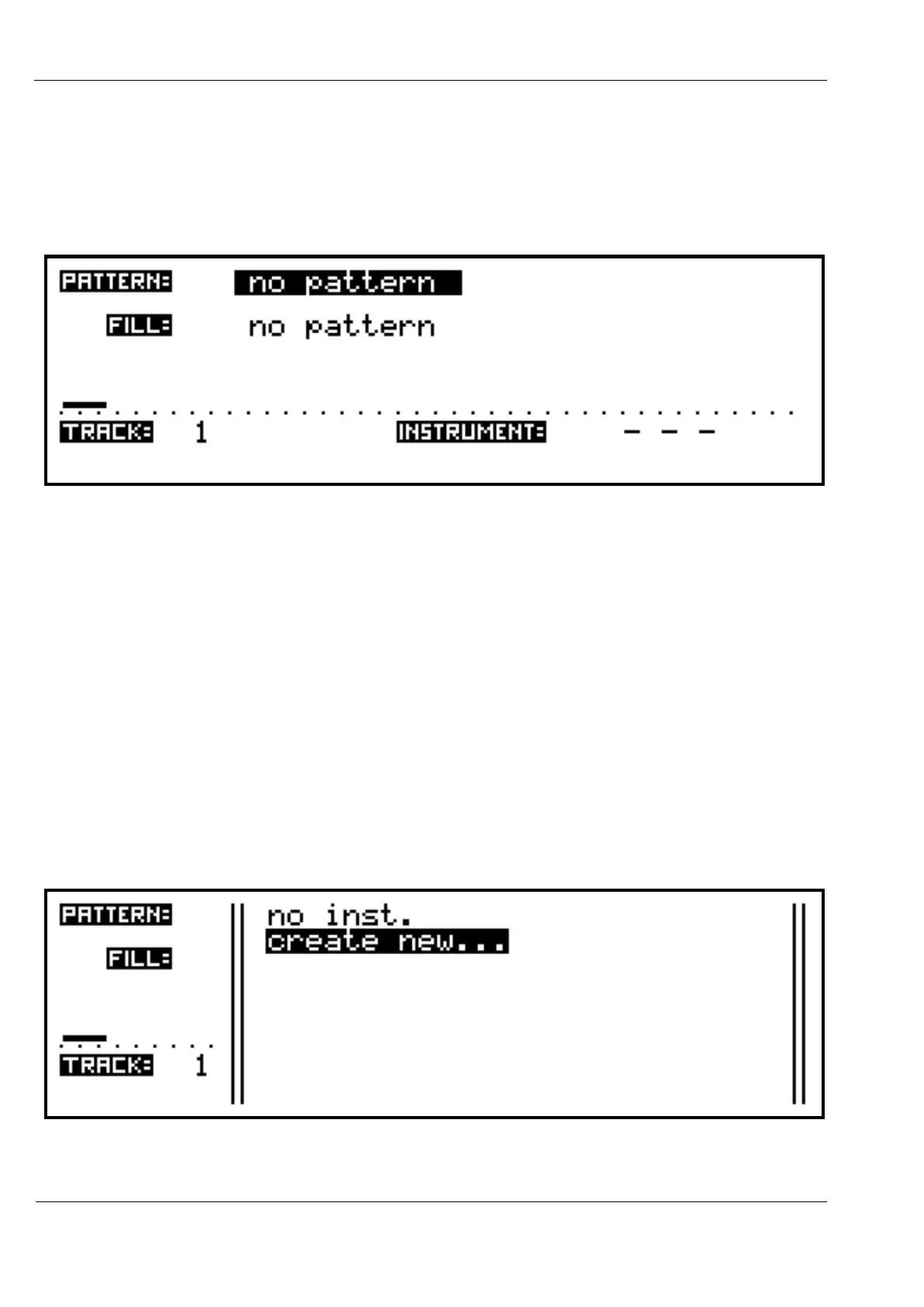
There are four values shown on the main TRACK page:
- the pattern selection, labelled PATTERN:
- the fill-in pattern selection, labelled FILL:
- the track number (or name), labelled TRACK:
- the current instrument assignment, labelled INSTRUMENT:
Remember the values shown here are for the current edit track, in this example track 1.
One of the values will be highlighted to show it is active for editing.
As on the song page, to move the selection highlight turn the VALUE encoder.
Turn the VALUE encoder clockwise, until the instrument field is highlighted.
The instrument field will show “ - - - “ where no instrument is assigned.
Then press VALUE/ENTER to access the instrument list:



 To Next Page