Cirklon Sequencer User Manual
The instrument list will be empty on a new machine, so the only choices are to assign “no
instrument” to the track, or to create a new instrument.
“create new…” will be selected by default, so press ENTER to define the first instrument.
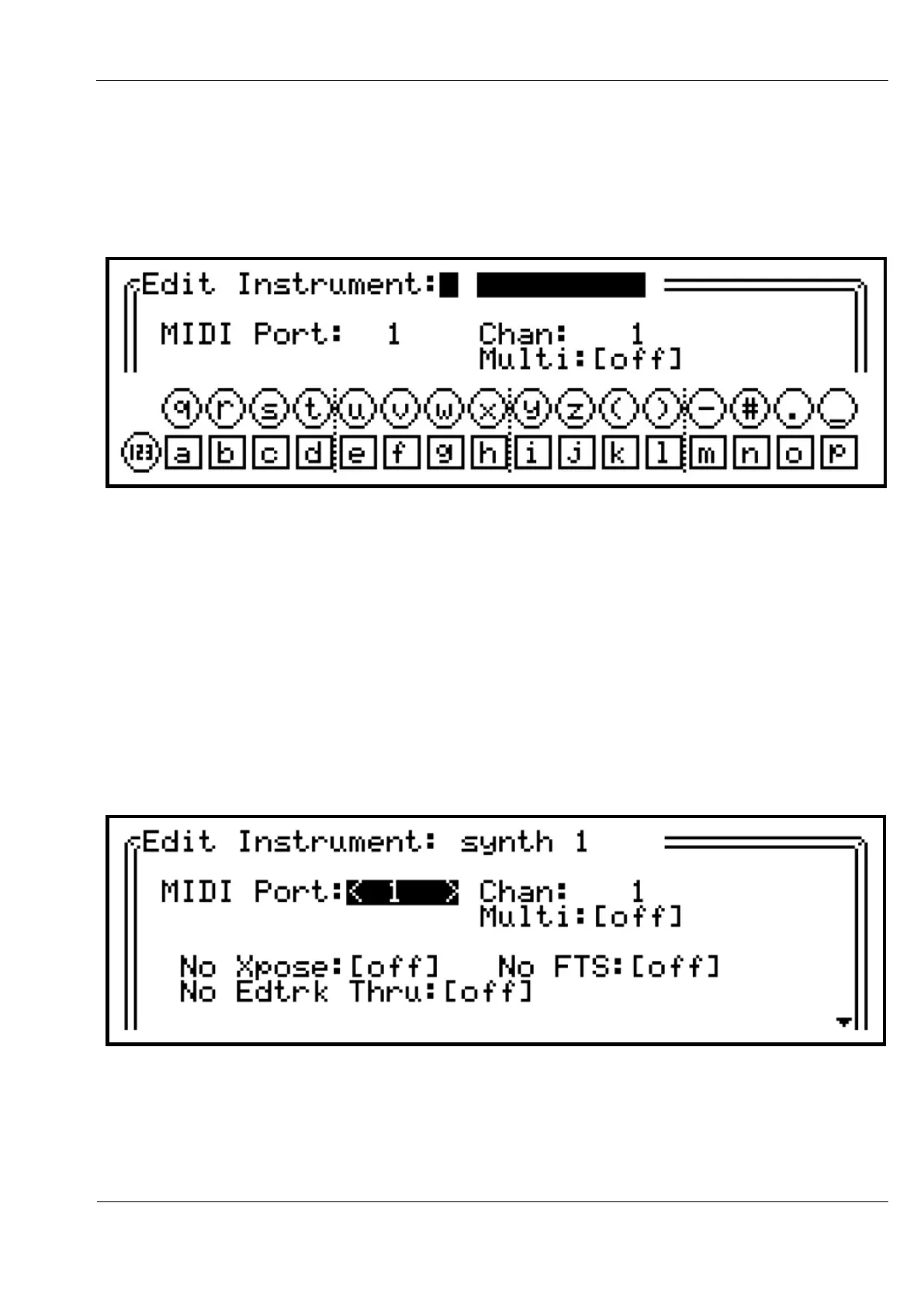
The instrument definition page will first appear like this:
The field on the top line of the display is active in text input mode, waiting for the name of
the new instrument. Using the track keys and encoders, enter an instrument name in the
same way as for the song name.
Once a name has been entered, the rest of the instrument definition values will be accessible.
Use the VALUE encoder to move the highlight selection between the fields, then press to edit
the values as before.
Arrows will appear around a numeric value to show it is active for editing.
When highlighted, the values between square brackets will toggle on each press of ENTER.
In this view, the MIDI port value is active:
The MIDI port should match the port the instrument is connected to. This can be one of the 5
standard MIDI ports, one of 6 ‘virtual’ ports on the USB MIDI interface, or the CV port, which
is used to route note and controller output to the optional CVIO expansion for CV/gate
output.



 To Next Page