Cirklon Sequencer User Manual
While the “Select NRPN:” option is shown, step encoders 9 and 11 (which are directly below
the MSB and LSB values on the display) will light red.
They are used to select the required MSB and LSB values.
With the selection made there, press ROW once more to confirm the new assignment of an
NRPN to the aux row.
P3 Edit Menu Options
Further edit operations can be found on the edit menu.
This is accessed from the top level edit pages (step or bar edit) by pressing the MENU key.
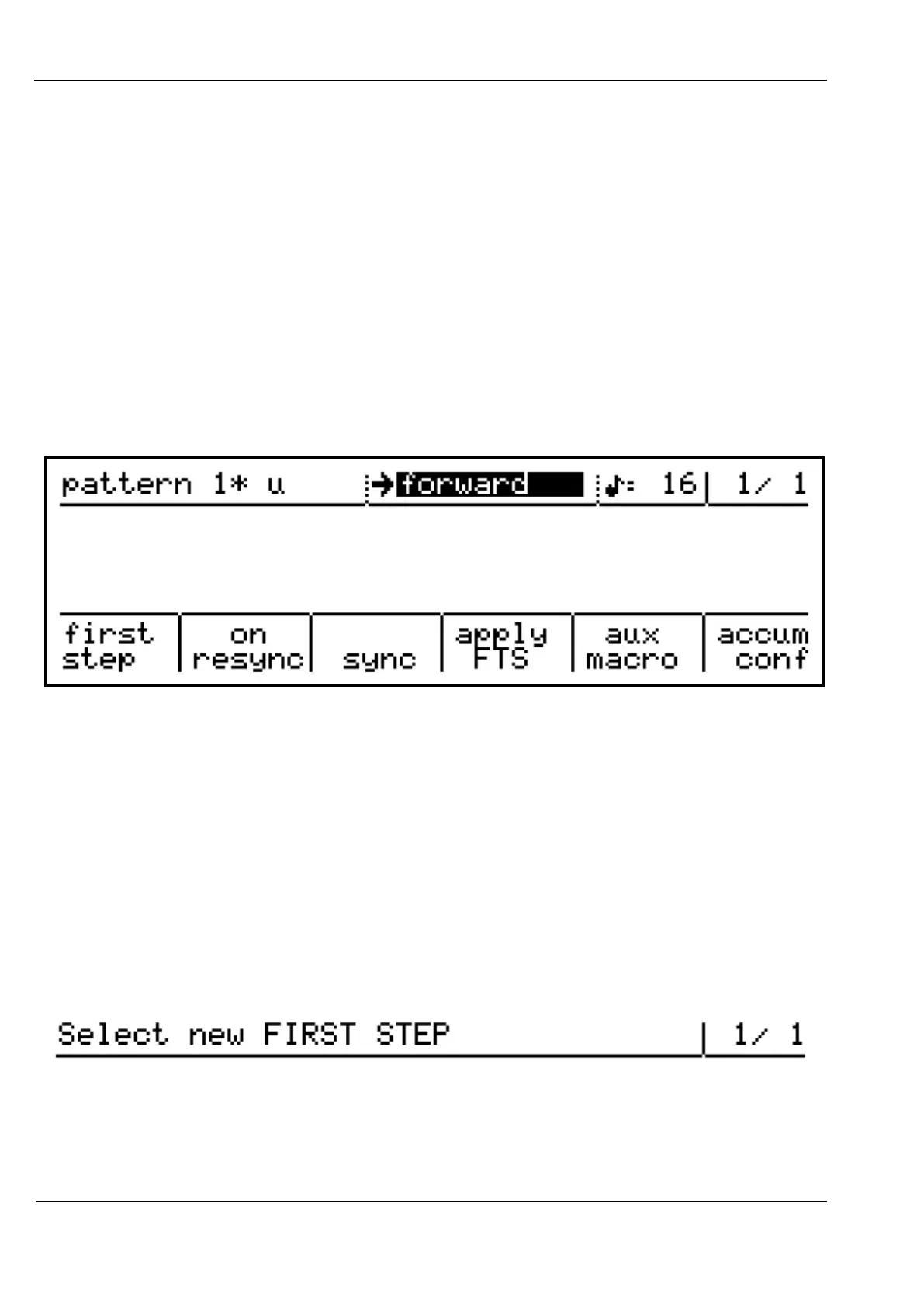
While the menu is active, a number of options appear along the bottom of the display:
The step encoders under each of these options will light red as a visual cue that the menu is
active. The encoder below each option is pressed to select it.
First step
The first step function allows you to pick any step in a pattern, and have the entire pattern
rotated such that the chosen step becomes the first step of the first bar of the pattern.
After pressing encoder 6 to select this option, a brief message will appear, then the top line of
the display will show:
Press the step key for the step you wish to become the new first step of the pattern, and all
steps will move around accordingly.
To cancel the operation before selecting a new step, press the MENU key.



 To Next Page