Cirklon Sequencer User Manual
When you choose the over-write or save-as-new options, further confirmation pages may
then appear.
Pattern “Saved” Status
As described earlier, each pattern has a status value which records if the pattern has been
saved. An additional value records how many scenes make use of the pattern.
When you save a scene, all the patterns assigned in that scene will normally have their status
updated to saved, and their scene usage count updated.
You should normally save any edits made to patterns at the same time as the scene is saved, if
they have not already been manually saved in pattern edit.
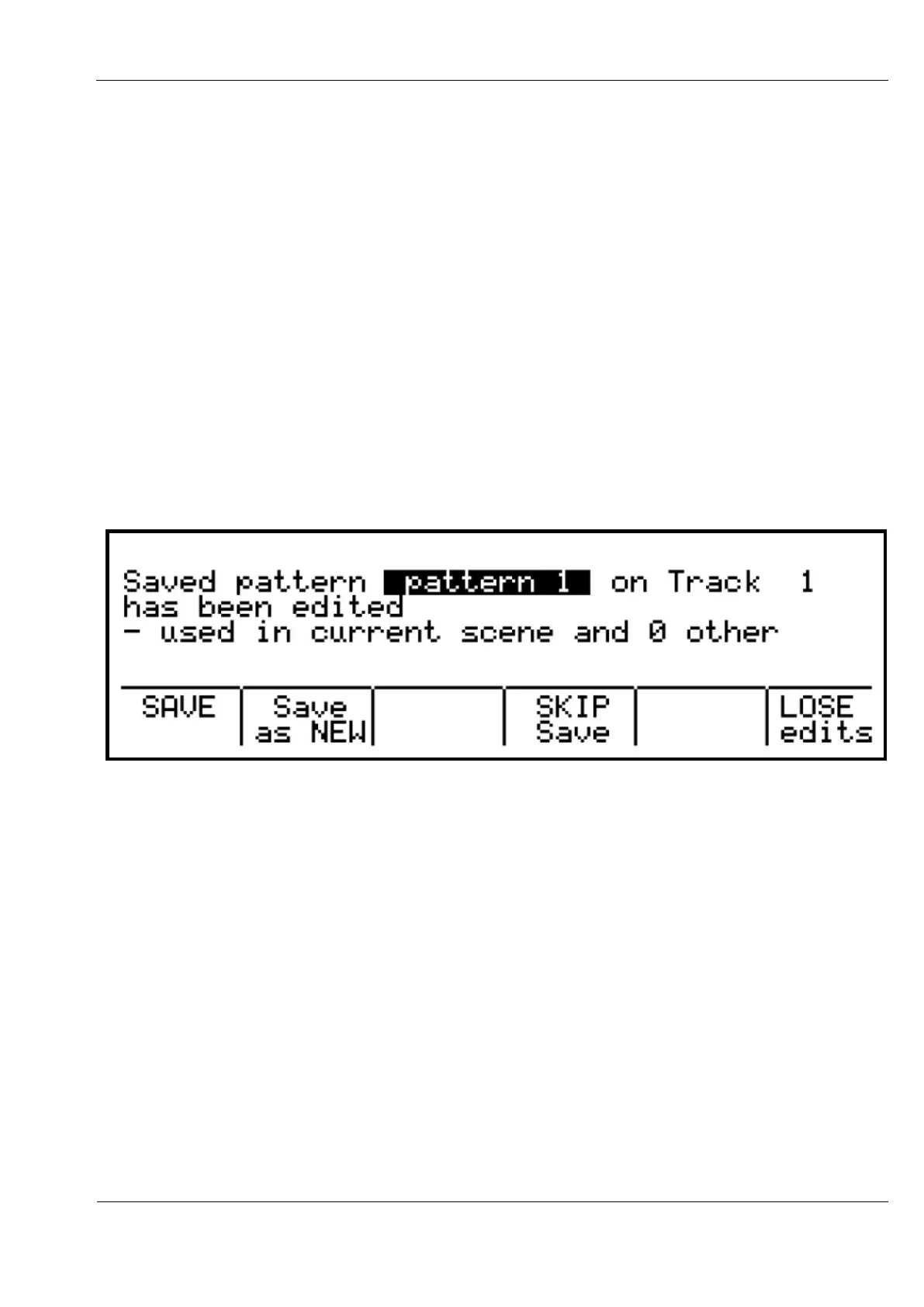
For each saved pattern which has been edited, the scene save process will present you with
the following options:
You can:
- save the edits to the original version of the pattern, thus affecting all scenes that use the
pattern
- save the edited version of the pattern to a new pattern
- skip saving for now, leaving the edited version in place (not recommended if you don’t
want to risk unexpected changes if you later save this pattern for another scene)
- lose the changes, and restore the original version of the pattern
To stop this process becoming too long-winded, you are not prompted to edit the pattern
names either when saving, or saving as new.
New patterns will have their names auto-generated based on the existing name.
If you are choosy about your pattern names, remember to edit the name and save your
patterns manually when you finish working on the pattern itself.



 To Next Page