Cirklon Sequencer User Manual
Quick Note Number Edits
There is a shortcut in CK edit to allow a note event to be transposed up or down quickly.
This saves you having to add a new row for the note you want to transpose to, adding a new
note then manually muting the old one.
To do this, hold the SHIFT key while turning the step encoder for the note on the current row
you wish to move.
If a note being moved this way passes through another row with a note present on the same
step, it may be the other note that is then moved with further turns of the encoder, taking a
different velocity, length or delay with it.
The visible rows for the pattern are automatically updated as notes are moved in this way.
Bar Length
As in P3 edit, the BAR encoder is used to select which bar of the pattern you want to edit in a
pattern longer than one bar.
Again, the length in bars of a CK pattern can be adjusted by holding the LAST key, then
turning the BAR encoder.
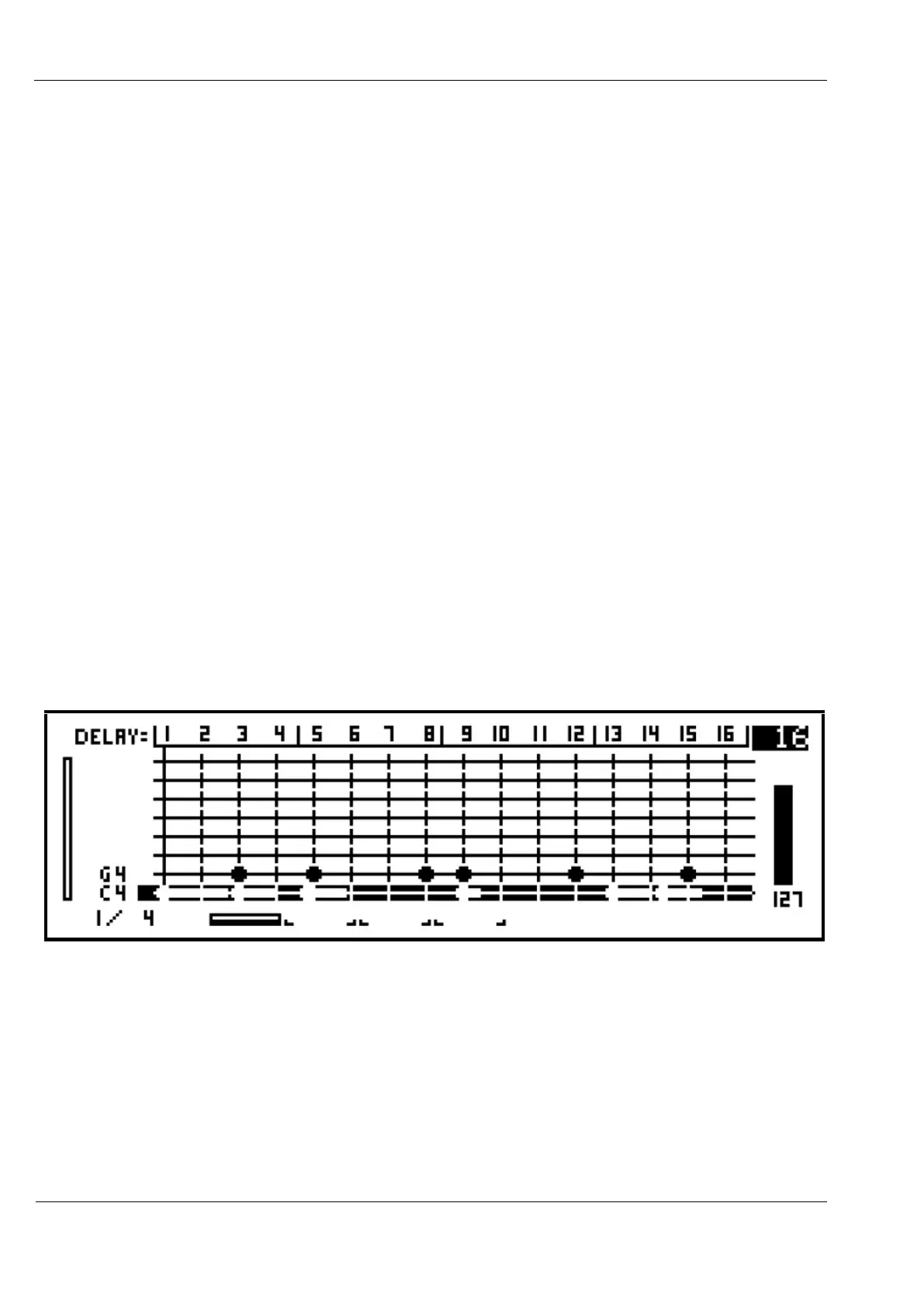
Let’s set the bar length to 4 bars. Hold the LAST key and turn BAR four steps clockwise, until
the display looks like this:
The current edit bar, total length in bars and playback position are shown along the bottom of
the grid view display.
The first number from the left shows the current edit bar (which stayed at bar 1 as the length
was increased), followed by a slash (/), then the bar length of the pattern – now 4 bars.
To the right of the numbers, the edit bar selection and playback position are shown
graphically. For a pattern longer than 8 bars, the graphic will show the pattern in blocks of
up to 8 around the edit bar. The bar currently playing is shown as a solid line.



 To Next Page