Cirklon Sequencer User Manual
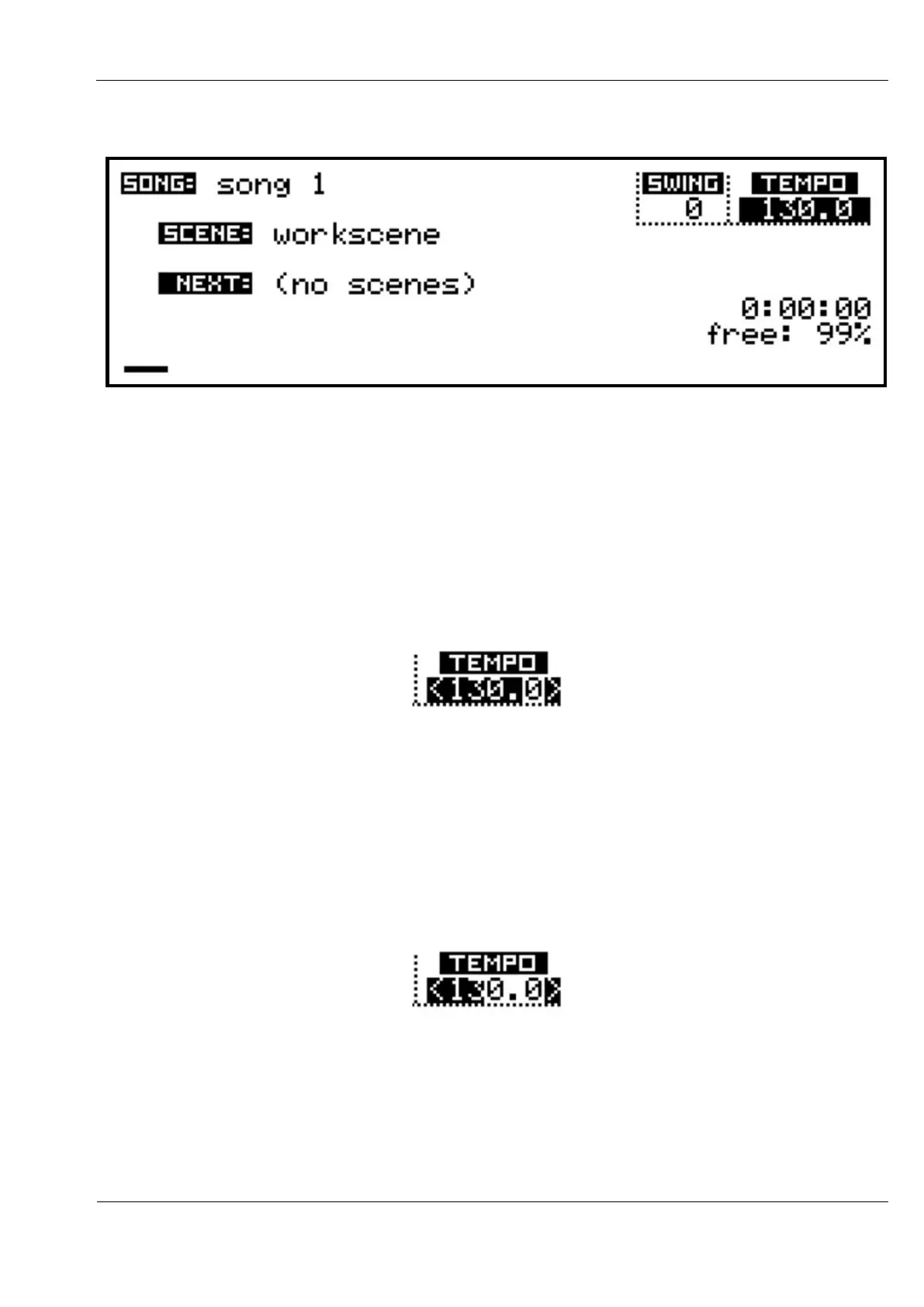
Go back to look at the SONG page:
There are 3 values which can be adjusted here:
- the TEMPO
- the SWING setting
- the song name
The display above shows the selection highlight over the TEMPO value, but it is not yet active
for editing. Press the VALUE encoder (ENTER), and arrow symbols will appear around the
TEMPO value:
You will also see that the selection highlight no longer covers the fractional part of the tempo.
By default, tempo is adjusted in steps of 1 BPM. Turn the VALUE encoder and you should
see the value change.
It is possible to adjust the tempo in coarser or finer steps.
Hold the SHIFT key, and turn the VALUE encoder one step to the left, then release SHIFT.
The highlight should now look like this:
Adjustment of tempo will be in steps of 10 BPM.
Now hold SHIFT, and turn VALUE back two steps to the right.
The highlight will now cover all the digits, and you will find tempo will change by steps of
0.1 BPM.



 To Next Page