Cirklon Sequencer User Manual
the save song page, where you should alter the filename to make it unique, or press MENU
once more to abort the save operation.
Be aware that if you have similarly named songs in memory, they may auto-generate the
same filename. The file extension is hard-coded to .CKS
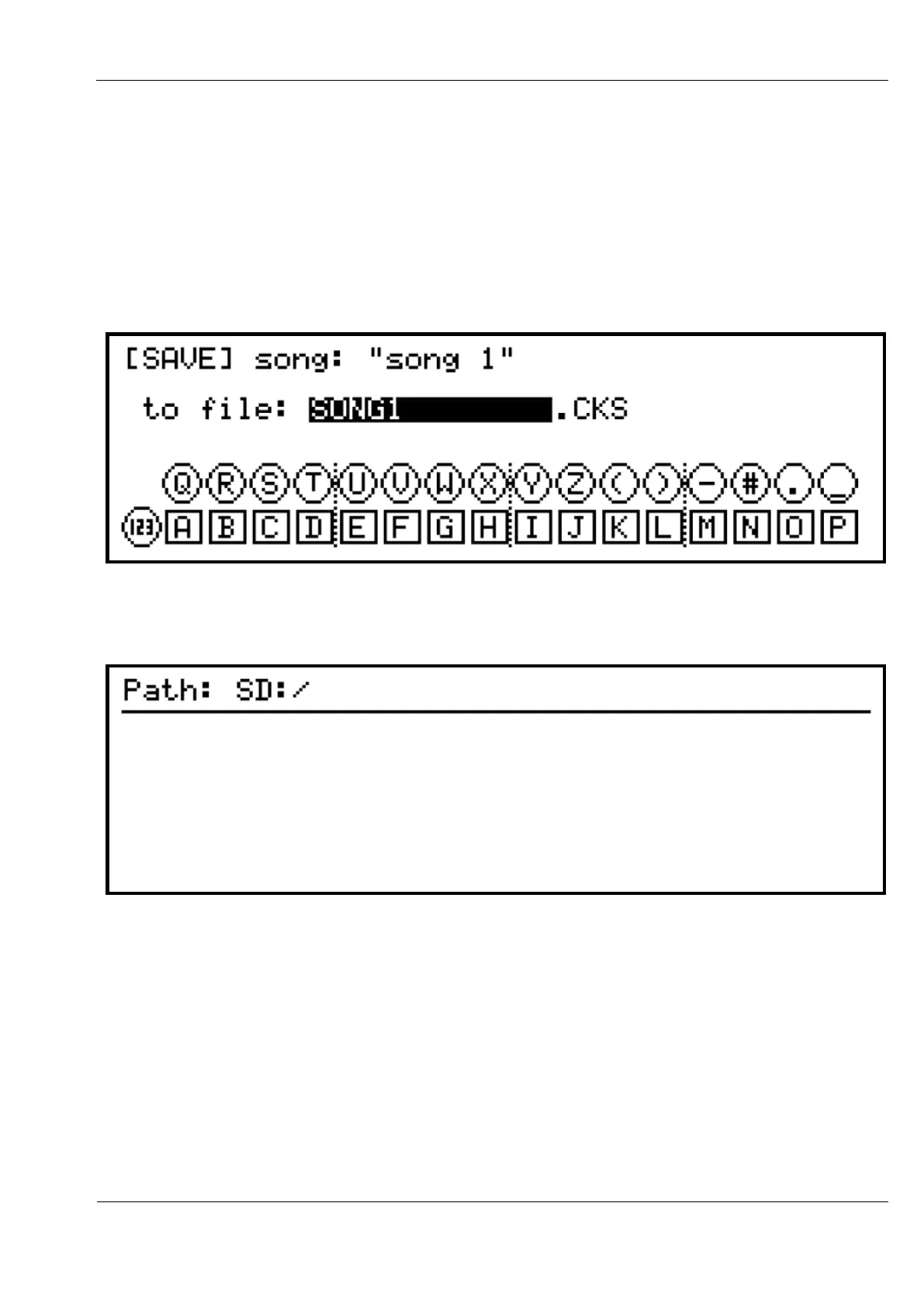
To alter the filename or destination, scroll and select either value on the song save page.
For the filename, the text input mode display will appear:
If you select the [Save path]: option, the folder browser page will appear:
The top line shows the current path. The SD: label shows you are looking at a card in the rear
panel slot. If the internal flash storage is selected, the label IN: will appear.
The single backslash shows you are looking at the root folder.
In this case, there are no other folders on the SD card.



 To Next Page