60 53 362 D3472
D3472.201.10.20.02 07.2016
75
Sirona Dental A/S 5Operation DAC UNIVERSAL ADVANCED
Operating Instructions DAC UNIVERSAL 5.2Using the menu and display information DAC UNIVERSAL ADVANCED
båÖäáëÜ
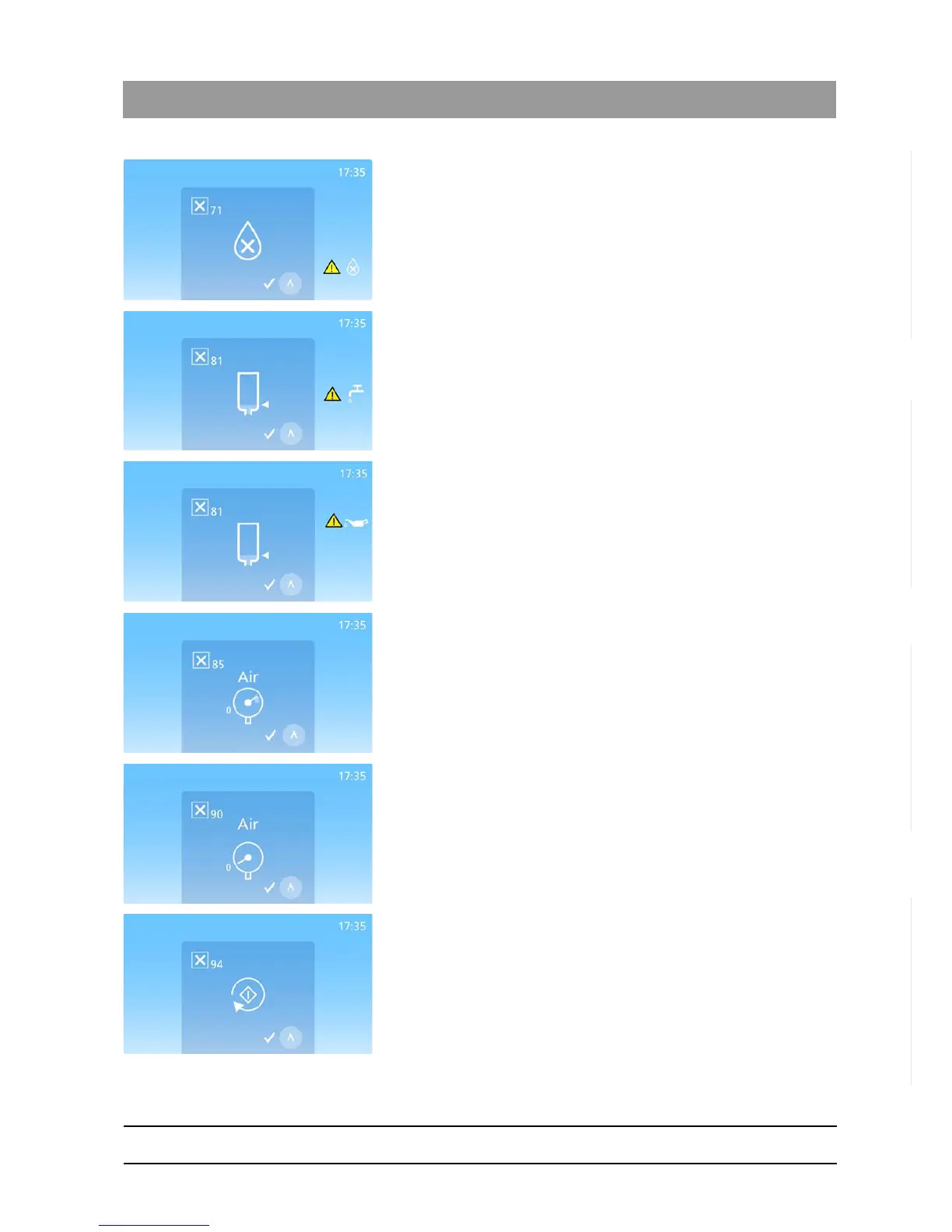
The error code is displayed in the top left hand corner;
Displays when the water quality is insufficient.
The water quality needs to be 3.0 μS/cm or better.
For further troubleshooting, see "Display messages DAC UNIVERSAL
ADVANCED [ → 140]".
Press the “Up”-Key to return.
The error code is displayed in the top left hand corner;
Displays when water is needed.
For further troubleshooting, see "Display messages DAC UNIVERSAL
ADVANCED [ → 140]".
Press the “Up”-Key to return.
The error code is displayed in the top left hand corner;
Displays when oil is needed.
For further troubleshooting, see "Display messages DAC UNIVERSAL
ADVANCED [ → 140]".
Press the “Up”-Key to return.
The error code is displayed in the top left hand corner;
Appears when the air pressure is too high.
Check and see if pressurized air of 5-8 bars is connected to the air inlet.
For further troubleshooting, see "Display messages DAC UNIVERSAL
ADVANCED [ → 140]".
Press the “Up”-Key to return.
The error code is displayed in the top left hand corner;
Appears when the air pressure is too low.
Check and see if pressurized air of 5-8 bars is connected to the air inlet.
For further troubleshooting, see "Display messages DAC UNIVERSAL
ADVANCED [ → 140]".
Press the “Up”-Key to return.
The error code is displayed in the top left hand corner;
The DAC UNIVERSAL has used oil during standby.
For further troubleshooting, see "Display messages DAC UNIVERSAL
ADVANCED [ → 140]".
Press the “Up”-Key to return.














 To Next Page