SMARTRG INC. PROPRIETARY AND CONFIDENTIAL. ALL RIGHTS RESERVED. COPYRIGHT © 2018 10
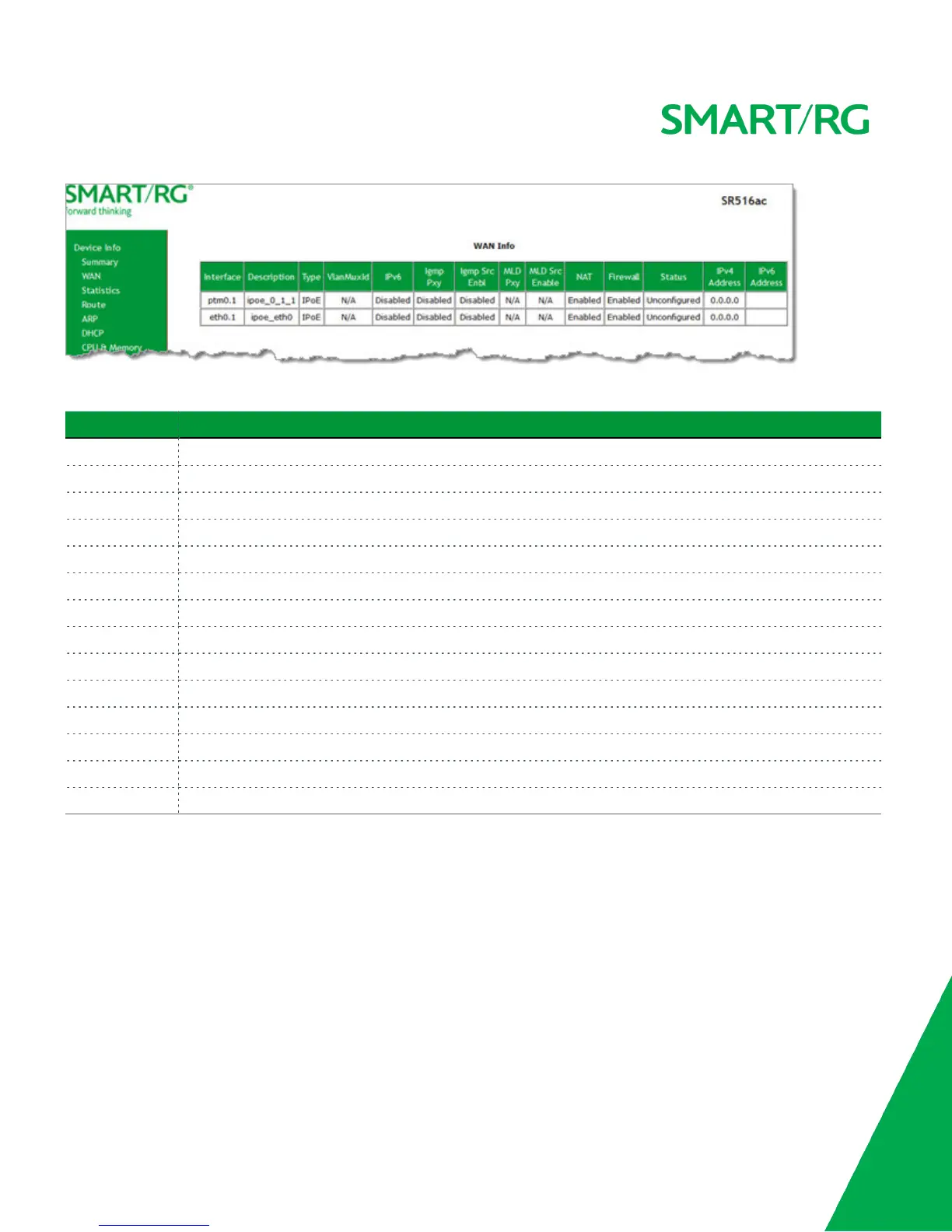
The fields on this page are defined below.
Field Name Description
Interface The connection interface (Layer 2 interface) through which the gateway handles the traffic.
Description The service identifier such as pppoe_0_1_1.35.
Type The service type. Options are PPPoE, IPoE, and Bridge.
VlanMuxId The VLAN ID. Options are Disabled or 0 - 4094.
IPv6 The state of IPv6. Options are Enabled, Disabled, and N/A.
Igmp Pxy The state of the IGMP proxy. Options are Enabled, Disabled, and N/A.
Igmp Src Enbl The state of the IGMP source. Options are Enabled and Disabled.
MLD Pxy The state of the MLD proxy. Options are Enabled, Disabled, and N/A.
MLD Src Enable The state of the MLD source. Options are Enabled, Disabled, and N/A.
NAT The state of NAT. Options are Enabled and Disabled.
Firewall The state of the Firewall. Options are Enabled and Disabled.
Status The status of the WAN connection. Options are Disconnected, Unconfigured, Connecting, and Connected.
IPv4 Address The obtained IPv4 address.
IPv6 Address The obtained IPv6 address.



 To Next Page