SMARTRG INC. PROPRIETARY AND CONFIDENTIAL. ALL RIGHTS RESERVED. COPYRIGHT © 2018 78
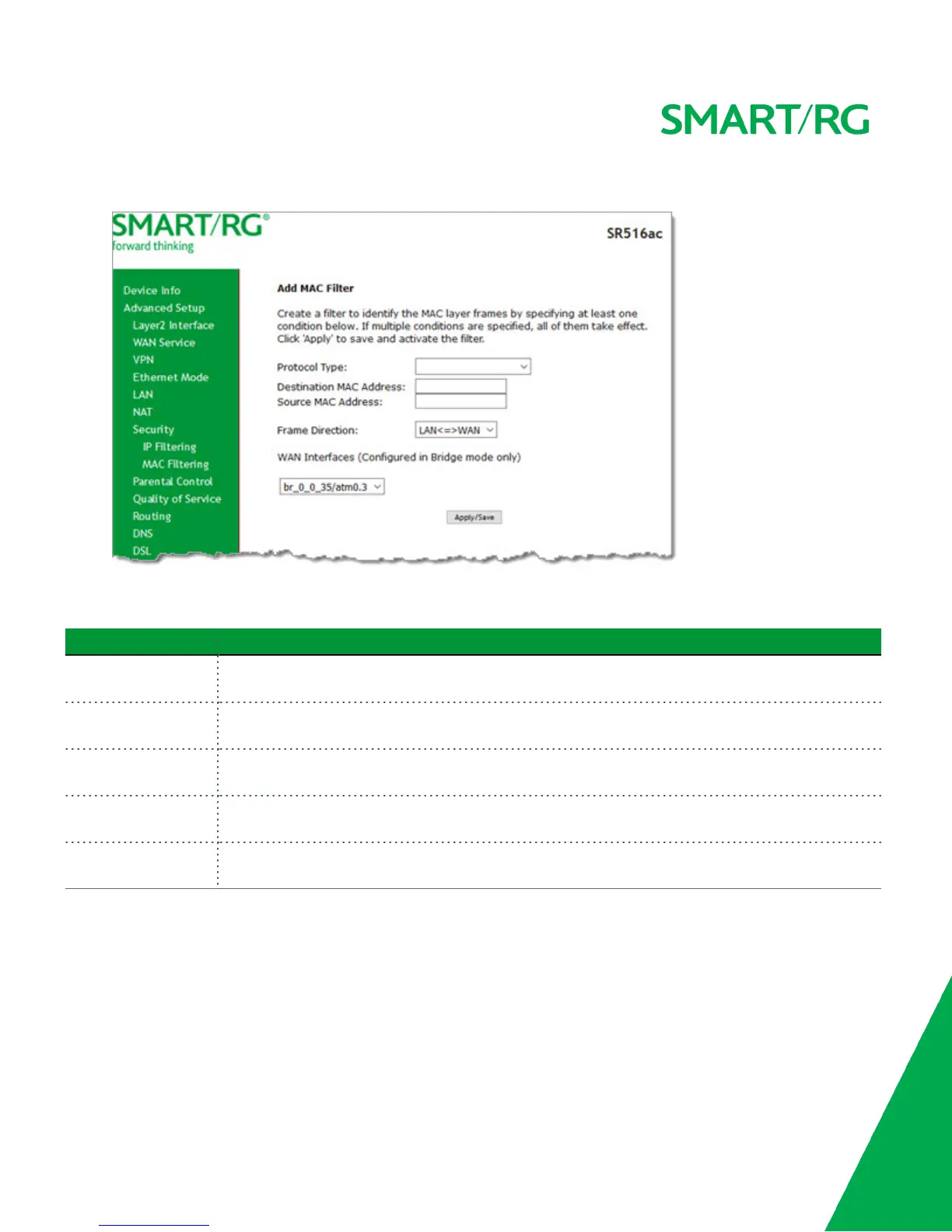
1. On the MAC Filtering Setup page, click Add. The following page appears.
2. Fill in the fields, using the information provided in the following table. The Protocol field is required.
3. Click Apply/Save to commit your changes.
Field Name Description
Protocol Type Select the protocol associated with the device at the destination MAC address. Options are PPPoE,
IPv4, IPv6, AppleTalk, IPX, NetBEUI, and IGMP.
Destination MAC
Address
Enter the MAC address of the device that you want to associate with this filter.
Source MAC Address Enter the MAC address of the device that originates the requests intended for the device associated
with the Destination MAC Address.
Frame Direction Select the incoming/outgoing packet interface. Options are LAN<=>WAN, WAN=>LAN, and
LAN=>WAN. The default is LAN<=>WAN (both directions).
WAN Interfaces Select the WAN interface(s) for which the filter should apply. Only interfaces configured for Bridge
mode are available.
Parental Control
In this section, you can manage time restrictions and block or allow specific URLs.
Time Restriction
On this page, you can control time restriction settings for a LAN device that connects to the gateway.
Note: Before you can create a time restriction rule, the gateway's time must be set. You can do this on the Management > Inter-
net Time page.



 To Next Page