SMARTRG INC. PROPRIETARY AND CONFIDENTIAL. ALL RIGHTS RESERVED. COPYRIGHT © 2018 94
l Obtain IPv6 DNS information from a WAN interface: Select the interface in the WAN Interface Selected field. If
no WAN interface is configured for your gateway, this field is disabled.
l Define a static IPv6 DNS IP address: Click Use the following Static IPv6 DNS address and enter the DNS server
IP addresses.
3. Click Apply/Save to apply your settings.
Dynamic DNS
Dynamic DNS (DDNS) automatically updates a name server in the DNS with the active DNS configuration of its configured host-
names, addresses or other data. Often this update occurs in real time. You can configure the settings for this feature on this
page.
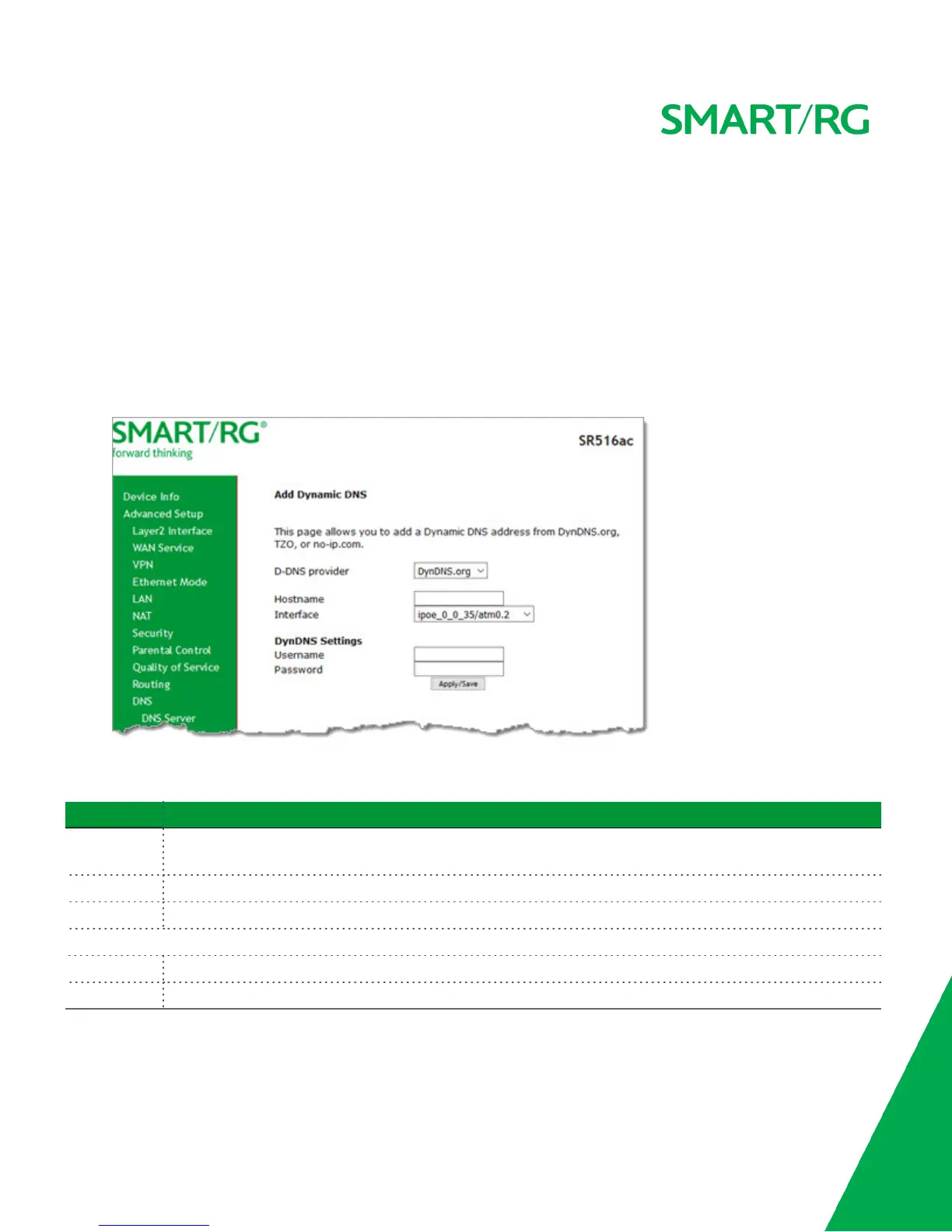
1. In the left navigation bar, click Advanced Setup > DNS > Dynamic DNS and then click Add. The following page appears.
2. Modify the fields as needed, using the information in the table below.
3. Click Apply/Save to commit your changes.
Field Name Description
D-DNS pro-
vider
Select a dynamic Domain Name Server provider. Options are DynDNS.org, TZO or no-ip.com. The default is Dyn-
DNS.org.
Hostname Enter the host name of the dynamic DNS server.
Interface Select the WAN interface whose traffic will be pointed at the specified Dynamic DNS provider.
DynDNS Settings section
Username Enter the username for the dynamic DNS server.
Password Enter the password for the dynamic DNS server.
DNS Config
On this page, you can configure DNS domains.



 To Next Page