SMARTRG INC. PROPRIETARY AND CONFIDENTIAL. ALL RIGHTS RESERVED. COPYRIGHT © 2018 143
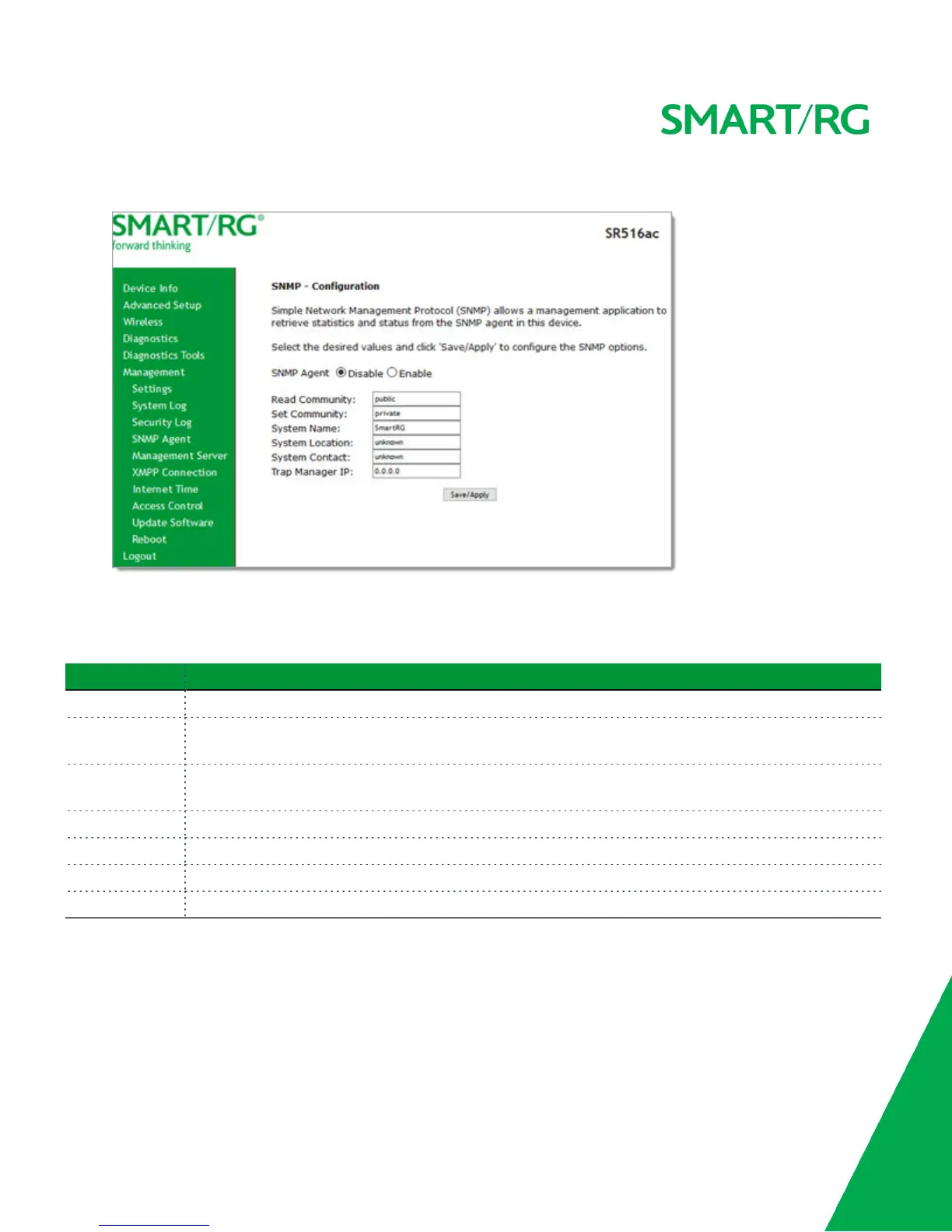
1. In the left navigation bar, click Management > SNMP Agent. The following page appears.
2. Modify the fields as needed, using the information provided in the table below.
3. Click Save/Apply to commit your changes.
The fields on this page are defined below.
Field Name Description
SNMP Agent This option is disabled by default. Click Enable to enable the SNMP agent.
Read Community Select whether access to the network community is restricted. Options are public and private. The default
is public.
Set Community Select whether access to the write (set) community is restricted. Options are public and private. The
default is private.
System Name Enter the name of the system.
System Location (Optional) Enter the location of the system.
System Contact (Optional) Enter the contact for the system.
Trap Manager IP (Optional) Enter the IP address where the trap manager is installed.
Management Server
SmartRG gateways support TR-069 based standards for remote management, including STUN server configuration. In this section,
you can configure the gateway with details about the management ACS (Auto Configuration Server) to which this gateway will be
linked.
TR-069



 To Next Page