SMARTRG INC. PROPRIETARY AND CONFIDENTIAL. ALL RIGHTS RESERVED. COPYRIGHT © 2018 65
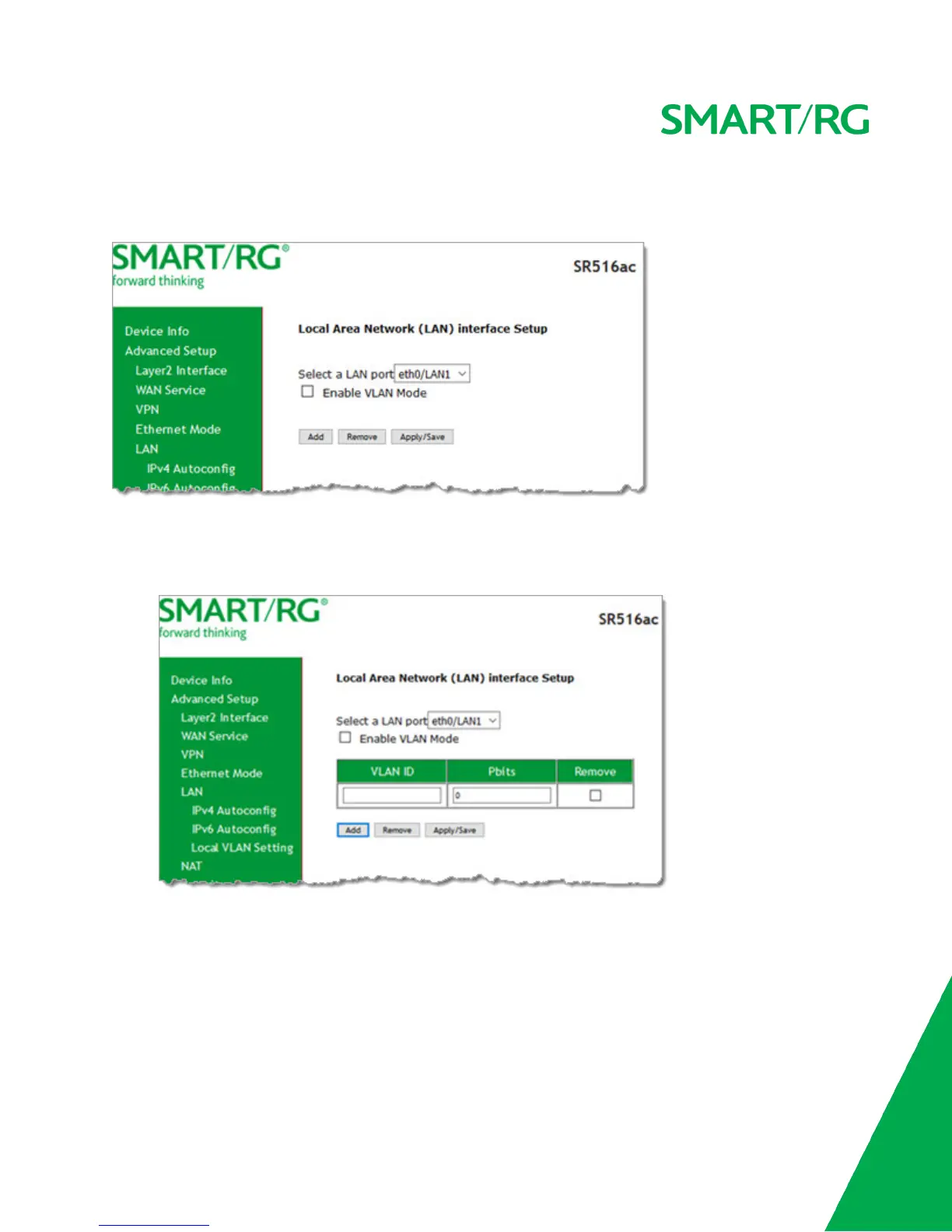
On this page, you can select a LAN port and enable VLAN mode on it.
1. In the left navigation menu, click Advanced Setup > LAN > Local VLAN Setting. The following page appears.
2. Select the LAN port on which you want to enable VLAN mode.
3. Click Enable VLAN Mode.
4. To add a VLAN:
a. Click Add. A table appears where you can enter the details.
b. Enter the VLANID. Options are 1 - 4094.
c. In the Pbits field, enter the type of bits being passed. Options are 1 - 7.
5. Click Apply/Save to apply your settings.
6. To remove a VLAN entry, click the Remove checkbox next to it and then click the Remove button.
NAT
In this section, you can configure the NAT (Network Address Translation) settings.



 To Next Page