SMARTRG INC. PROPRIETARY AND CONFIDENTIAL. ALL RIGHTS RESERVED. COPYRIGHT © 2018 104
Field Name Description
State/Province
Name
Enter the full name of the state or province where your organization's head office is located.
Country/Region Select the country or region in which this certificate will be employed.
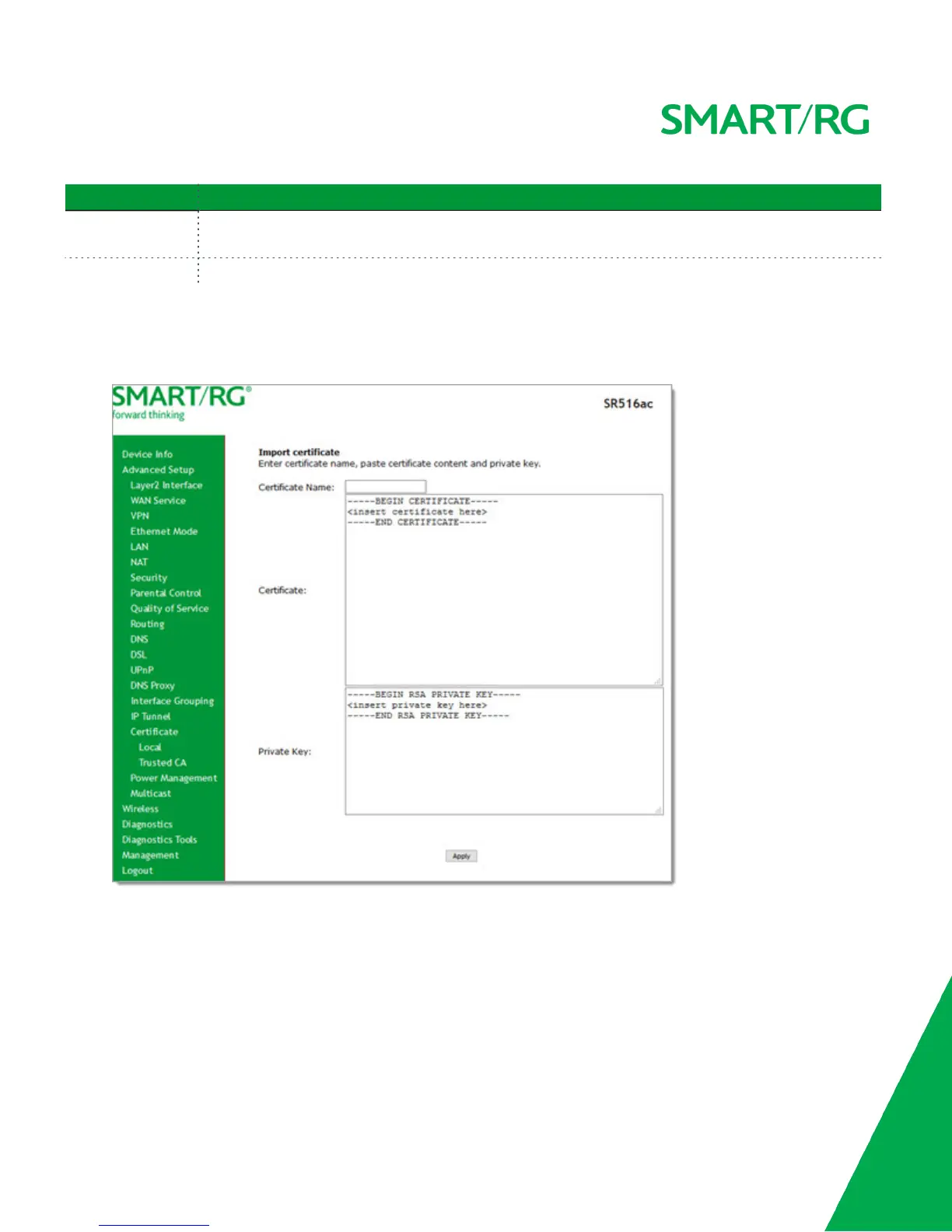
Importing a local certificate and private key
1. In the left navigation bar, click Advanced Setup > Certificate > Local. Then click Import Certificate. The following page
appears.
2. In the Certificate Name field, type "cpecert".
3. Paste the Certificate details between the BEGIN and END markers.
4. Paste the Private Key information between the BEGIN and END markers.
5. Click Apply to commit this certificate.
Trusted CA
On this page, you can import Trusted Certificates to identity other gateways to your gateway as a trusted source.



 To Next Page