SMARTRG INC. PROPRIETARY AND CONFIDENTIAL. ALL RIGHTS RESERVED. COPYRIGHT © 2018 103
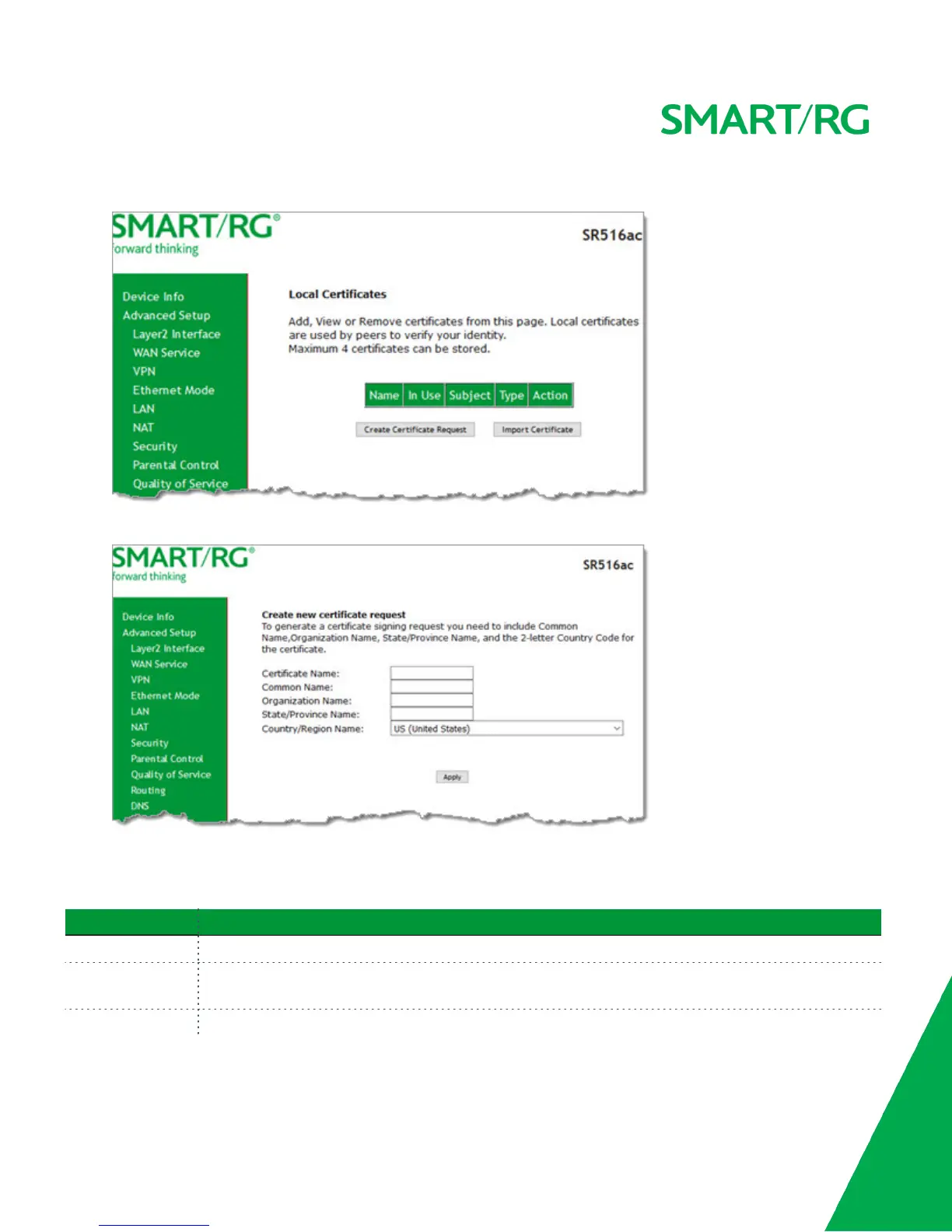
1. In the left navigation bar, click Advanced Setup > Certificate. The following page appears.
2. Click Create Certificate Request. The following page appears.
3. Enter your connection details, using the information provided in the table below.
4. Click Apply to complete the request.
5. Submit your certificate request to a certificate authority for signature.
Field Name Description
Certificate Name Enter a certificate name that describes the intended use of the certificate.
Common Name Enter the IP address (in dotted decimal notation), domain name, or email address. Browsers use this
information to verify your certificate is valid.
Organization Name Enter the name or the company or organization creating the request.



 To Next Page