SMARTRG INC. PROPRIETARY AND CONFIDENTIAL. ALL RIGHTS RESERVED. COPYRIGHT © 2018 153
2. In the Logout Timer Period field, type the number of minutes after which a session will be ended. Options are 0 - 60
minutes. The default is 15 minutes. To disable this feature, enter a zero (0) in the field.
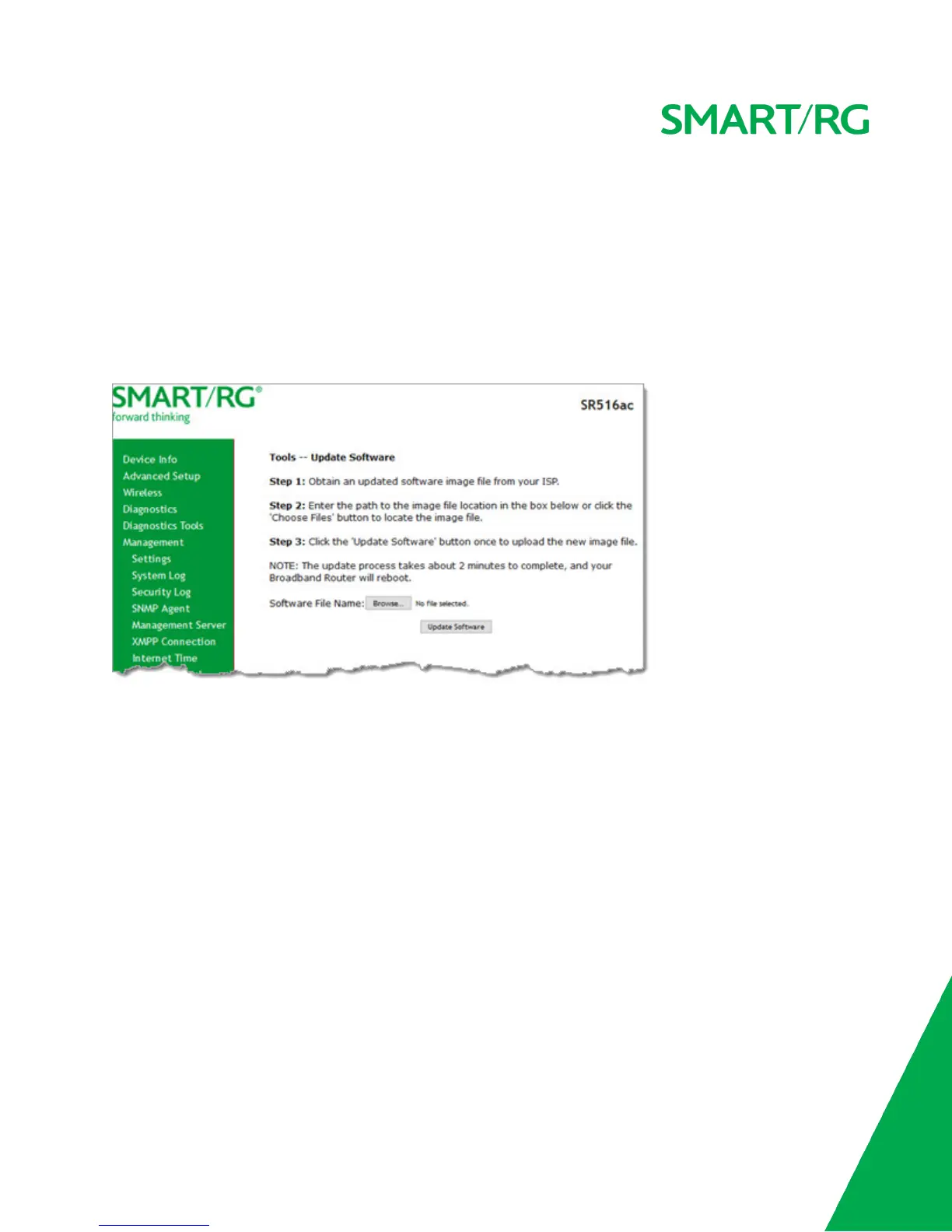
Update Software
On this page, you can update the firmware of your gateway. Software updates for SmartRG product are available for download by
direct customers of SmartRG via the SmartRG Customer Portal.
Note: Make sure that you have downloaded the correct software file as instructed by your ISP.
1. In the left navigation bar, click Management > Update Software. The following screen appears.
2. Click Browse to locate and select the correct software file.
3. Click Update Software.
Note: When software update is in progress, do not shut down the gateway. After the software update completes, the
gateway automatically reboots.
Reboot
On this page, you can reboot your gateway without needing physical access to the unit.



 To Next Page