SMARTRG INC. PROPRIETARY AND CONFIDENTIAL. ALL RIGHTS RESERVED. COPYRIGHT © 2018 80
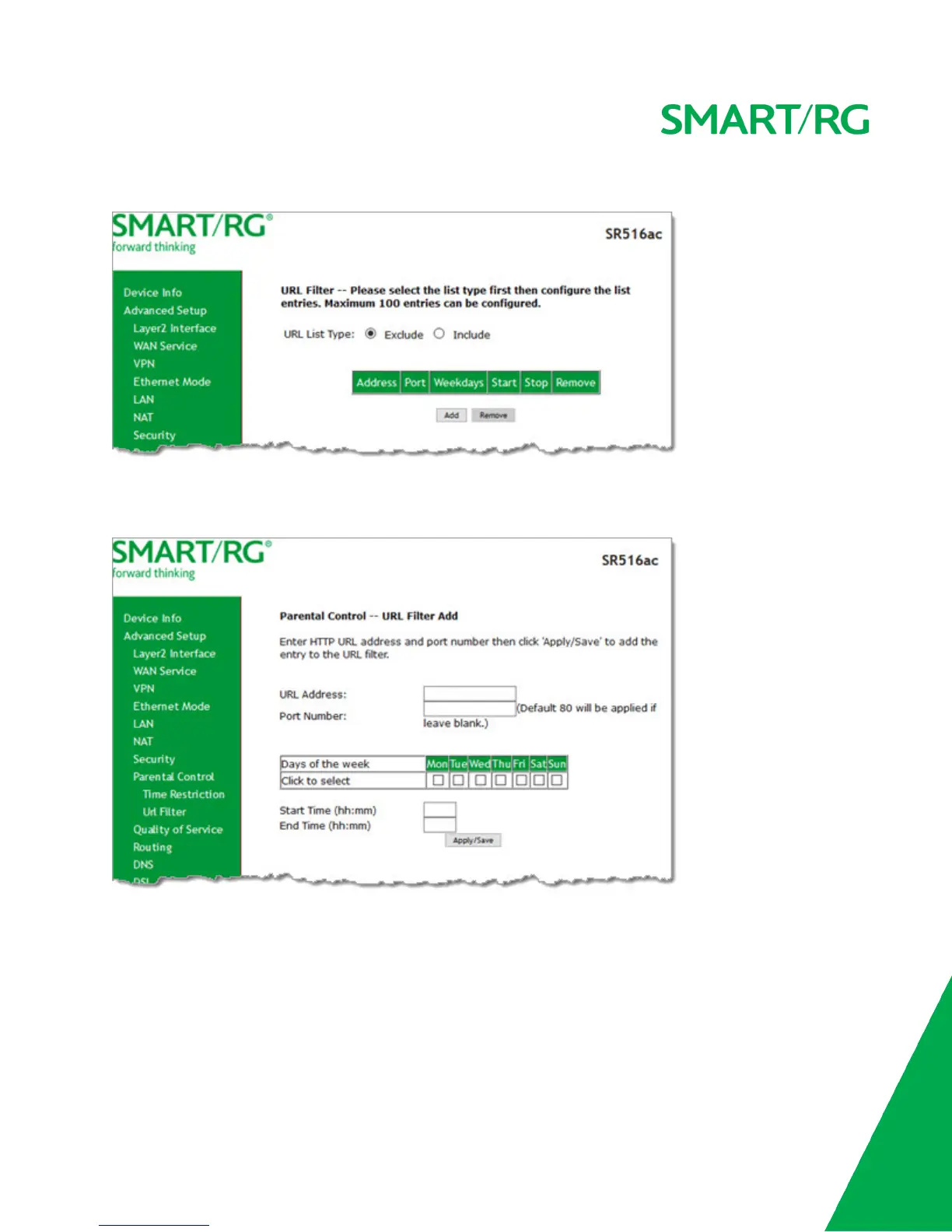
1. 1. Click Advanced Setup > Parental Control > Url Filter, and the following page appears.
2. Select whether to exclude or include the URLs in the list you are going to create. If you select Exclude, users cannot
access the URLs in the list. If you select Include, users can access the URLs in the list.
3. To create the list of URLs, click Add. The following page appears.
4. Enter the URL address and its corresponding port number. For example, enter http://www.google.com as the URL
address and 80 as the port number. If you leave the Port Number field blank, the default port number of 80 is used.
5. Select the days of the week when this rule will apply.
6. Enter the starting and ending time periods when this rule should be active. Use 24-hour format.
7. Click Apply/Save to save your changes. You are returned to the Parental Control > URL Filter page.
Quality of Service



 To Next Page