SMARTRG INC. PROPRIETARY AND CONFIDENTIAL. ALL RIGHTS RESERVED. COPYRIGHT © 2018 62
5. To add addresses to the Static IP Lease List:
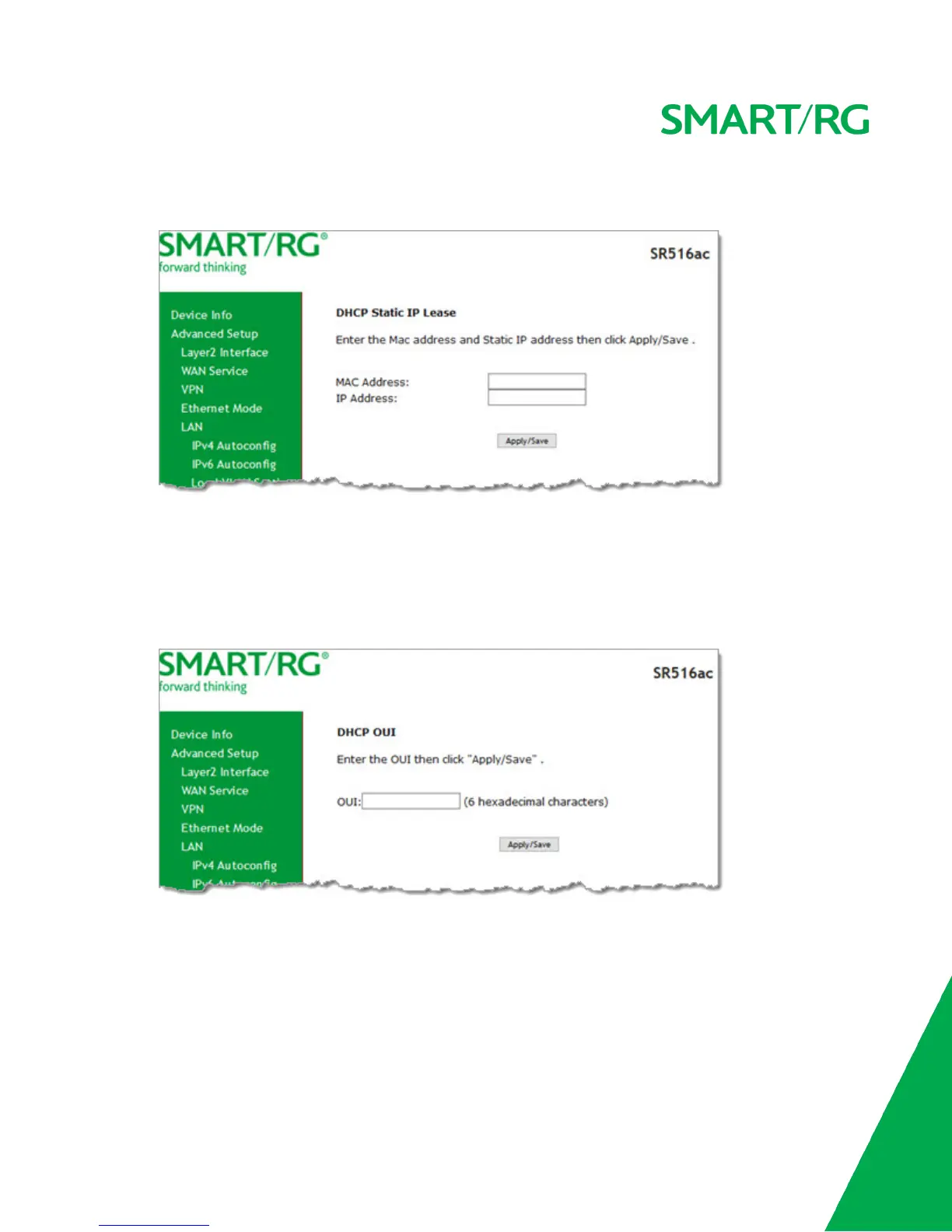
a. Click Add Entries below the MAC Address field. The DHCP Static IP Lease page appears.
b. Enter the MAC address of the LAN host.
c. Enter the static IP address that is reserved for the host.
d. Click Apply/Save to apply the settings. You are returned to the LAN Setup page.
6. To remove entries from the Static IP Lease List, click the Remove check box next to the entry and then click Remove
Entries.
7. To add OUIs:
a. Click Add OUI. The DHCP OUI page appears.
b. Enter the OUI for the DHCP and click Apply/Save.
8. To remove entries from the OUI list, click the Remove check box next to the entry and then click Remove OUI.
9. To define a second IP address and subnet mask for a LAN interface:
a. Click Configure the second IP Address and Subnet Mask for LAN interface. Additional fields appear.
b. Enter an IP address and a subnet mask for the LAN interface.
10. Click Apply/Save to apply your settings.
IPv6 Autoconfig



 To Next Page