SMARTRG INC. PROPRIETARY AND CONFIDENTIAL. ALL RIGHTS RESERVED. COPYRIGHT © 2018 128
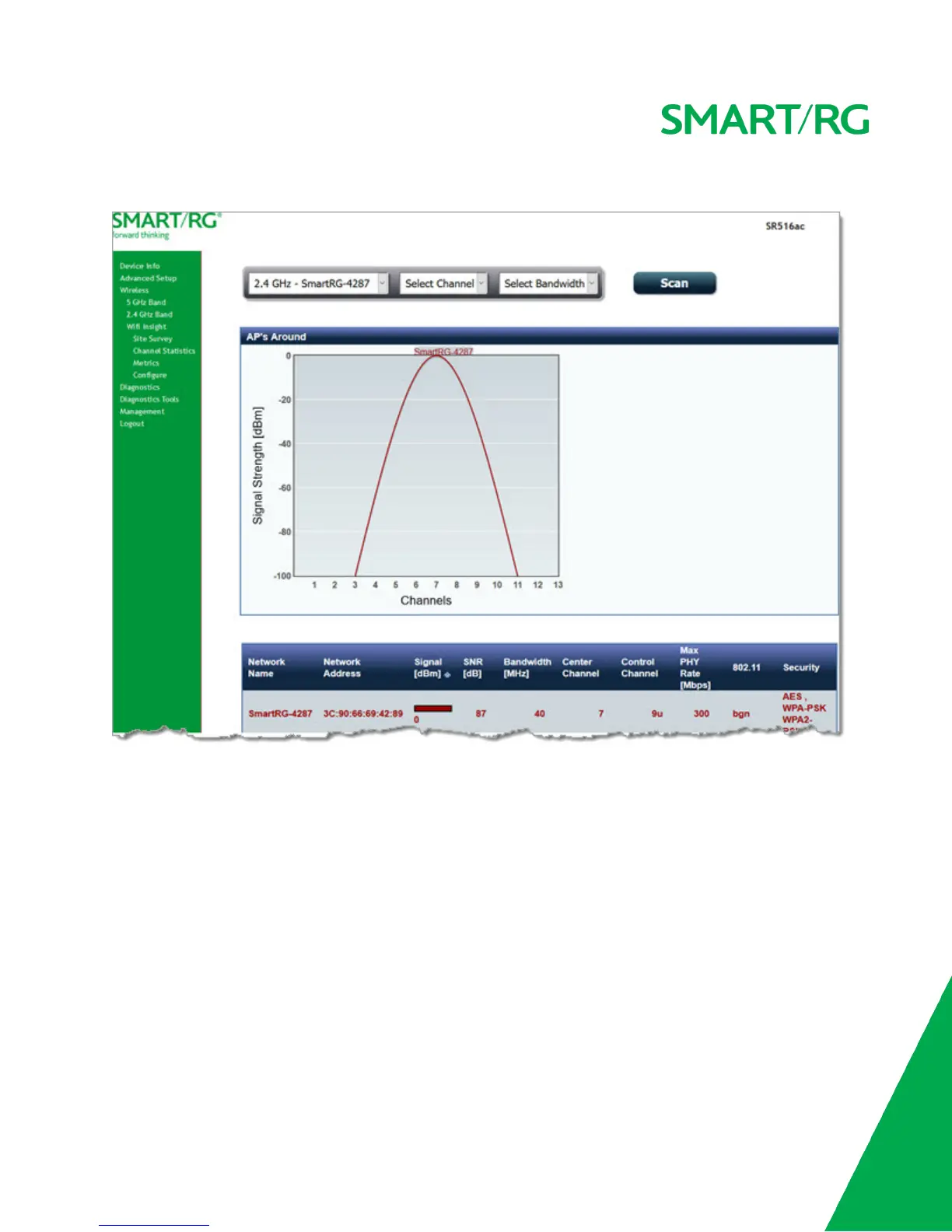
1. In the left navigation menu, click Wireless > Wifi Insight > Site Survey. The following page appears.
2. In the first field above the chart, select the wireless network that you want to review.
3. In the Select Channel field, select the channel that you want to review.
4. In the Select Bandwidth field, select the bandwidth.
5. Click Scan. The page refreshes to show the requested information.
Channel Statistics
On this page, you can view signal strength, channel capacity, interference, and other details for specific channels.
In the left navigation menu, click Wireless > Wifi Insight > Channel Statistics. The following page appears.



 To Next Page