SMARTRG INC. PROPRIETARY AND CONFIDENTIAL. ALL RIGHTS RESERVED. COPYRIGHT © 2018 114
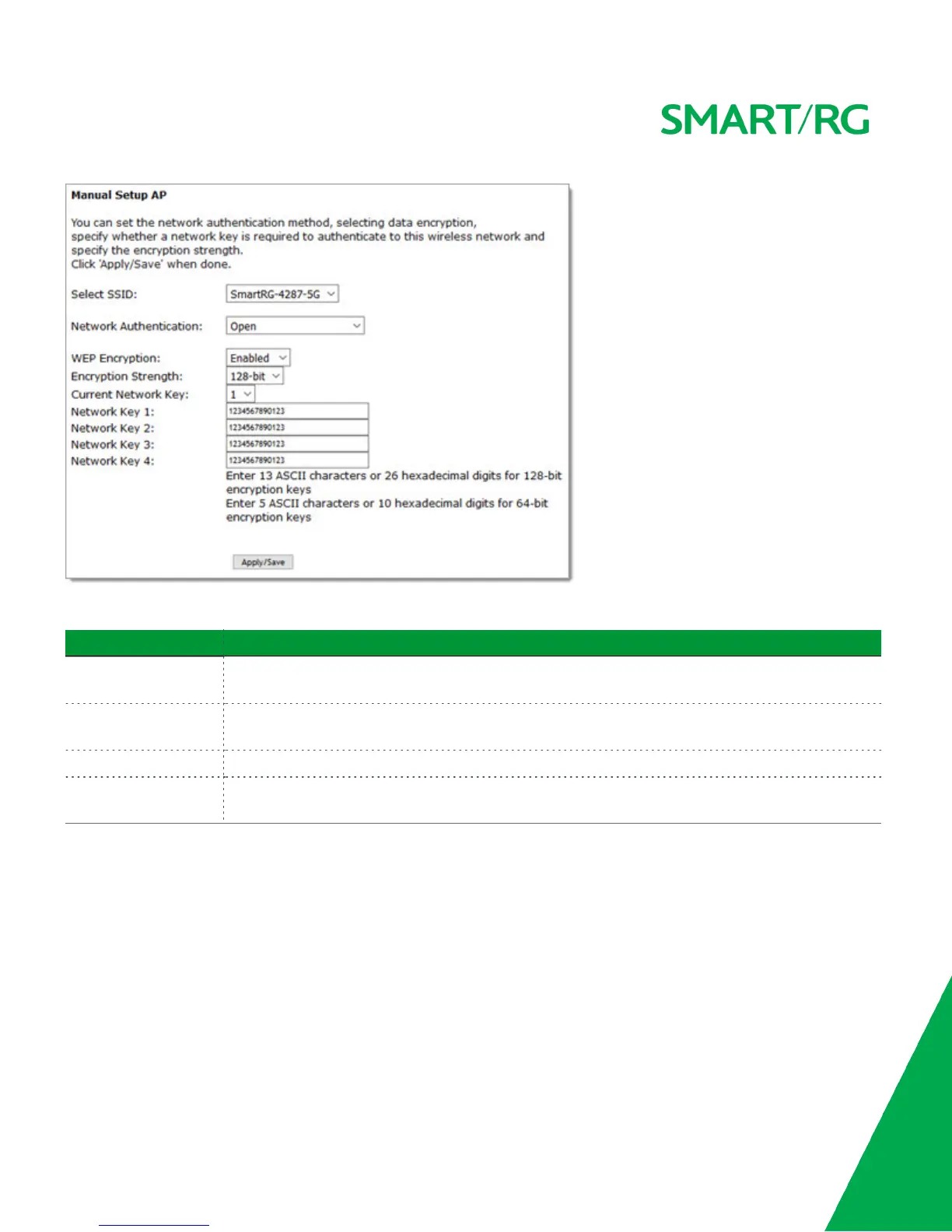
Modify the fields as needed and then click Apply/Save.
Field Name Description
WEP Encryption Select the Wired Equivalent Privacy (WEP) mode. Options are Enabled and Disabled. The default is Dis-
abled for Open authentication and Enabled for Shared authentication.
Encryption Strength Select the length of the encryption method. Options are 128-bit and 64-bit. 128-bit is the default
and is the more robust option for security.
Current Network Key Select which of the four keys is presently in effect.
Network Key 1-4 Enter up to four encryption keys using the on-screen instructions to achieve the desired security
strength.
802.1X Authentication
The following fields appear when you select 802.1X in the Network Authentication field. WPS is disabled for this method.



 To Next Page