SMARTRG INC. PROPRIETARY AND CONFIDENTIAL. ALL RIGHTS RESERVED. COPYRIGHT © 2018 28
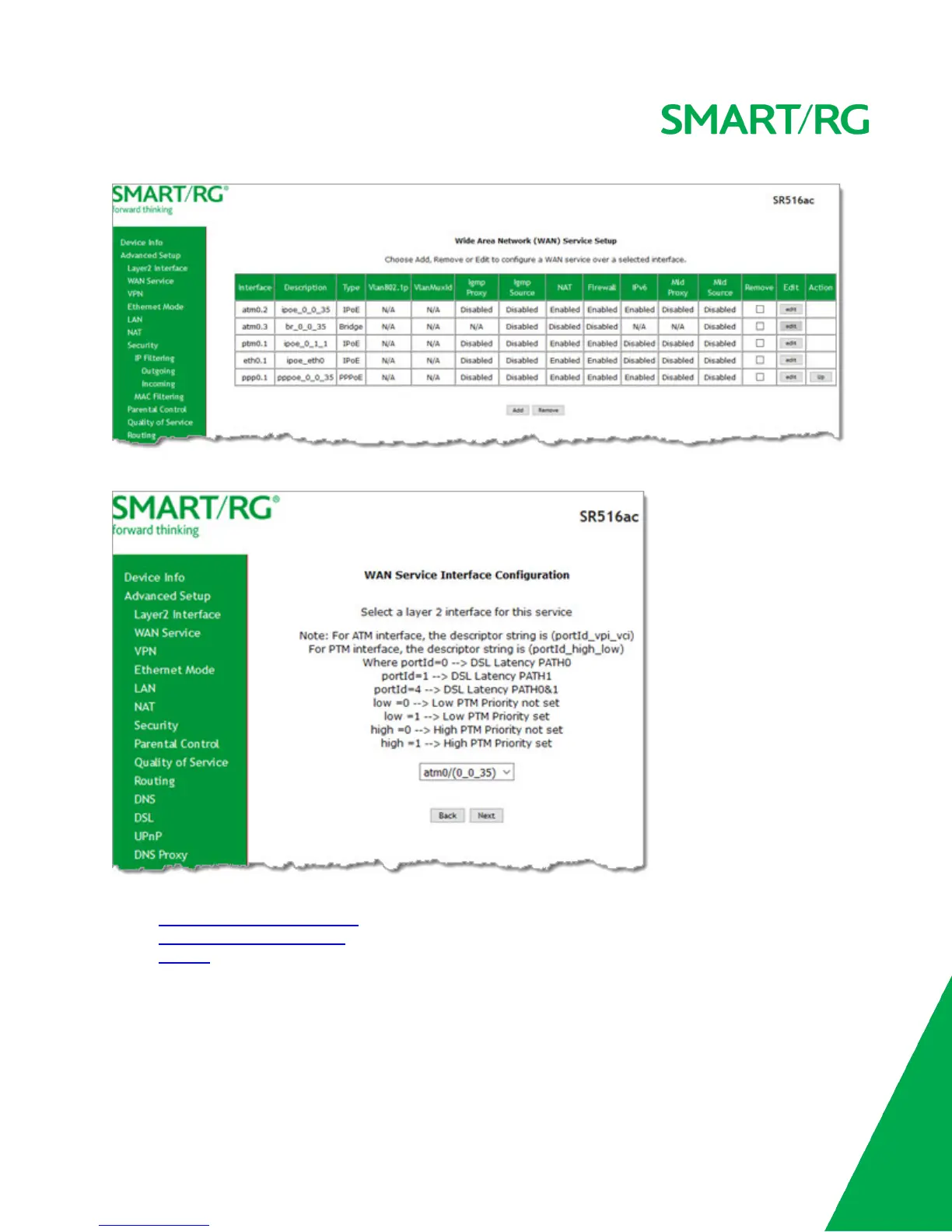
2. To add a service, click Add. The following page appears.
3. Modify the settings as desired, using the information in the topics listed below:
l PPP over Ethernet WAN Service
l IP over Ethernet WAN Service
l Bridging
4. To edit an interface:
a. Click the Edit button at the far right.
b. Modify the settings as needed and then click through to click Apply/Save.
5. To remove an interface, click the Remove checkbox next to it and then click the Remove button.
PPP over Ethernet WAN Service



 To Next Page