SMARTRG INC. PROPRIETARY AND CONFIDENTIAL. ALL RIGHTS RESERVED. COPYRIGHT © 2018 151
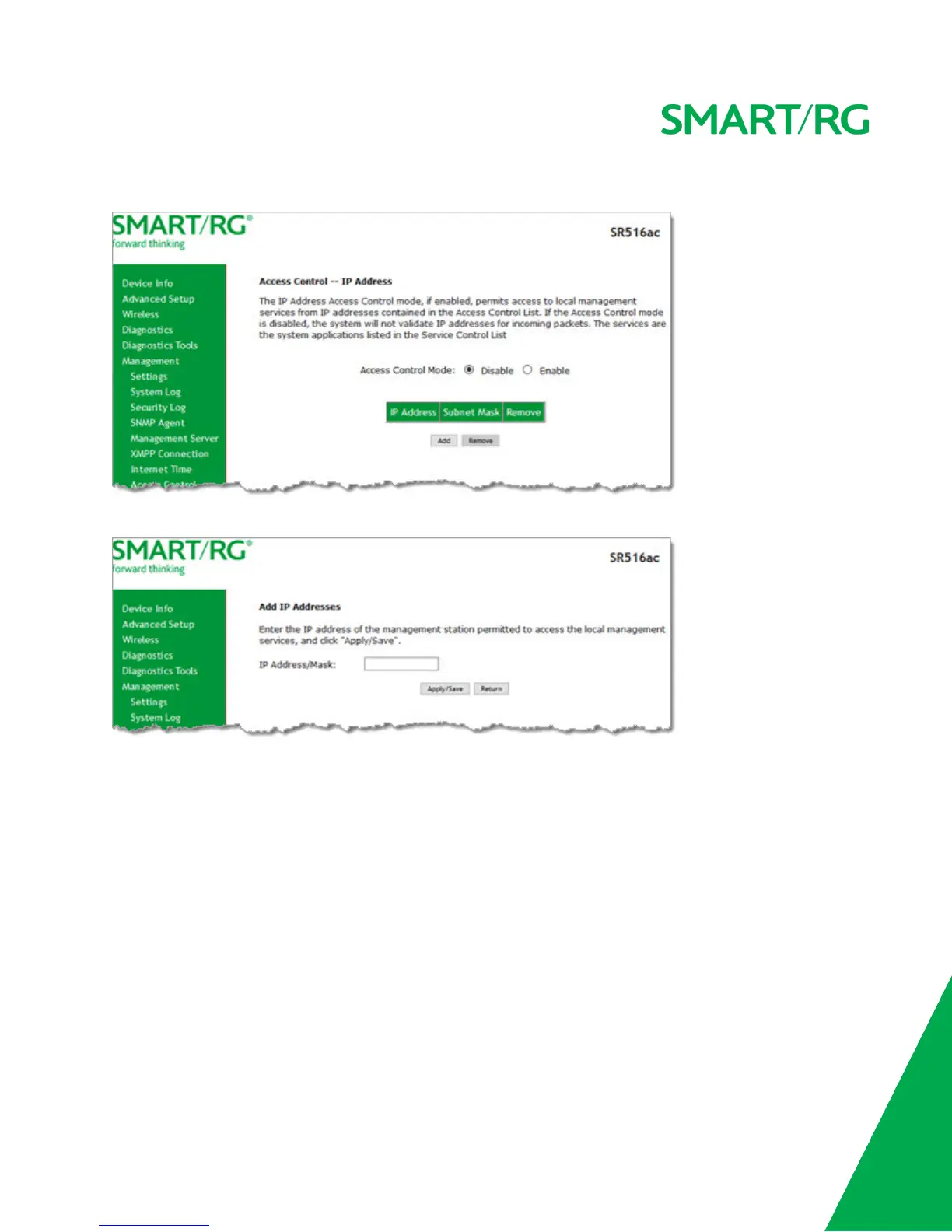
1. In the left navigation bar, click Management > Access Control > Access List. The following page appears.
2. Click Add. The following page appears.
3. Enter the IP address and mask of the station allowed to access local management services.
4. To enable the listed IP addresses to access local management services, in the Access Control Mode field, click Enable.
5. To remove a connection, click the Remove checkbox to the right of the entry and then click the Remove button. If you
remove the only entry, Access Control Mode is set to Disable.
6. Click Apply/Save to save and apply the settings.
Services Control
On this page, you can enable or disable the different types of services that your gateway can access.



 To Next Page