SMARTRG INC. PROPRIETARY AND CONFIDENTIAL. ALL RIGHTS RESERVED. COPYRIGHT © 2018 27
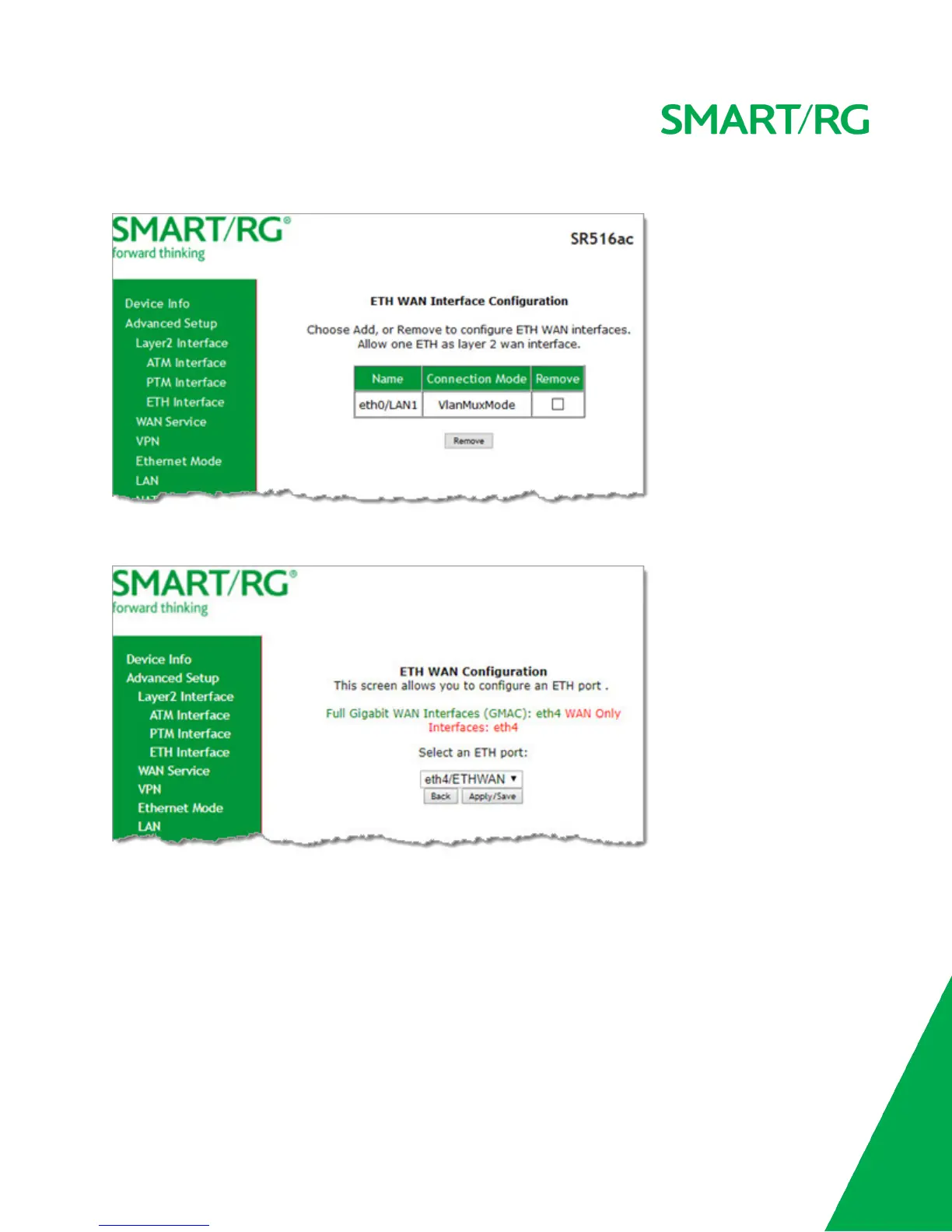
1. In the left navigation bar, click Advanced Setup > Layer2 Interface > ETH Interface. The following page appears.
2. To remove an entry, click the Remove checkbox next to the entry and then click the Remove button.
3. To add an entry, click Add. The following page appears.
4. Select the LAN port you want to use as a WAN port.
5. Click Apply/Save to commit your changes. The interface is added to the ETH WAN Interface Configuration page.
WAN Service
On this page, you can add, remove, or edit a WAN service. You must configure the related interface (ATM, ETH or PTM) first. You
can configure services for PPPoE, IPoE, and Bridging. A sample configuration scenario is provided for each variation.
1. In the left navigation, click Advanced Setup > WAN Service. The following page appears, showing any services already
configured.



 To Next Page