SMARTRG INC. PROPRIETARY AND CONFIDENTIAL. ALL RIGHTS RESERVED. COPYRIGHT © 2018 117
Field Name Description
l AES: Advanced Encryption Standard. This is the default.
l TKIP+AES: AES combined with TKIP (Temporary Key Integrity Protocol) allows access by
either standard.
WEP Encryption This option is set to Disabled and cannot be changed.
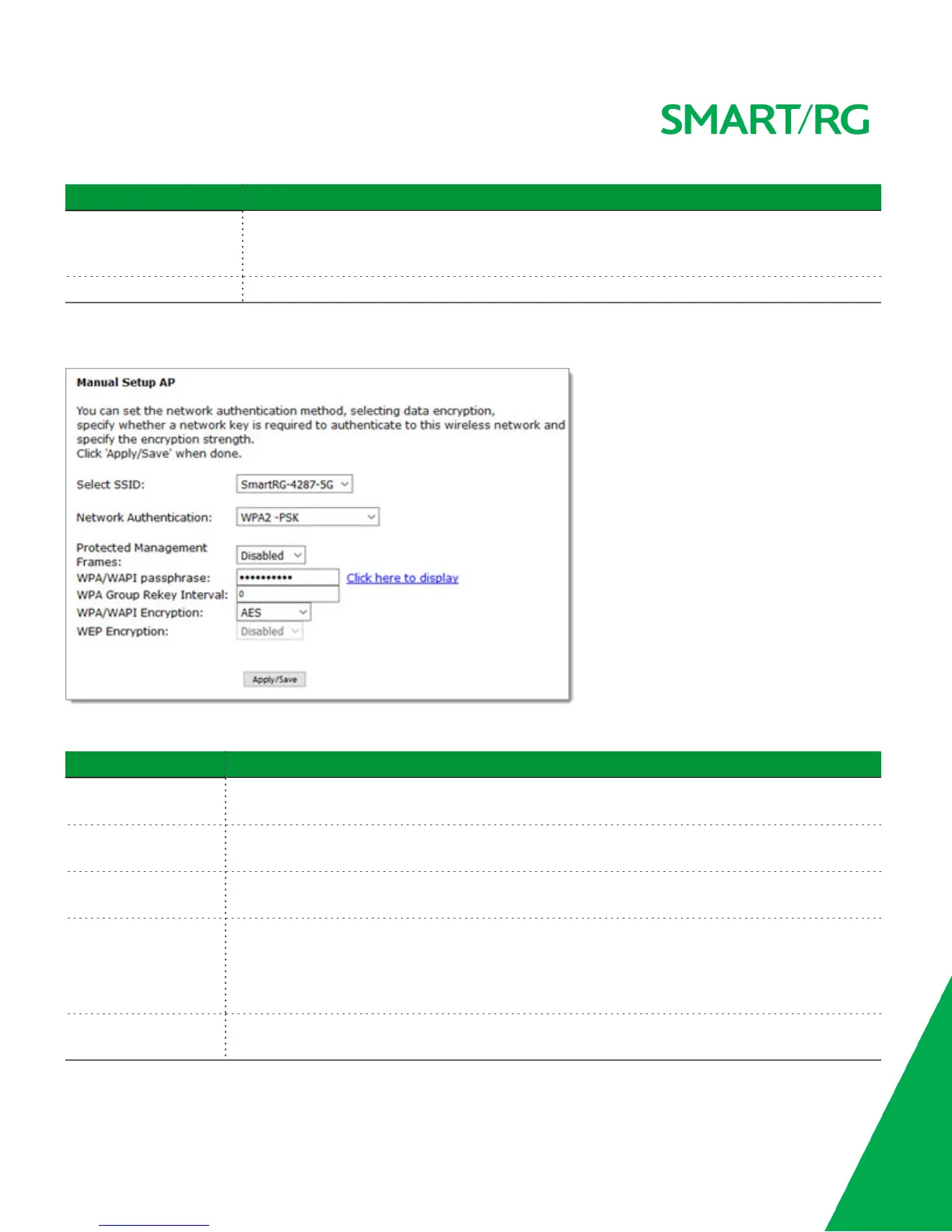
WPA2-PSK and Mixed WPA2/WPA-PSK Authentication
The following fields appear when you select WPA2-PSK or Mixed WPA2/WPA-PSK in the Network Authentication field.
Modify the fields as needed, using the information provided in the table below, and then click Apply/Save.
Field Name Description
Protected Management
Frames
Select whether management frames are protected. Options are Disabled, Capable, and Required.
The default is Disabled.
WPA/WAPI passphrase Enter the security password to be used by this security configuration. When you click Click here to
display, the passphrase appears in a separate window.
WPA Group Rekey Inter-
val
Enter the frequency at which the gateway automatically updates the group key and sends it to con-
nected LAN client devices. The default is 0.
WPA/WAPI Encryption Select the encryption standard. This field is displays the option most compatible with the selected
network authentication method. Options are:
l AES: Advanced Encryption Standard.
l TKIP+AES: AES combined with TKIP (Temporary Key Integrity Protocol).
WEP Encryption This option is set to Disabled and cannot be changed. It disables WEP (Wired Equivalent Privacy)
mode.



 To Next Page