SMARTRG INC. PROPRIETARY AND CONFIDENTIAL. ALL RIGHTS RESERVED. COPYRIGHT © 2018 92
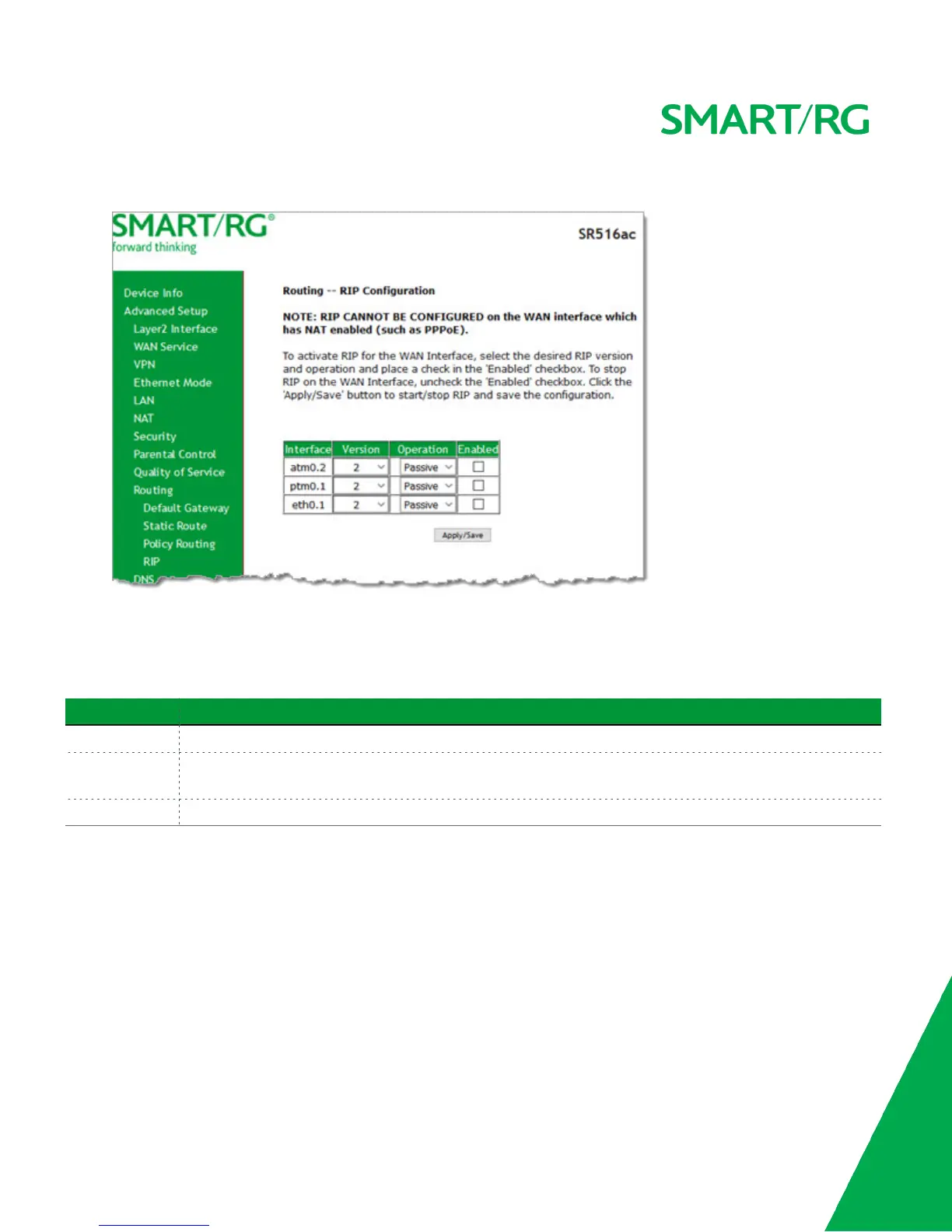
1. In the left navigation bar, click Advanced Setup > Routing > RIP. The following page appears.
2. For the interface that you want to modify, select values using the information in the table below.
3. To enable a configuration, click the Enabled checkbox next to the interface.
4. Click Apply/Save to commit your changes.
The fields on this page are defined below.
Field Name Description
Interface Displays a list of available WAN interfaces.
Version Select the applicable version of the Routing Interface Protocol. For detailed information about versions, refer
to RFC 1058 and RFC 1453. Options are 1, 2, and Both.
Operation This option is set to Passive and cannot be changed. This mode listens only. It does not advertise routes.
DNS
In this section, you can configure a DNS server, dynamic DNS and static DNS.
DNS Server
On this page, you can select a DNS server interface from the available interfaces, manually enter the DNS server addresses, or
obtain the DNS address from a WAN interface.



 To Next Page