SMARTRG INC. PROPRIETARY AND CONFIDENTIAL. ALL RIGHTS RESERVED. COPYRIGHT © 2018 152
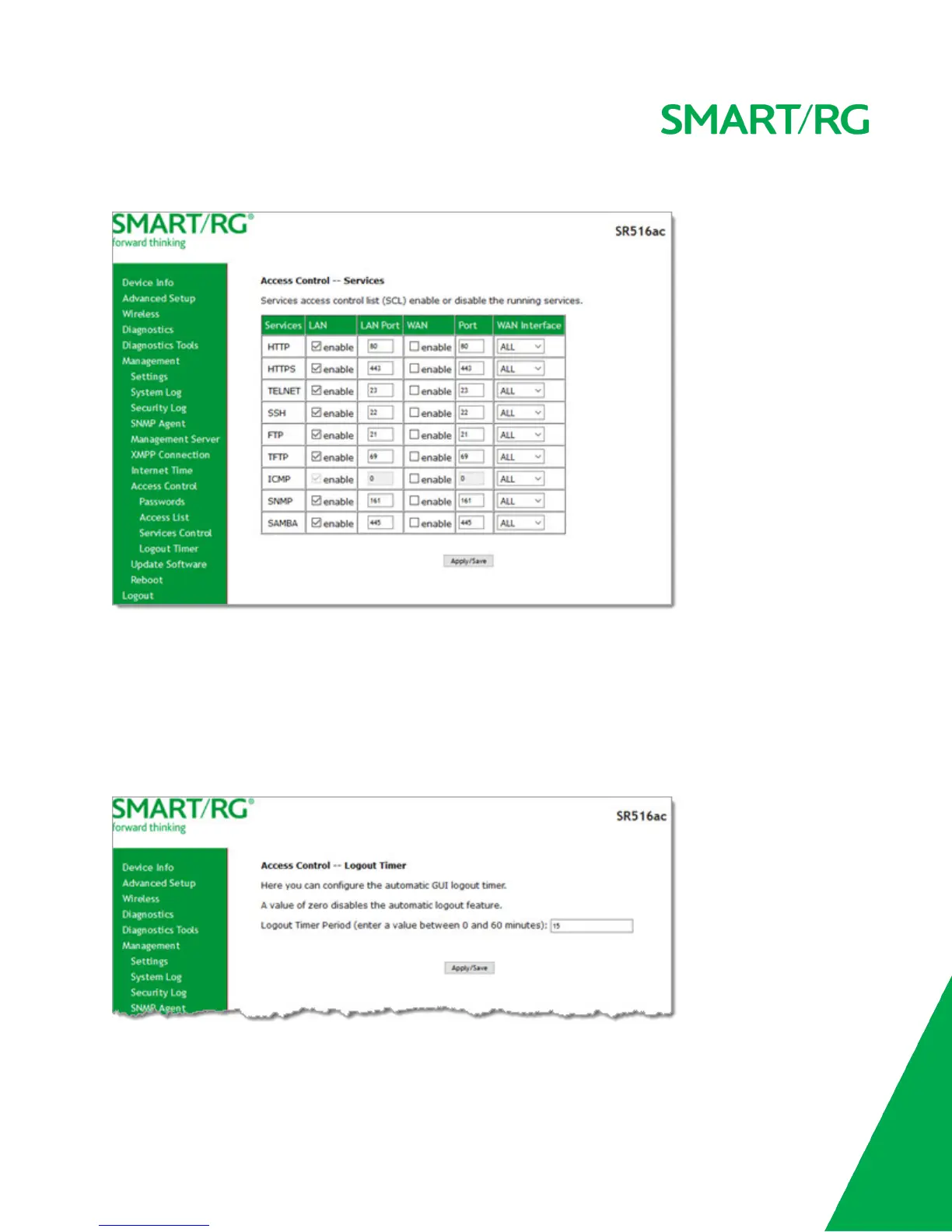
1. In the left navigation bar, click Management > Access Control > Services Control. The following page appears.
2. Select or clear the enable checkbox next to each service and interface that you want to change.
3. (Optional) In the LAN Port and Port fields, modify the port numbers for the services.
4. (Optional) In the WAN Interface field, select an interface. The default is ALL and works best for most environments.
5. Click Apply/Save to save and apply the settings.
Logout Timer
On this page, you can define the maximum time that a session can remain open before the gateway logs out.
1. In the left navigation bar, click Management > Access Control > Logout Timer. The following page appears.



 To Next Page