SMARTRG INC. PROPRIETARY AND CONFIDENTIAL. ALL RIGHTS RESERVED. COPYRIGHT © 2018 59
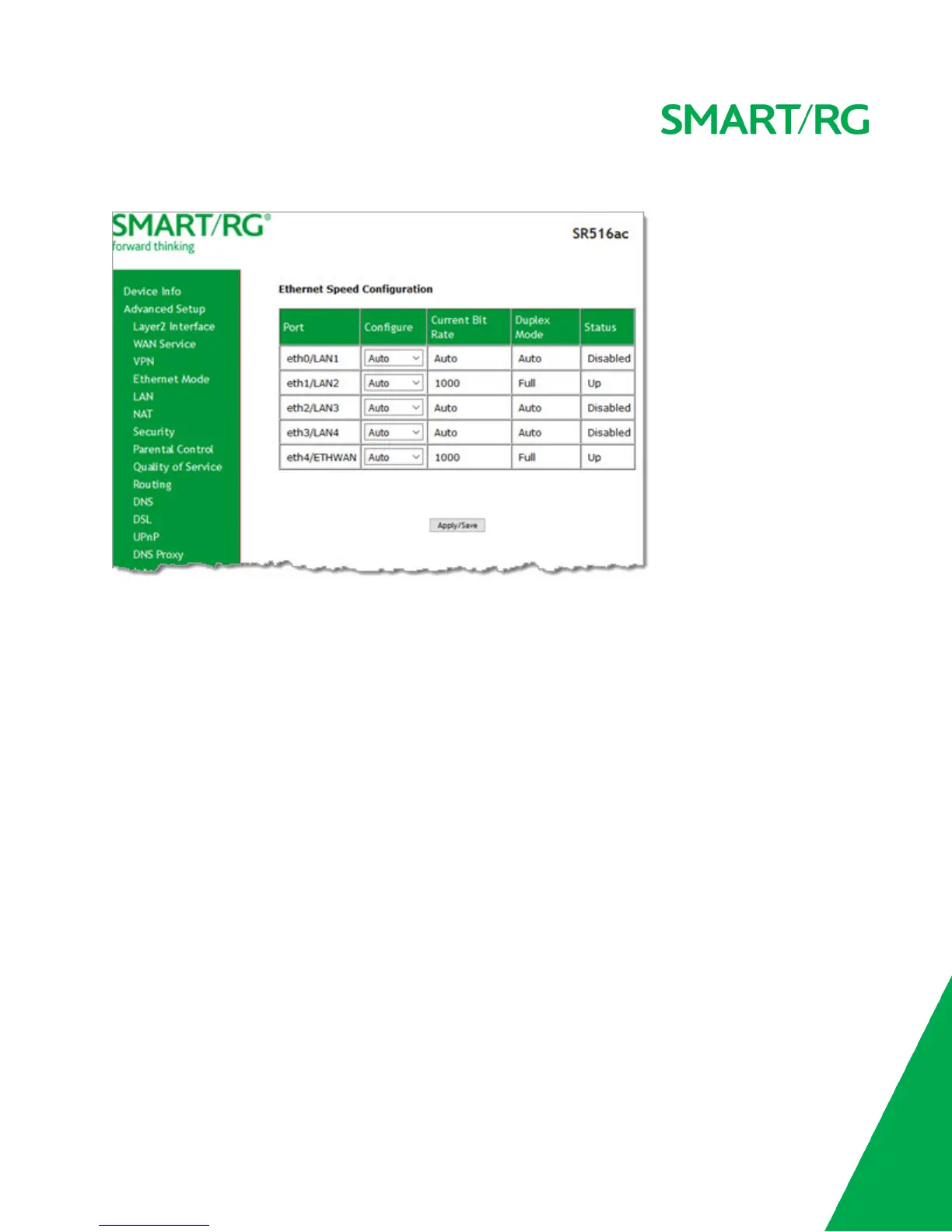
1. In the left navigation menu, click Advanced Setup > Ethernet Mode. The following page appears.
2. To set a specific speed, select it in the Configure field.
Options are Auto, 100 Full, 100 Half, 10 Full, and 10 Half. The default is Auto.
3. Click Apply/Save to apply your changes.
LAN
In this section, you can configure an IP address for the DSL gateway, enable IGMP snooping, enable or disable the DHCP server,
edit the DHCP options, configure the DHCP advanced setup, and set the binding between a MAC address and an IP address.
IGMP snooping enables the gateway to forward multicast traffic intelligently, instead of flooding all ports in the VLAN. With IGMP
snooping, the gateway listens to IGMP membership reports, queries and leave messages to identify the switch ports that are
members of multicast groups. Multicast traffic will only be forwarded to ports identified as members of the specific multicast
group or groups.
If you enable the DHCP server, the clients will automatically acquire the IP address from the DHCP server. If the DHCP server is
disabled, you need to manually set the start IP address, end IP address and the lease time for the clients in the LAN.
IPv4 Autoconfig
1. In the left navigation menu, click Advanced Setup > LAN. The following page appears. You can also reach this page by
clicking Advanced Setup > LAN > IPv4 Autoconfig in the left menu.



 To Next Page