SMARTRG INC. PROPRIETARY AND CONFIDENTIAL. ALL RIGHTS RESERVED. COPYRIGHT © 2018 109
Wireless
In this section, you can configure the wireless interface settings for your gateway, including basic and advanced settings, MAC fil-
tering, and wireless bridging.
Basic
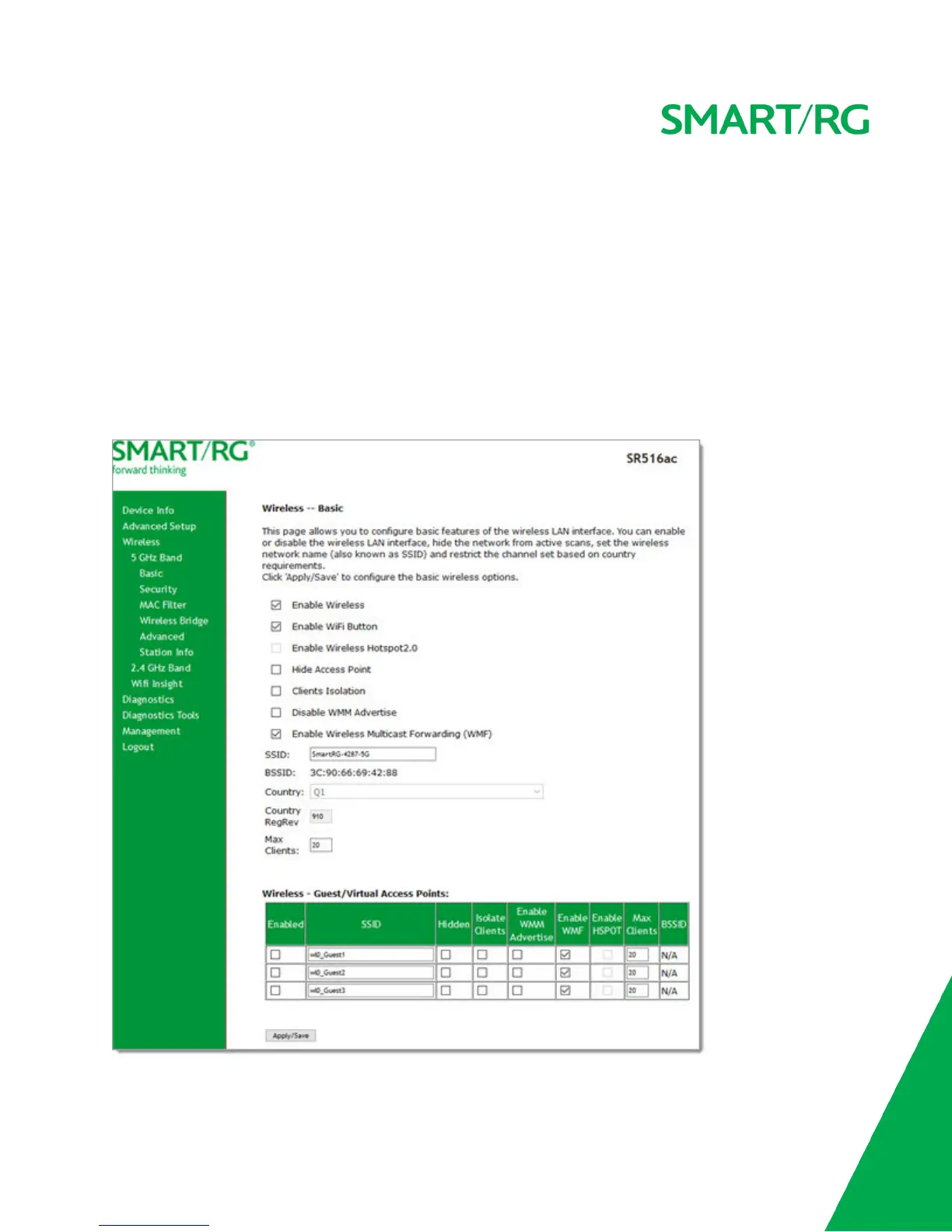
On this page, you can configure basic features of the WiFi LAN interface. You can enable or disable the WiFi LAN interface, hide
the network from active scans, set the WiFi network name (also known as SSID) and restrict the channel set based on country
requirements.
1. In the left navigation bar, click Wireless. The following page appears, showing the information for the 5 GHz band.



 To Next Page