SMARTRG INC. PROPRIETARY AND CONFIDENTIAL. ALL RIGHTS RESERVED. COPYRIGHT © 2018 79
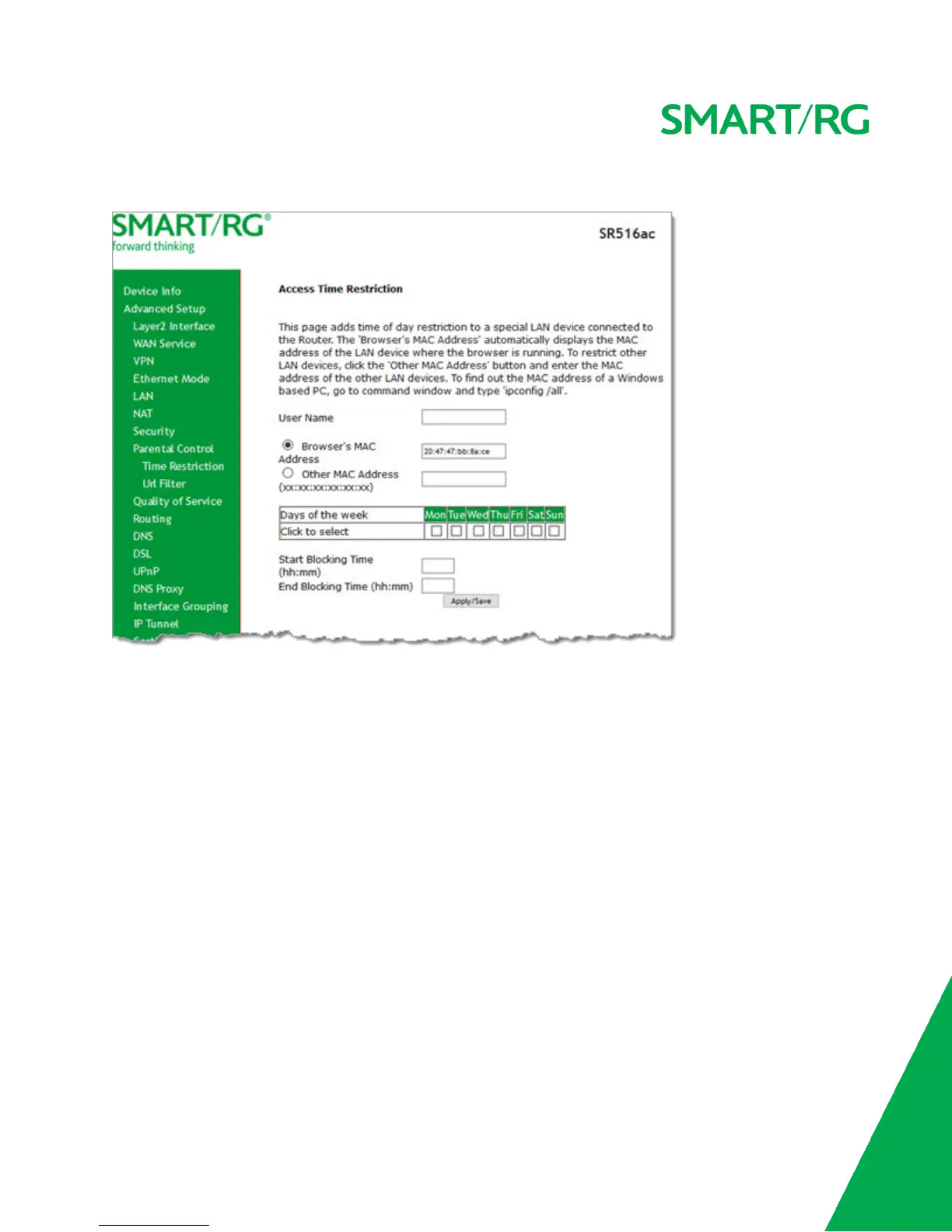
1. In the left navigation menu, click Advanced Setup > Parental Control and then click Add. The following page appears.
2. Enter the user name for which this rule applies.
3. (Optional) Enter an additional MAC address by clicking Other MAC Address and entering the address in the adjacent
field.
4. Select the days of the week when this rule should apply.
5. Enter the starting and ending times for the periods that you want blocked. Use 24-hour format.
6. Click Apply/Save to implement the settings. You are returned to the Parental Control > Access Time Restriction page.
Url Filter
On this page, you can prevent the LAN users from accessing some Web sites in the WAN.



 To Next Page