SMARTRG INC. PROPRIETARY AND CONFIDENTIAL. ALL RIGHTS RESERVED. COPYRIGHT © 2018 142
l Password change success / failure
l Authorized login success / failure
l Authorized user logged out
l Security lockout added / removed
l Authorized / unauthorized resource access
l Software update
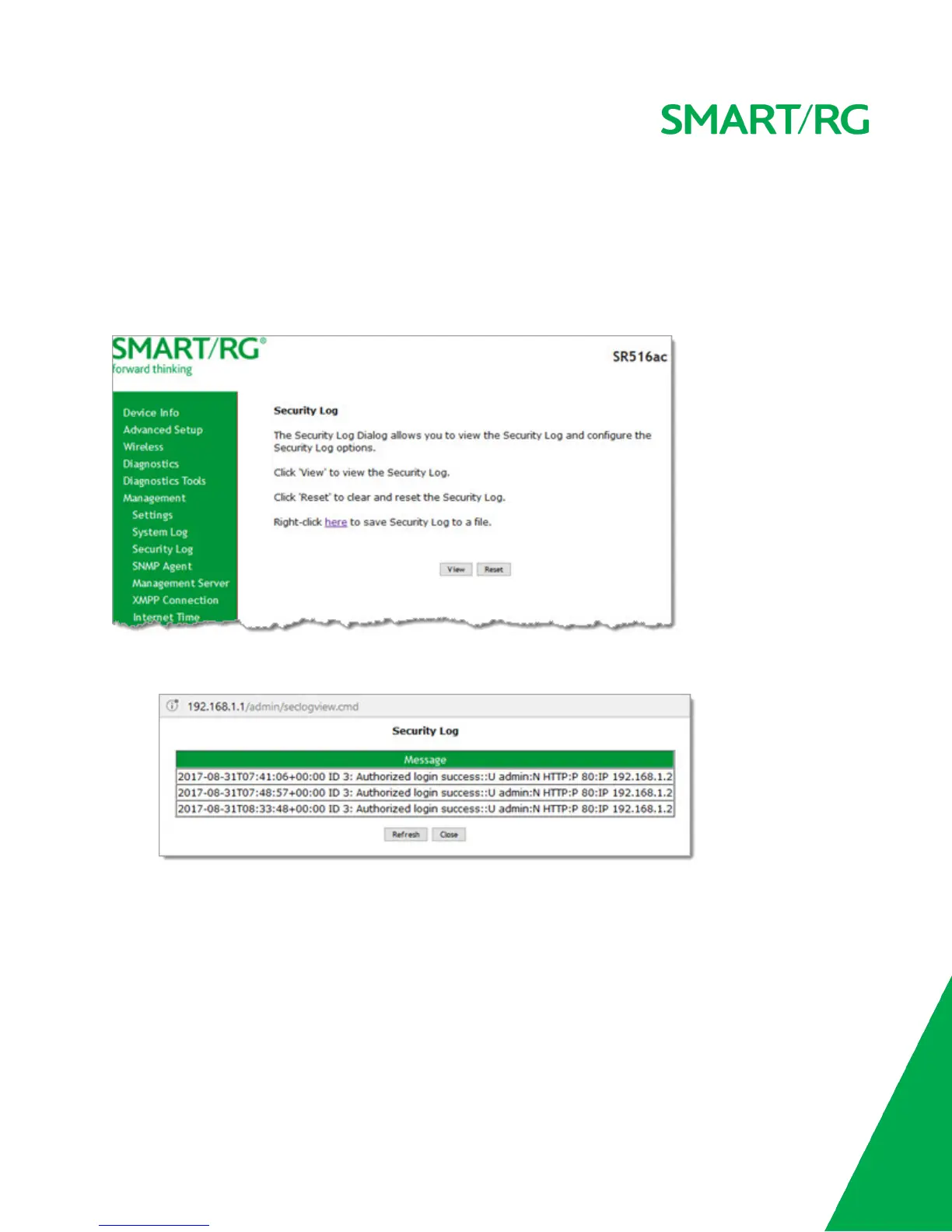
1. In the left navigation bar, click Management > Security Log. The following page appears.
2. Do any of the following:
l To view the log, click View. The log appears in a separate window.
l To purge the log entries and start fresh, click Reset. A confirming message appears. Click Close.
l To export the log to a local drive, right-click the here link in the last line of the instructions on the page. The log
appears in the browser window. You can save the page or select all of the log text, paste into a text file and save
the file.
SNMP Agent
On this page, you can configure the SNMP (Simple Network Management Protocol) settings to retrieve statistics from the SNMP
agent for the gateway. You can enable or disable the SNMP agent and set parameters such as the read community, system name
and trap manager IP.



 To Next Page