SMARTRG INC. PROPRIETARY AND CONFIDENTIAL. ALL RIGHTS RESERVED. COPYRIGHT © 2018 116
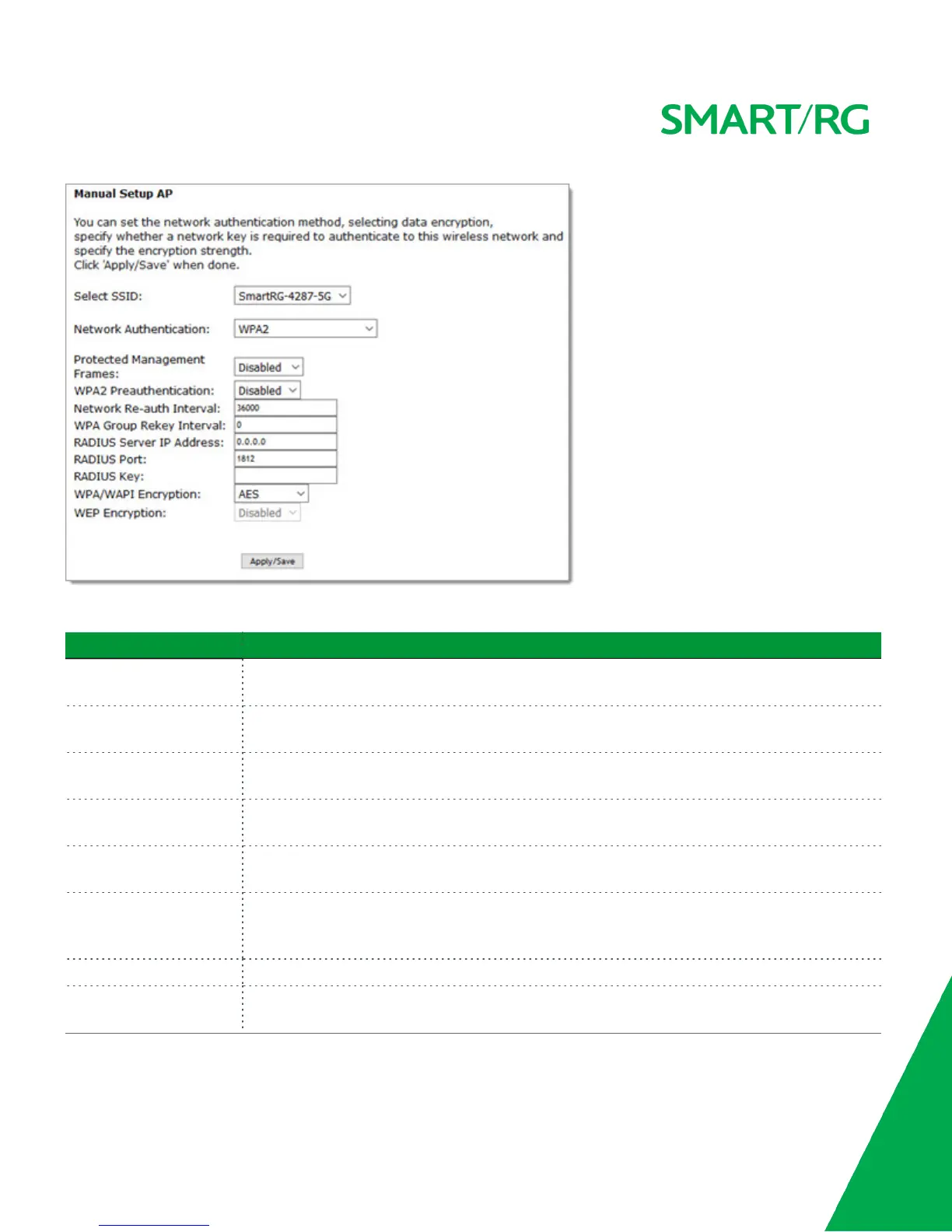
Modify the fields as needed, using the information provided in the table below, and then click Apply/Save.
Field Name Description
Protected Management
Frames
Select whether management frames are protected. Options are Disabled, Capable, and Required.
The default is Disabled.
WPA2 Preauthentication Select whether clients can pre-authenticate with the gateway while still connected to another AP.
Options are Enabled and Disabled. The default is Disabled.
Network Re-Auth Interval Enter the interval at which the client must re-authenticate with the gateway. The default is
36000 seconds (10 hours).
WPA Group Rekey Interval Enter the frequency at which the gateway automatically updates the group key and sends it to con-
nected LAN client devices. Options are 0 - 65535 seconds. The default is 0.
RADIUS Server IP address Enter the IP address of the RADIUS (Remote Authentication Dial In User Service) server associated
with your network.
RADIUS Port Enter the port number for the RADIUS server. Options are 1 - 65535. Port 1812 is the default and is
the current standard for RADIUS authentication per the IETF RFC 2865. Older servers may use port
1645.
RADIUS Key (Optional) Enter the encryption key needed to authenticate to the specified RADIUS Server.
WPA/WAPI Encryption Select the encryption standard. This field is displays the option most compatible with the selected
network authentication method. Options are:



 To Next Page