SMARTRG INC. PROPRIETARY AND CONFIDENTIAL. ALL RIGHTS RESERVED. COPYRIGHT © 2018 63
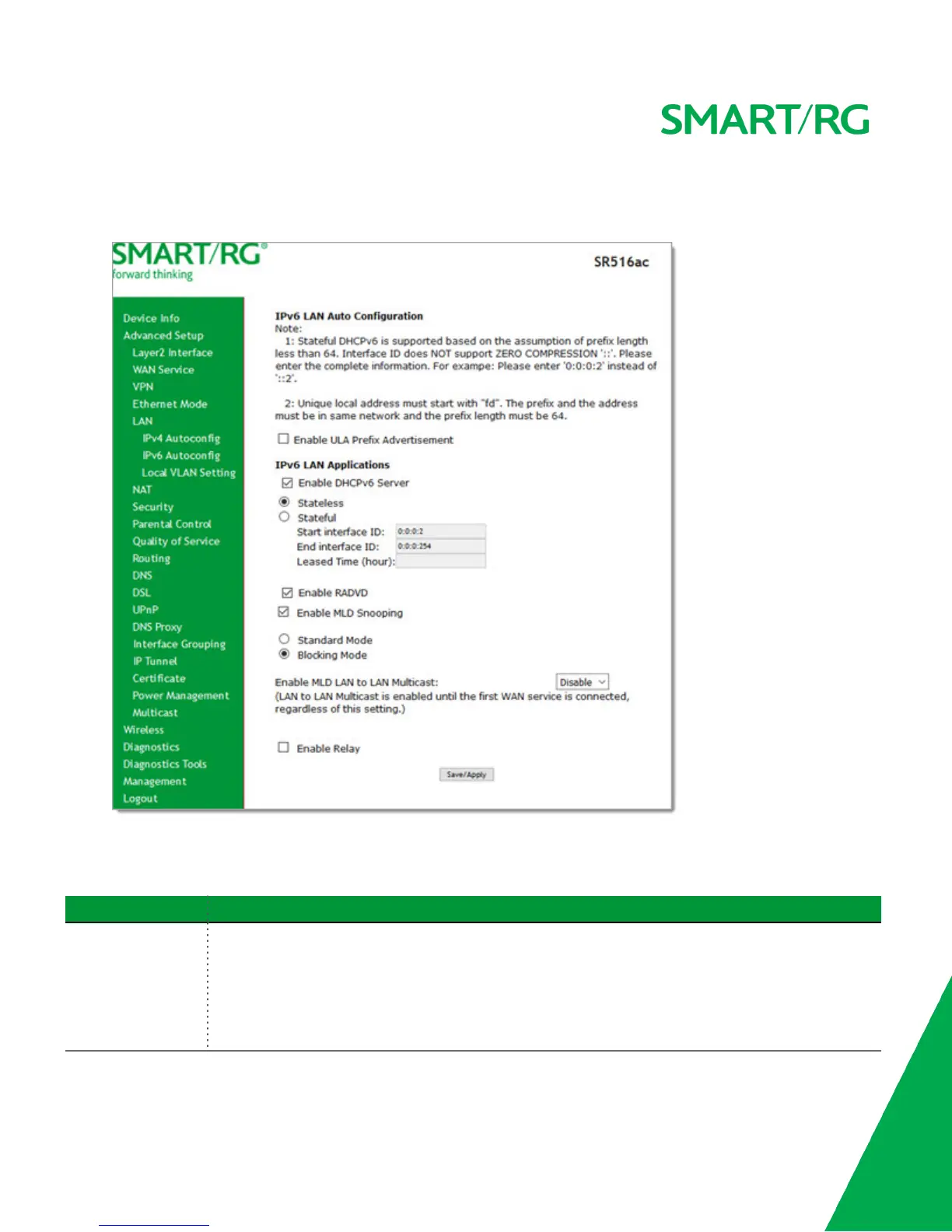
On this page, you can configure your gateway's IPv6 environment.
1. In the left navigation bar, click Advanced Setup > LAN > IPv6 Autoconfig . The following page appears.
2. To enable advertisement of the ULA prefix, click Enable ULA Prefix Advertisement. Additional fields appear.
3. Modify these and the other fields as needed, using the information in the table below.
4. Click Save/Apply to commit your changes.
Field Name Description
Enable ULA Prefix
Advertisement
Check this option to enable unique local address (ULA) advertisement on the LAN. Options are Randomly
Generate and Statically Configure. The default is Randomly Generate which enables the gateway to
generate a random IPv6 prefix.
If you select Statically Configure, additional fields appear. Modify these fields as needed:
l Interface Address: Enter the interface address in IPv6 format (including the prefix length, e.g.,



 To Next Page