SMARTRG INC. PROPRIETARY AND CONFIDENTIAL. ALL RIGHTS RESERVED. COPYRIGHT © 2018 14
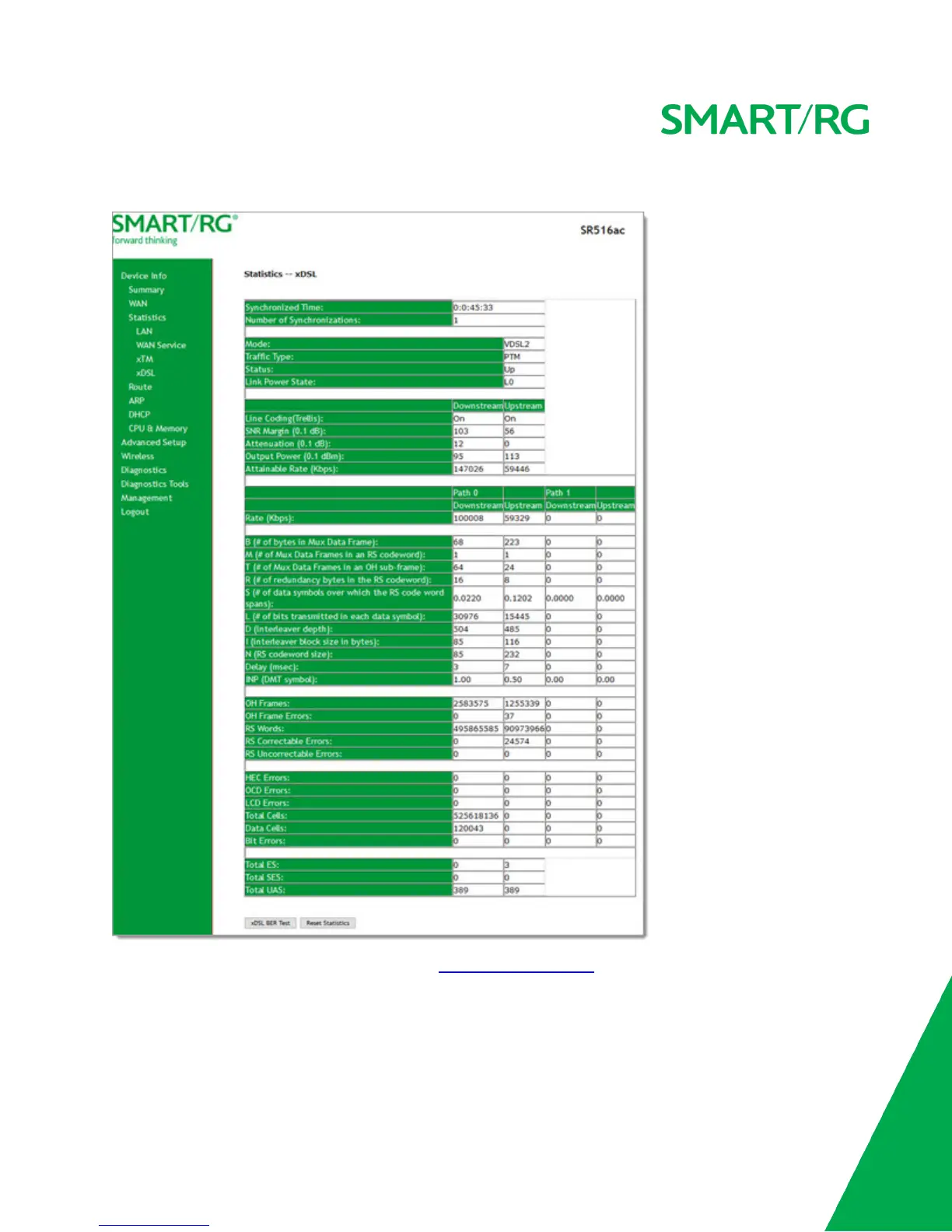
1. In the left navigation menu, click Device Info > Statistics > xDSL. The following page appears.
2. To run an xDSL (BER) test, follow the instructions in Running xDSL (BER) tests.
3. To reset the counters, click Reset Statistics near the bottom of the page.
The fields on this page are defined below.



 To Next Page