SMARTRG INC. PROPRIETARY AND CONFIDENTIAL. ALL RIGHTS RESERVED. COPYRIGHT © 2018 146
instance, the regular CWMP Connection Request mechanism to talk to the modem gateway cannot be used to initiate a session
with that ACS.
A STUN server receives STUN requests and sends STUN responses. STUN servers are generally attached to the public Internet.
On this page, when a STUN server is present within the infrastructure of the Service Provider, you can configure this gateway
with the connectivity specifics for that server.
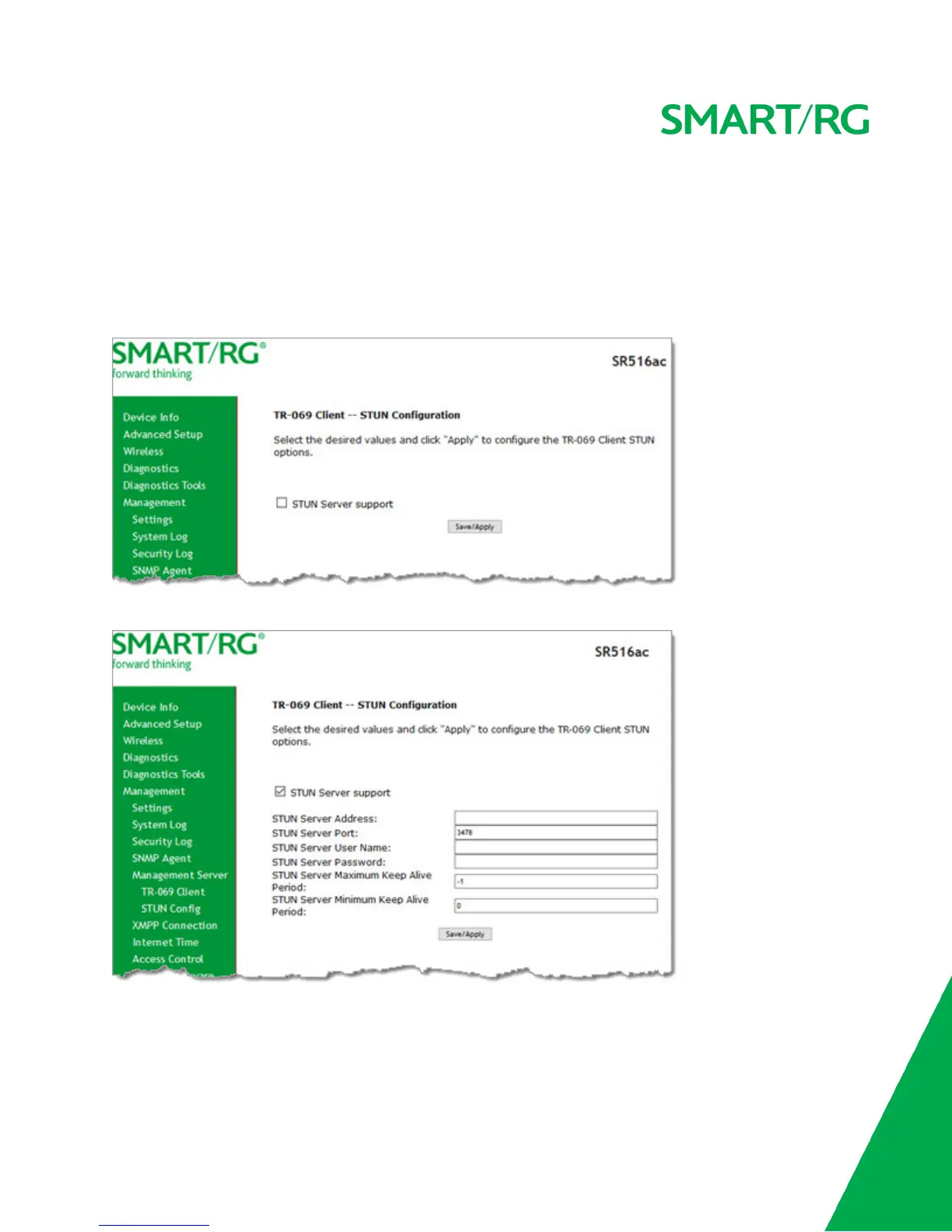
1. In the left navigation bar, click Management > Management Server > STUN Config. The following page appears.
2. To view the required STUN settings, click STUN Server Support. Additional fields appear.
3. Modify the fields using the information provided in the following table.
4. Click Save/Apply to commit your changes.
The fields on this page are defined below.



 To Next Page