SMARTRG INC. PROPRIETARY AND CONFIDENTIAL. ALL RIGHTS RESERVED. COPYRIGHT © 2018 148
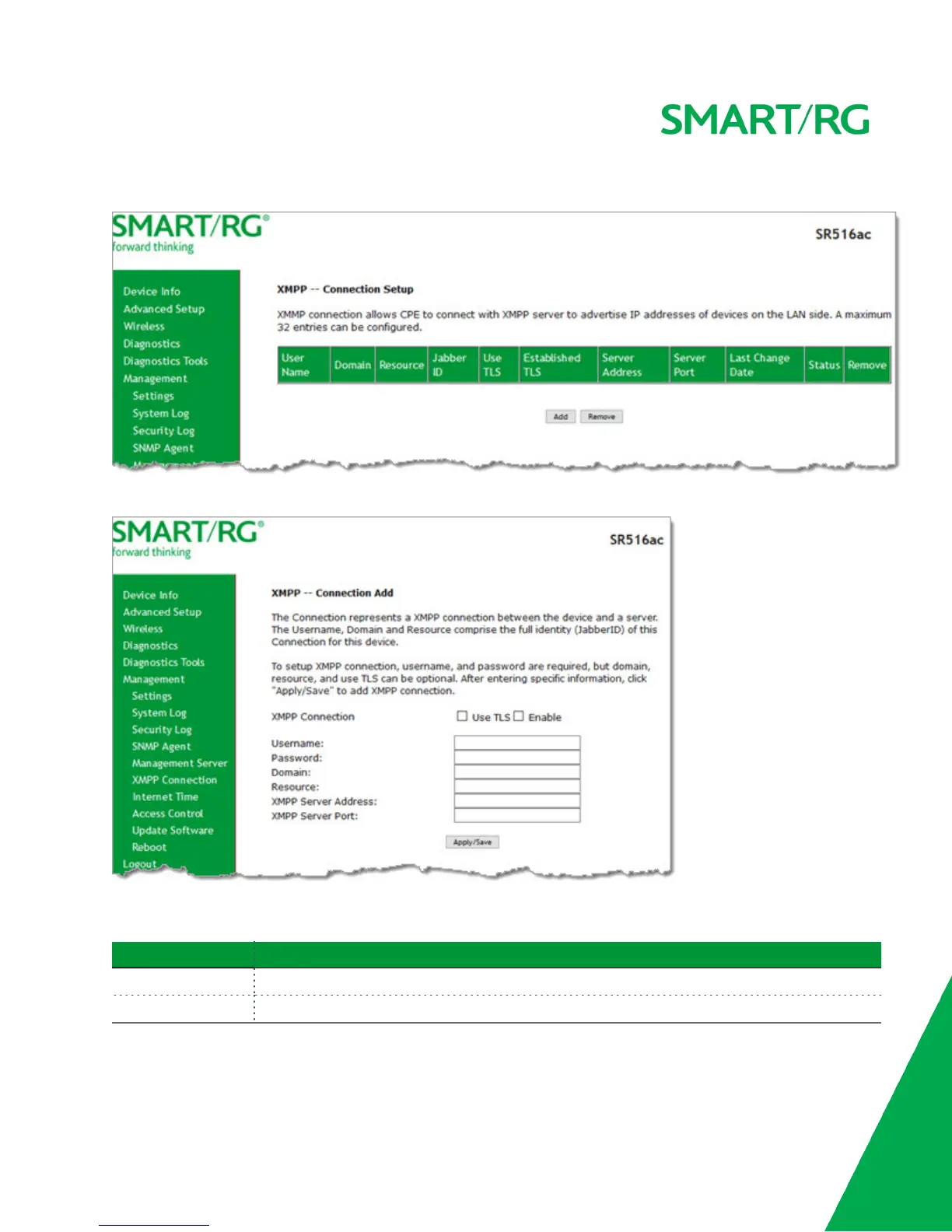
1. In the left navigation bar, click Management > XMPP Connection. The following page appears.
2. To add a connection, click Add. The following page appears.
3. In the XMPP Connection field, select whether to use TLS and then click Enable.
4. Modify the fields as needed, using the information provided in the table below.
Field Description
Username Enter the username for accessing the XMPP server.
Password Enter the password for accessing the XMPP server.



 To Next Page