SMARTRG INC. PROPRIETARY AND CONFIDENTIAL. ALL RIGHTS RESERVED. COPYRIGHT © 2018 36
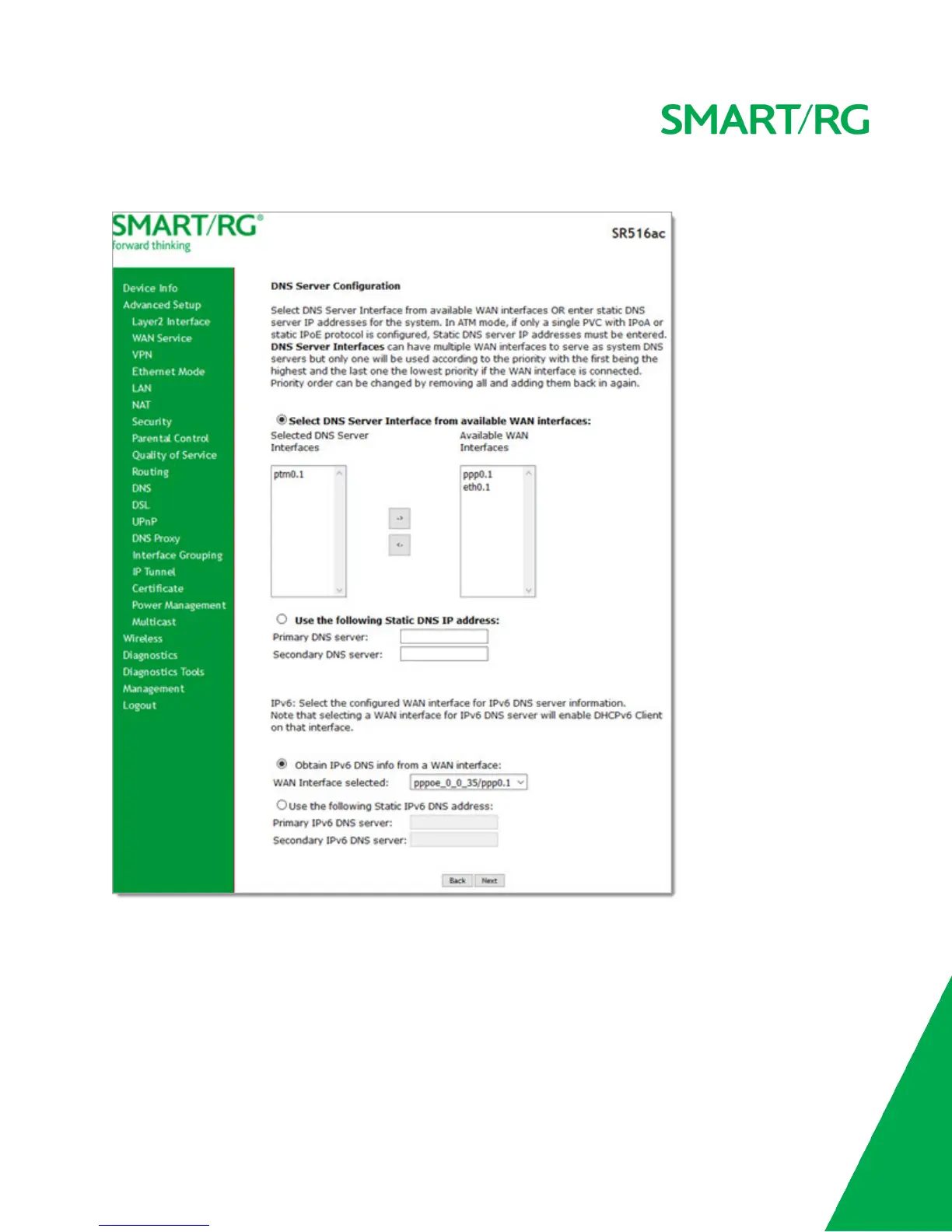
11. Click Next. The following page appears where you will select DNS Server settings.
12. Do one of the following to configure the DNS:
l Select the DNS server interface: Select interface entries and click the arrows to move the entries right or left.
l Define a static DNS IP address: Click Use the following Static DNS IP address and enter the DNS server IP
addresses.
l Obtain IPv6 DNS info from a WAN interface: In the Obtain IPv6 DNS info from a WAN interface field, select a
WAN interface.



 To Next Page