SMARTRG INC. PROPRIETARY AND CONFIDENTIAL. ALL RIGHTS RESERVED. COPYRIGHT © 2018 39
2. Select an ATM interface to use for the WAN service and click Next. The following page appears.
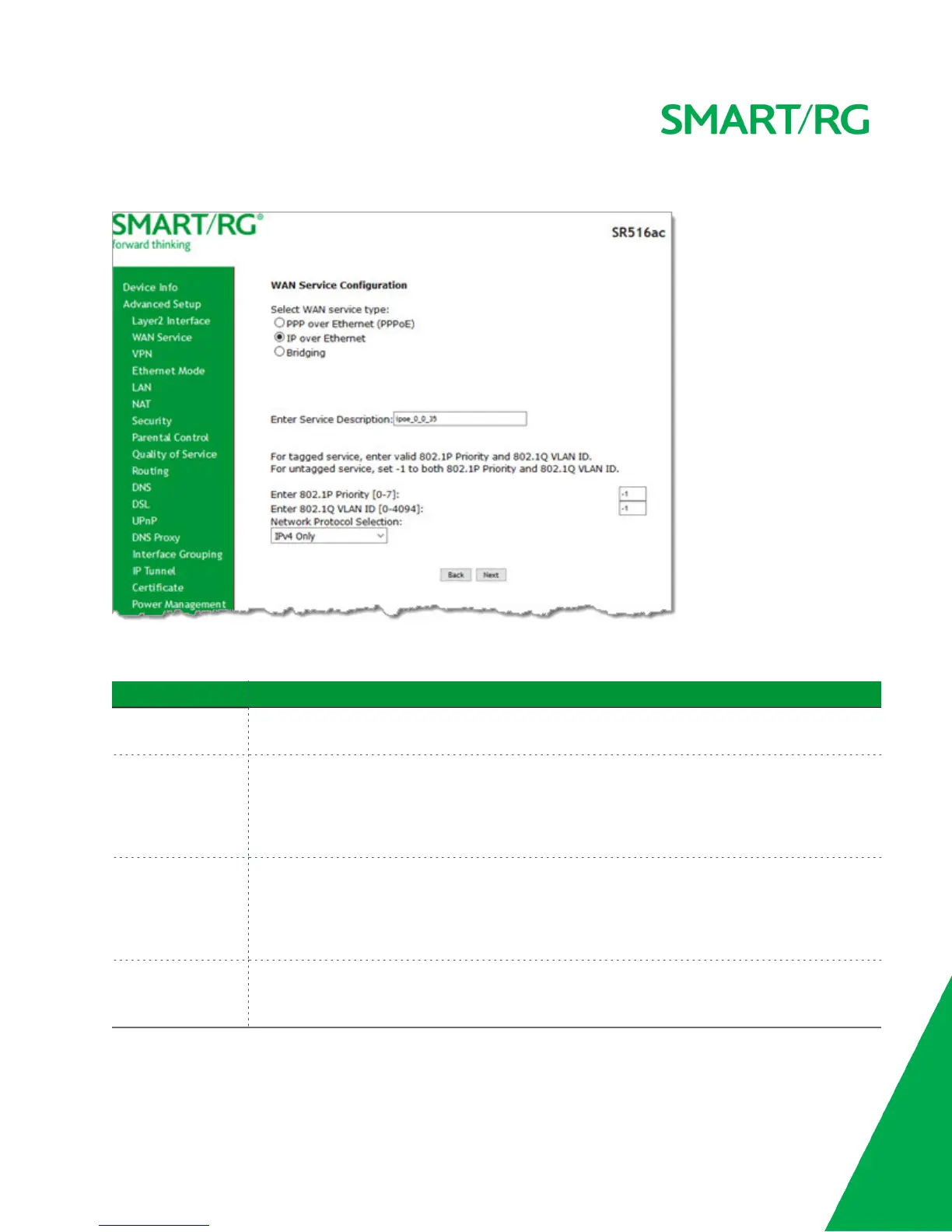
3. Select IP over Ethernet.
4. Modify the other fields as needed, using the information in the following table.
Field Name Description
Enter Service
Description
(Optional) Enter a name to describe this configuration.
Enter 802.1P Priority Options are 0 - 7. The default is -1 (disabled).
For tagged service, enter values in this field and the 802.1Q VLAN ID field.
For untagged service, accept the defaults of -1 (disabled) in this field and the 802.1Q VLAN ID
field.
Enter 802.1Q VLAN
ID
Options are 0 - 4094. The default is -1 (disabled).
For tagged service, enter values in this field and the 802.1P Priority field.
For untagged service, accept the defaults of -1 (disabled) in this field and the 802.1P Priority
field.
Network Protocol
Selection
Different scheduling priorities can be applied to statistically multiplexed data flows. Since each
data flow has its own queue, an ill-behaved flow (which has sent larger packets or more packets
per second than the others) will only punish itself and not other sessions. Options are IPv4 Only,



 To Next Page