SMARTRG INC. PROPRIETARY AND CONFIDENTIAL. ALL RIGHTS RESERVED. COPYRIGHT © 2018 45
FIELD NAME DESCRIPTION
Enable IGMP Mult-
icast Proxy
Select to enable Internet Group Membership Protocol (IGMP) multicast. Used by IPv4 hosts to
report multicast group memberships to any neighboring multicast routers.
Enable IGMP Mult-
icast Source
Select to enable this service to act as an IGMP multicast source.
Enable MLD Multicast
Proxy
(Available only for IPv6 environments) Click to enable multicast filtering. Used by IPv4 hosts to
report multicast group memberships to any neighboring multicast routers.
Enable MLD Multicast
Source
(Available only for IPv6 environments) Select to enable this service to act as a multicast source.
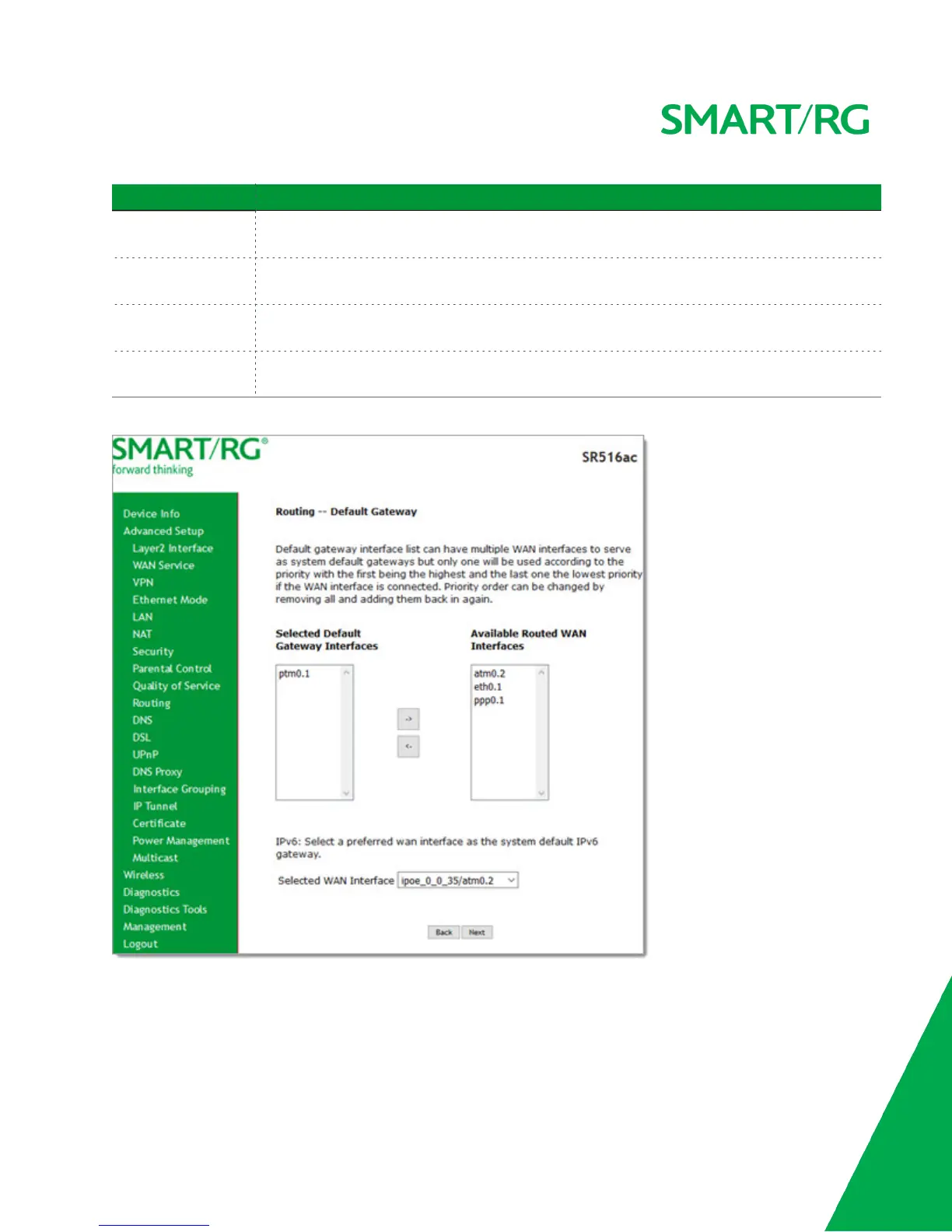
9. Click Next. The following page appears.
10. Select a WAN interface to act as the system default gateway or accept the default interface.
11. (Optional) For IPv6 environments, in the Selected WAN Interface field, select the preferred WAN interface for the
default IPv6 gateway.



 To Next Page