SMARTRG INC. PROPRIETARY AND CONFIDENTIAL. ALL RIGHTS RESERVED. COPYRIGHT © 2018 67
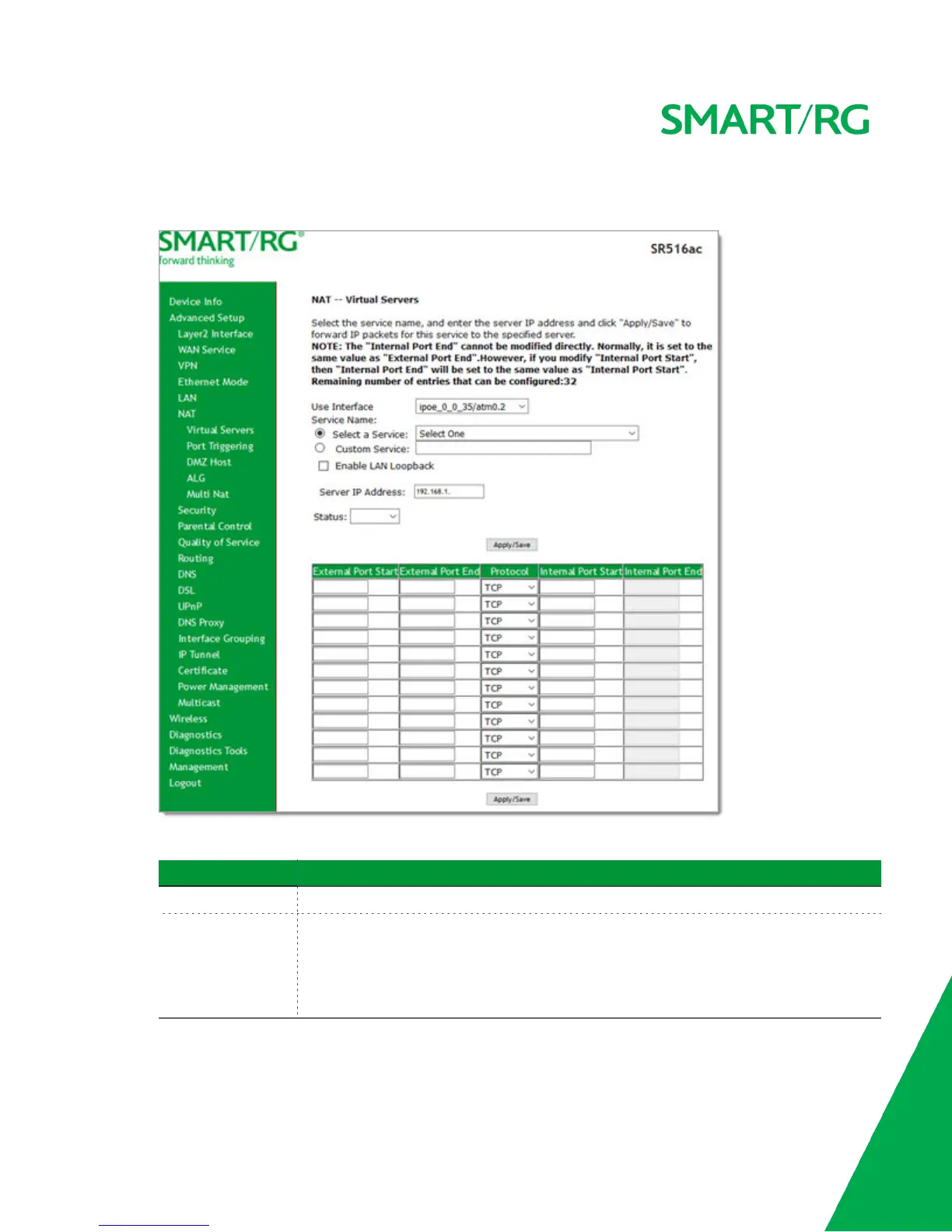
2. To add a virtual server:
a. Click Add. The following page appears.
b. Modify the fields as needed, using the information in the table below.
Field Description
Use Interface Select the interface that you want to configure.
Service Name Select or enter the service for which you want to forward IP packets. Options are:
l Select a Service: Select from services defined for your network. The port table at
the bottom of the page is updated with the default port ID defined for the service.
l Custom Service: Enter a new service name to establish a user service type. You
must enter the ports and select a protocol in the table at the bottom of the page.



 To Next Page