SMARTRG INC. PROPRIETARY AND CONFIDENTIAL. ALL RIGHTS RESERVED. COPYRIGHT © 2018 70
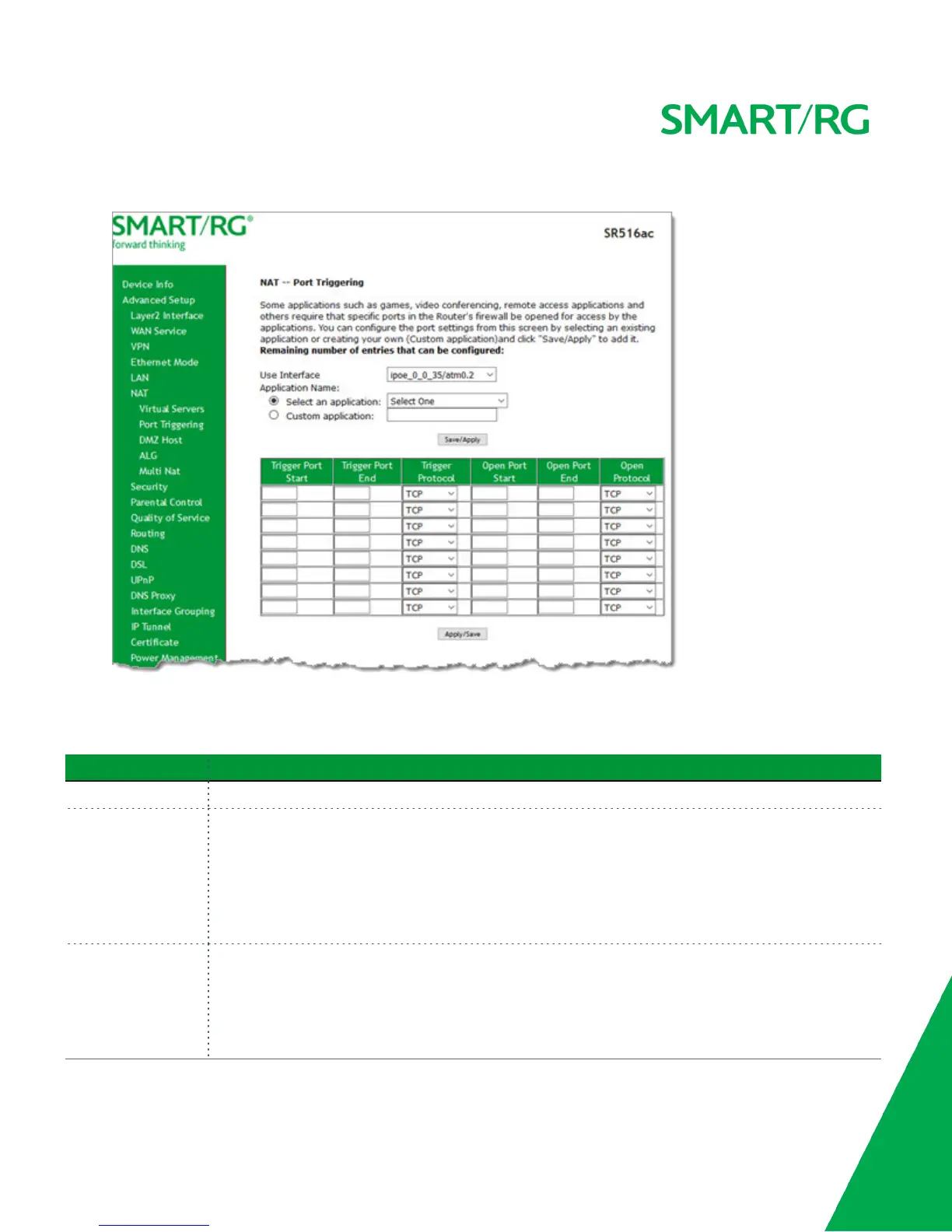
2. To add a port trigger, click Add. The following page appears.
3. Modify the fields as needed, using the information in the following table.
4. To remove a trigger, click the Remove check box next to it and then click the Remove button. The list is refreshed.
5. Click Apply /Save to implement the settings.
Field Name Description
Use Interface Select the interface for which the port triggering rule will apply.
Application Name Select or enter the application that requires a port trigger. Options are:
l Select an Application: Select an available application. The Port and Protocol table is populated
with the related values.
l Custom Application: Enter a unique name for the application for which you are creating a port
trigger entry. You must enter the ports and select a protocol in the table at the bottom of the
page.
Trigger Port Start
Trigger Port End
Enter the starting and ending numbers of the range of available outgoing trigger ports. Options are 1 -
65535.
Note: You can use a single port number, several port numbers separated by commas, port blocks con-
sisting of two port numbers separated by a dash, or any combination of these, for example 80, 90-140,
180.



 To Next Page