106
S2 User Handbook
In Auto Lock mode, the sample rate follows the sync input. If the sync signal is removed then
the sample rate will be set by, and locked to, the internal on-board clock generator at the
closest frequency available to the previous sync input. When there has been no sync input
detected the output will lock to the on-board clock generator at 32kHz.
In Slave mode, the sample rate follows the sync input. When the sync signal is not present
the digital output is muted.
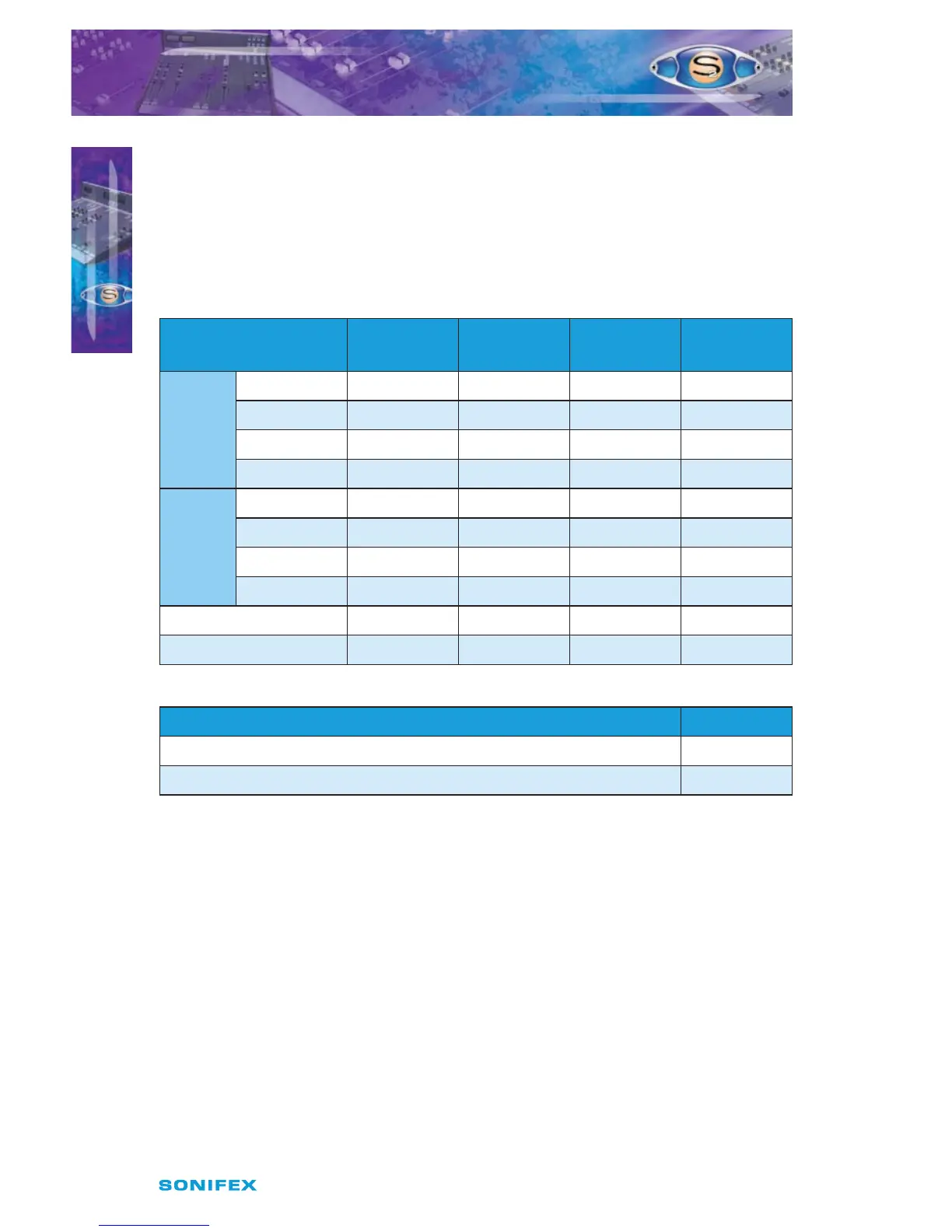
Synchronisation Mode /
Sample Rate (kHz)
J3 J4 J5 J6
MASTER
32 Not Fitted Not Fitted Not Fitted Not Fitted
44.1 Fitted Not Fitted Not Fitted Not Fitted
48 Not Fitted Fitted Not Fitted Not Fitted
96 Fitted Not Fitted Fitted Not Fitted
AUTO
32 Not Fitted Fitted Fitted Not Fitted
44.1 Fitted Fitted Fitted Not Fitted
48 Not Fitted Not Fitted Not Fitted Fitted
96 Fitted Fitted Not Fitted Fitted
Auto Lock Not Fitted Not Fitted Fitted Fitted
Slave Mode Fitted Not Fitted Fitted Fitted
Channel Status Bits J9
Consumer Not Fitted
Professional Fitted
Sync Select
The pair of jumpers, J10 and J11, select the sync source between AES, pins 1 & 2, and S/PDIF,
pins 2 & 3. The default is AES/EBU. Both jumpers need to be altered for this to work correctly.
Digital Output Mode
Jumper J12 selects the digital output mode between AES/EBU, pins 1 & 2, and S/PDIF, pins 2
& 3. The default is AES/EBU.
Presets
Presets P1 & P2 are for altering the audio waveform symmetry (i.e. distortion) through the
VCA stage. They are factory set on nal test and should not be adjusted further.
Preset P3 sets the VCA fader gain to 0dB when the fader is fully open. This is preset on nal
test and should not require further adjustment, unless it has been found necessary to replace
the fader or other VCA components.
S2ODPF/S2ODP DIGITAL OUTPUT
PGM CHANNEL WITH & WITHOUT
MASTER FADER VERSION2
S2ODPF/S2ODP DIGITAL OUTPUT PGM CHANNEL
WITH & WITHOUT MASTER FADER VERSION 2
15



 To Next Page