S2 User Handbook
11
Applications
This section of the handbook provides examples of how to congure the dierent types of
modules for typical applications:
Controlling an On-Air Light Using the Output Modules
The On-Air light, also known as Mic Live, is used to indicate to everyone inside or outside of
the Control Room and/or Studio that microphones are live and on-air.
Two sets of latching relay contacts, activated by a control room mute, are available on the
15 way D type socket on the rear panel of the PGM and AUD modules for the Control Room
On-Air light and Studio On-Air light respectively. See the Remote Connector pin-outs of the
relevant modules for details.
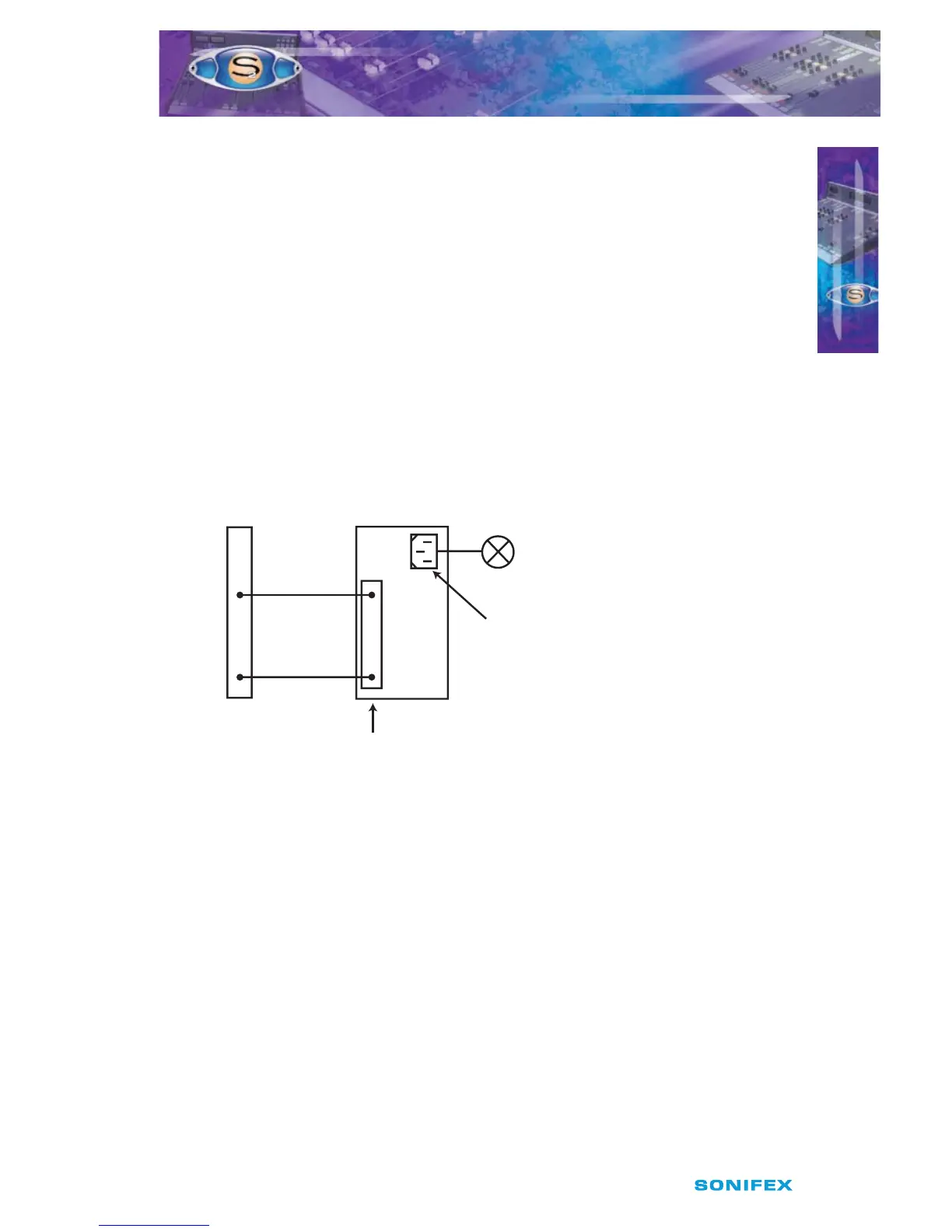
Shown below is an example of connecting one of the latching relay contacts on the PGM or
AUD modules to a Sonifex RB-LC3. The remote connection on the RB-LC3 is active low.
Fig 2-12 : Using the Sonifex RB-LC3 to control an On-Air Light.
Controlling a Mic Cue Light using the Input Modules
The mic cue light is used to indicate to a guest, etc, situated in a talks studio, that they
should speak. The cue light is usually green, and there is usually one per microphone. This
should not be confused with a mic live light, which is red and there is one per studio or
control room, also known as “On Air light” (see above).
Opto-isolated outputs for a mic cue light are provided on the remote connectors of the Mic/
Mic and Mic/Line modules. See the Remote Connector pin-outs of the relevant modules for
details.
NOTE: It is vital that mains voltages are NOT connected to any of the connectors
on the mixer. If your On-Air light is to be mains operated then you should use a suitable
opto-isolated solid-state mains relay. The Sonifex Redbox RB-LC3 Light/Power controller
is a suitable unit that will control up to three On-Air lights and/or Mic cue lights.
Pin 7
Pin 14
Pin 2
Mains
Output 1
Lamp
Remote External
Control Inputs
PGM or AUD Output Module
D-Type Outputs
& Remote Connectors
RB-LC3
Pin 14
INSTALLATION NOTES
INSTALLATION NOTES
2



 To Next Page