128
S2 User Handbook
19 S2-OMS Studio Monitor Channel
Panel Controls
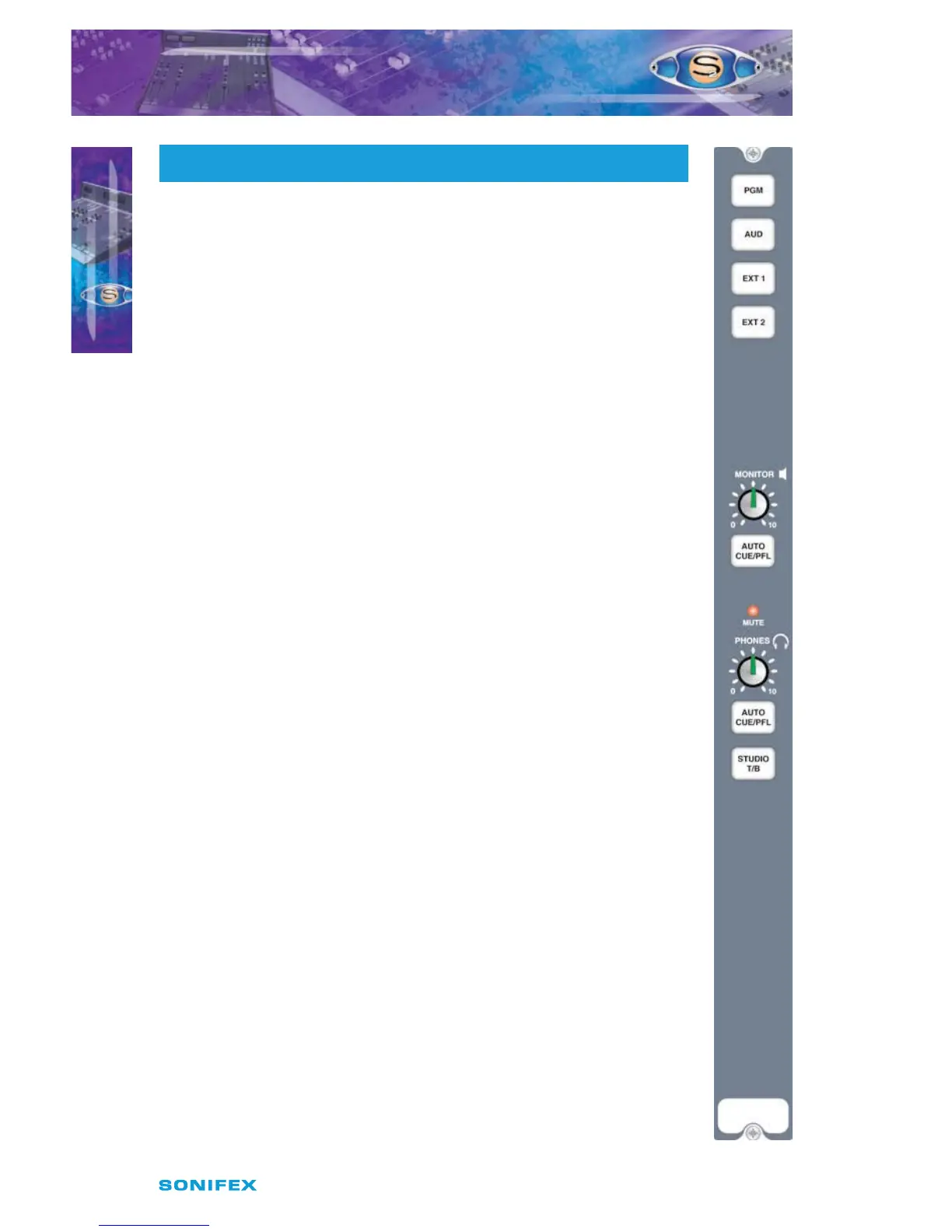
PGM, AUD, EXT 1 & EXT 2 Selection
The electronically interlocking PGM, AUD, EXT 1 & EXT 2 buttons select the
monitor source for the studio headphones and loudspeaker monitors. The
buttons illuminate to show the selected source, PGM and AUD in green, EXT
1 and EXT 2 in red. The External Inputs are used for monitoring an o air
signal or another studio output.
Monitor Level
The studio monitor loudspeaker level can be variable between 0 (cut o) and
10 (maximum). The output will need to be fed to a suitable power amplier
to drive the loudspeakers.
Monitor Auto CUE/PFL
When the green illuminated Auto CUE/PFL button is selected, any input
channels selected to CUE/PFL are automatically routed to the studio monitor
loudspeakers.
Mute
The red mute LED will illuminate whenever a mic channel, which has been
designated to studio mute, goes live. This will mute the studio monitors to
prevent feedback. Two pairs of contacts on the remote connector of the AUD
output channel will close whenever the mute function is active. These can be
used to remotely illuminate “Mic Live” lights.
Phones
The studio headphone level can be variable between 0 (cut o) and 10
(maximum). Internal ampliers provide enough drive for headphone
impedances of 35 ohms and above.
Phones Auto CUE/PFL
When the yellow illuminated AUTO CUE/PFL button is selected, any input
channels selected to CUE/PFL are automatically routed to the studio
headphones.
Studio T/B (Talkback)
When pressed, the STUDIO T/B button will route talkback from the control
room talkback microphone channel to the studio loudspeakers and/or the
studio headphones, depending on jumper settings. The talkback signal will
replace or mix with the monitored source depending on jumper settings.
S2 -OMS
19
S2OMS STUDIO MONITOR CHANNEL
S2OMS STUDIO MONITOR CHANNEL



 To Next Page