14
S2 User Handbook
Connecting A Split Desk
There are three cables used when connecting an S2 mixer split desk conguration. A 16
way IDC cable which connects the two meterbridge distribution boards, A 60 way jacketed
IDC cable which connects the two main mixer bus cables and an earth braid cable which
connects the two chassis’. When shipped, these three cables will already be attached to
one of the mixers and will require attaching to the other mixer. The procedure to do this is
described below.
Connecting The Mixer Bus Interconnect Cable
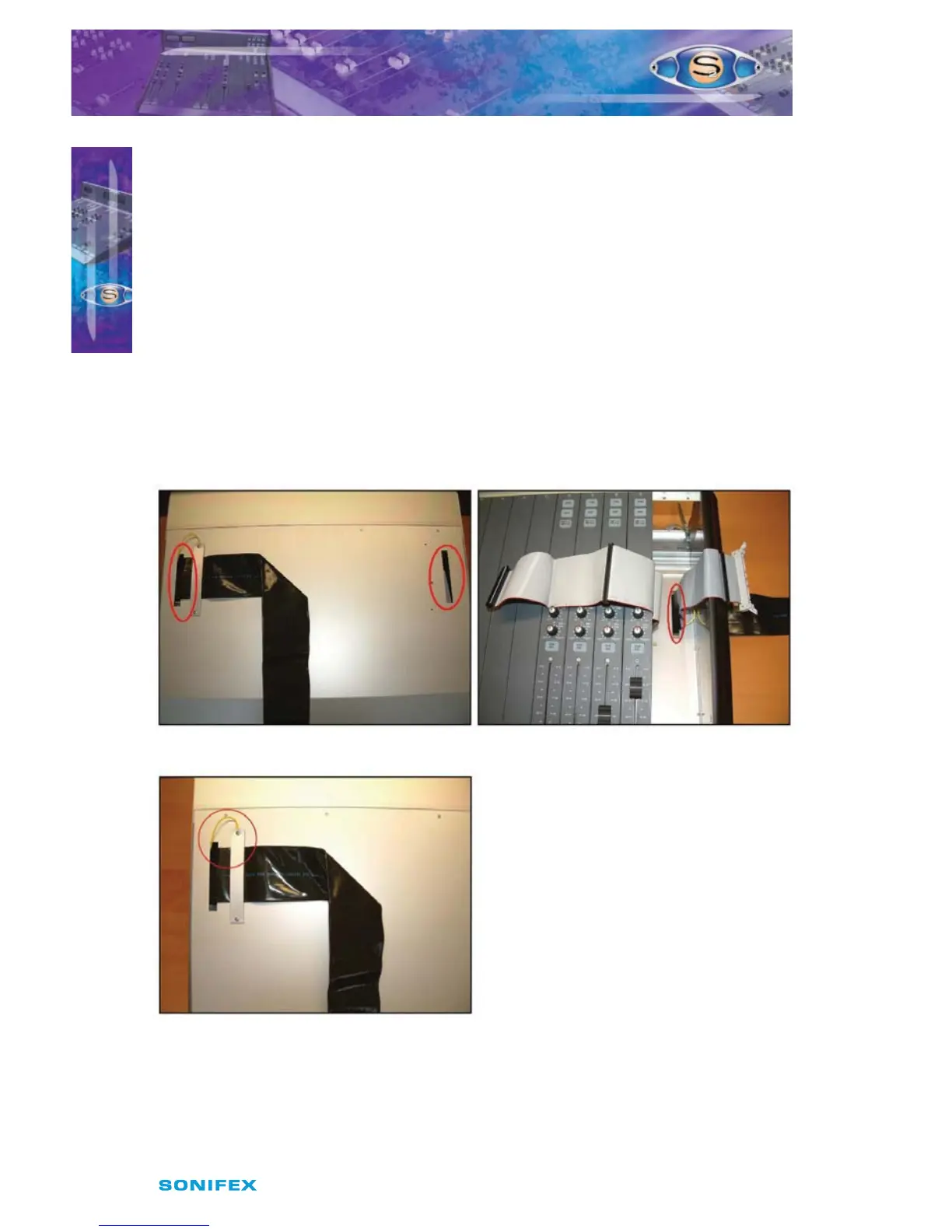
On the under side of the mixer chassis are two slots at each end. These are where the
mixer bus interconnect cable feeds through (Fig 2-13). The rst thing to do is to remove
the channel from the end of the mixer where the cable is going to be connected. If the
interconnect cable is to be connected to the left handside mixer then this will be the right
most channel of the mixer. If the interconnect cable is to be connected to the right handside
mixer then this will be the left most channel.
Fig 2-13 : Mixer Bus Cable Slots.
Once the channel has been removed,
pull the cable through the slot making
sure that the cable has not twisted
coming from the rst mixer. Pull it
through so that about 2 inches (5 cm) of
the cable jacketing is inside the chassis.
Connect the screening wire to one of
the clamping plate screws and screw in
the plate to the underside of the chassis
to secure the cable, and stop it from
moving (Fig 2-14).
Fig 2-14 : Mixer Bus Cable Screen Connection.
INSTALLATION NOTES
INSTALLATION NOTES
2



 To Next Page