S2 User Handbook
15
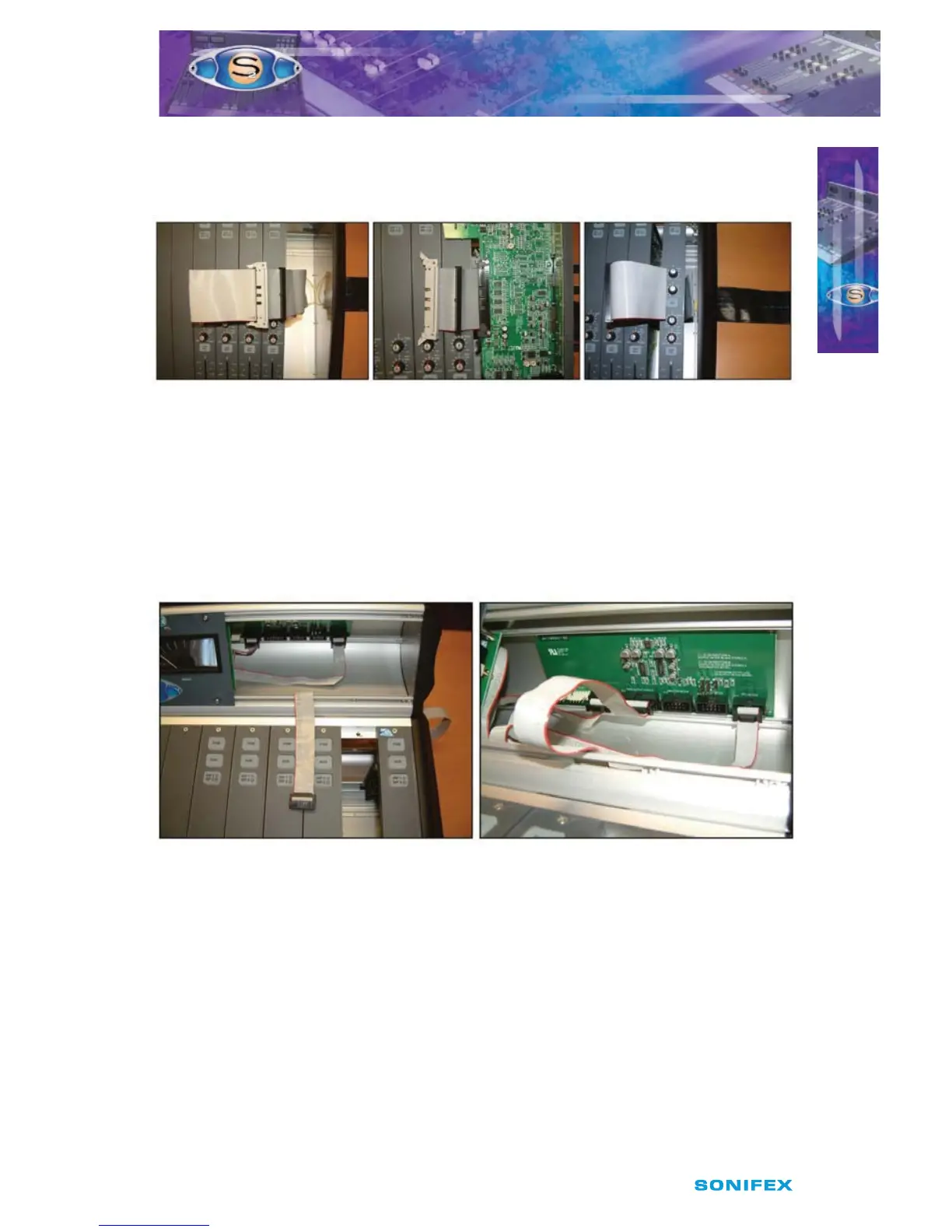
Then loop the cable back over itself and connect the 60 way IDC plug to the main mixer
bus (Fig 2-15). Now reconnect the channel that was removed, to the free 60 way IDC socket,
using the procedure described on page 13 for removing and replacing channels.
Fig 2-15 : Cable & Channel Connection.
Connecting The Meterbridge Interconnect Cable
To connect this cable some of the panels on the meterbridge will require removing to locate
the meterbridge distribution board. Once located, nd the IDC header labelled on the
distribution PCB as “From Output Module”. At the back of the mixer chassis there is a slot just
above where the output modules sit. Feed the Meterbridge Interconnect cable through the
slot and plug it into the header. Once this has been done, replace the meterbridge panels
that were removed earlier to locate the distribution board.
Fig 2-16 : Meterbridge Interconnection.
Connecting The Earth Braid
As with the other cables, this will already be connected to one of the split desks. Simply
connect the other end of the cable to the other desk, by unscrewing the outer M4 nut and
removing the shakeproof washer. Then place the solder tag of the earth braid cable on the
bolt and then replacing the shakeproof and M4 nut.
INSTALLATION NOTES
INSTALLATION NOTES
2



 To Next Page