108
S2 User Handbook
16 S2-ODAF/S2-ODA Digital Output AUD
Channel With & Without Master Fader
(Version 1)
A change was made to the hardware and rmware of the S2-
ODAF/S2-ODA modules around January 2008. Modules prior
to this date are likely to be Version 1, modules after this date
are likely to be Version 2. Externally, the only way to check
the Version number of this module which has been tted
into your S2, is to look at the layout of the connectors on the
rear panel. If the OUTPUTS AND REMOTES connector is at the
bottom of the panel (see page 113), then you have a Version
2 module. If these connectors are nearer the middle of the
panel (see page 106), then it is Version 1.
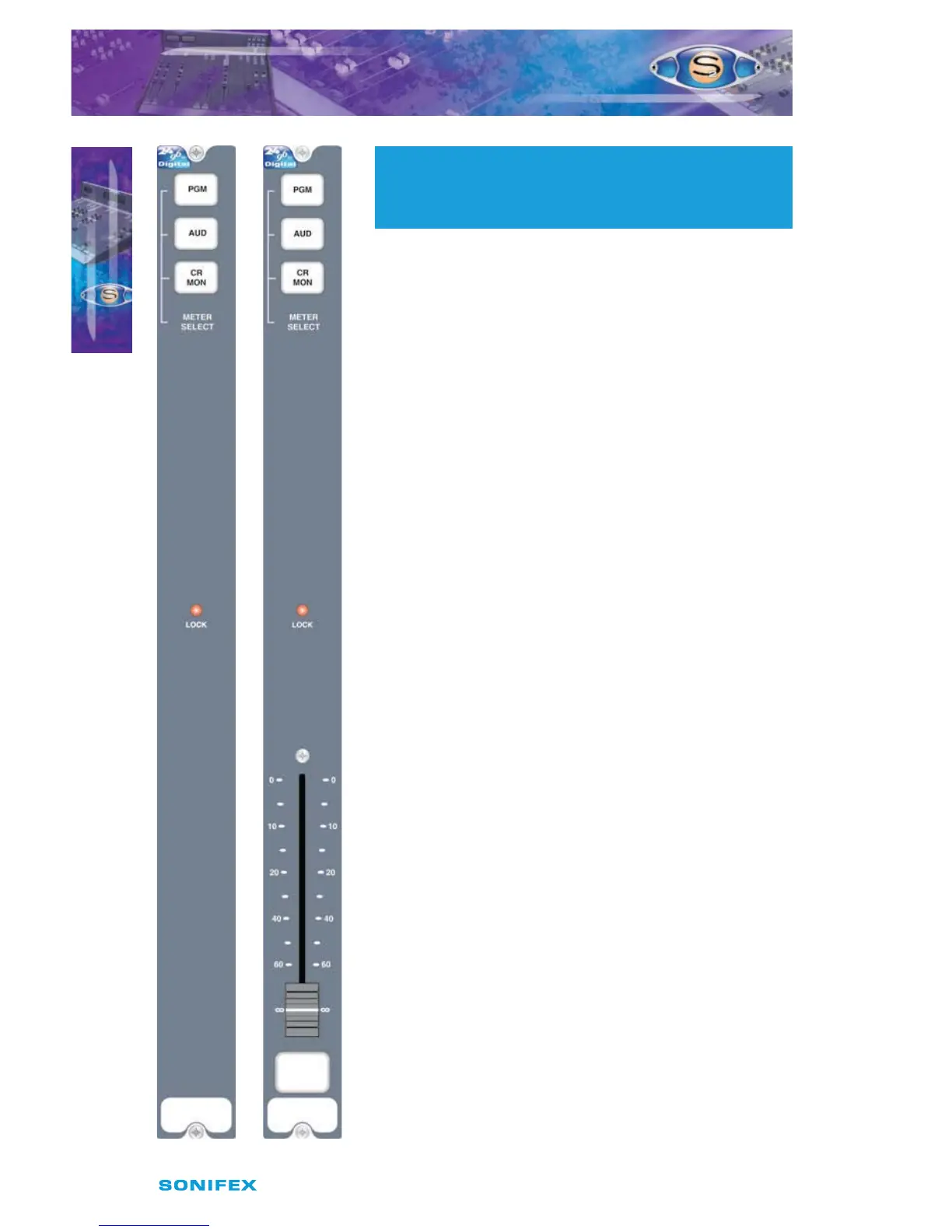
Panel Controls
Meter Display Selection
When the meters in the meterbridge are plugged up to
the “Monitor Meter” position they will display the selected
signal from the electronically interlocking PGM, AUD, or CR
MON buttons. The CR MON signal source is the presenter’s
headphone on the control room monitor channel, pre
talkback and level control. This signal could be PGM, AUD,
EXT 1, EXT 2, or PFL, as selected by the presenter.
Lock Indicator
The illuminated lock indicator shows that the digital output
is locked to the onboard master clock, incoming Word clock
or AES/EBU, S/PDIF compatible sync signal. If sync is lost
then the indicator will ash. The channel automatically
searches for a sync signal on the Word Clock, or the selected
digital input, and automatically locks to a valid sync clock.
To disable locking to the AES/EBU or S/PDIF input, simply
remove jumpers J10 and J11.
Fader (S2-ODAF only)
The 100mm VCA fader provides unity gain when fully open.
S2- ODA S2- ODAF
16
S2ODAF/S2ODA DIGITAL OUTPUT AUD CHANNEL
WITH & WITHOUT MASTER FADER VERSION 1
S2ODAF/S2ODA DIGITAL OUTPUT
AUD CHANNEL WITH & WITHOUT
MASTER FADER VERSION 1



 To Next Page