2
S2 User Handbook
INTRODUCTION
INTRODUCTION
1
t 5IF4DSJQU4QBDF444PDDVQJFTBOBSFBPGDIBOOFMXJEUITBOEJTEFTJHOFEUP
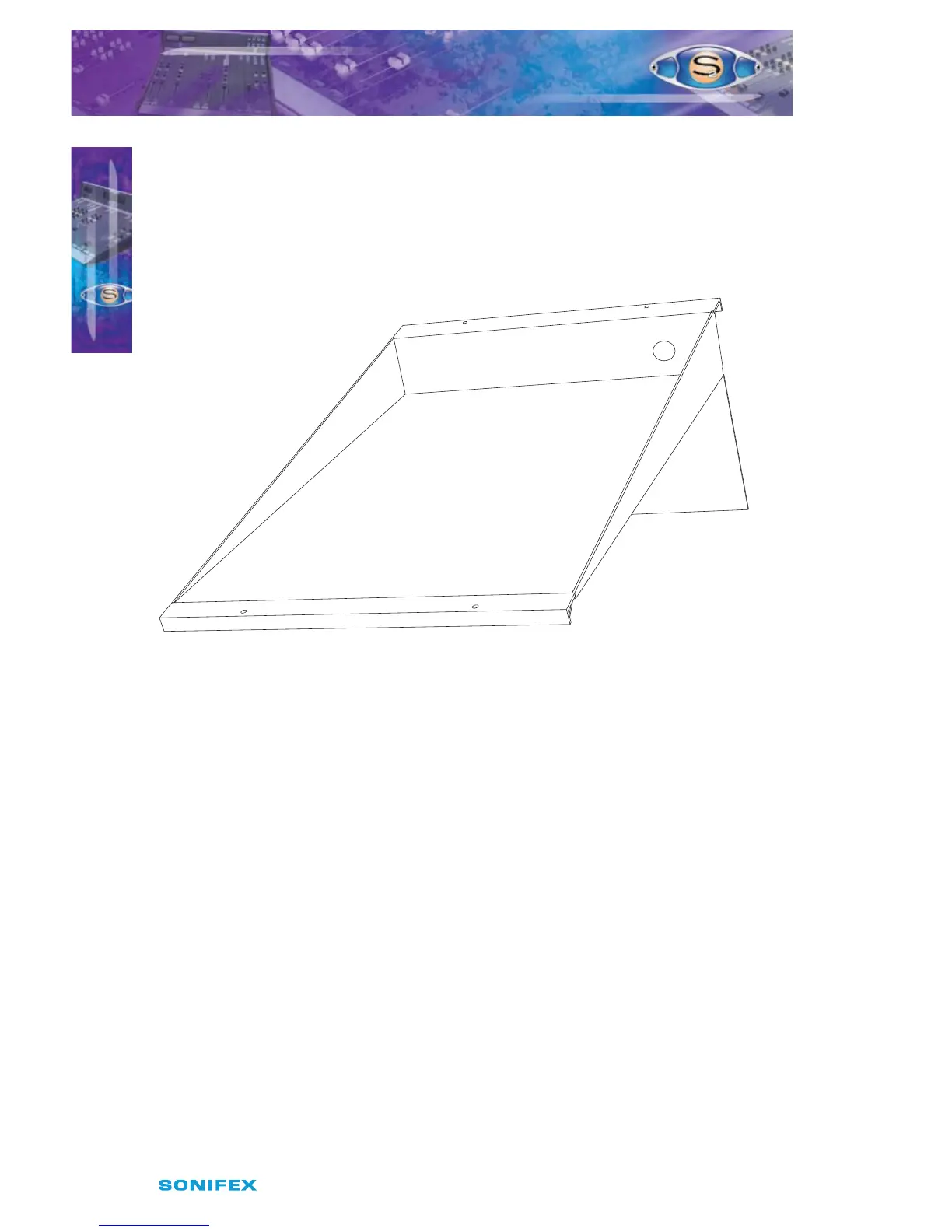
hold documents/scripts for the mixer operator when desk space is at a premium. It
is most commonly placed in the center of the mixer, although it can be positioned
anywhere within the mixer chassis. It has a hole in the rear of the front section to allow
a keyboard/mouse cable to pass through and a 10 channel Script Space (S2-10SS), is
also available.
Fig 1-2 : S2-7SS Script Space.
t #MBOLDIBOOFMT4$#DBOCFVTFEUPöMMTQBDFTJOUIFDIBTTJTOPUPDDVQJFECZ
active channels.
t .PEVMBSiQPQVQwJOQVUBOEPVUQVUDIBOOFMTNFBOTUIBUUIFNJYFSDBOCFNBJOUBJOFE
simply and quickly. Input channels can be individually removed and repaired whilst
still on-air.
t 5IFBOHMFPGUIFNFUFSCSJEHFDBOCFWBSJFEBOETFUGPSCFTUWJFXJOHQPTJUJPO
t "OZDIBOOFMDBOCFJOBOZQPTJUJPOTPUIBUDVTUPNJ[JOHUIFNJYFSGPSZPVSPXO
purposes is easy.
t -BSHFCBDLMJUCVUUPOTBMMPXZPVUPTFFUIFTUBUVTPGUIFNJYFSBUBMMUJNFT
t 5IFöUUFESFBSQBOFMIJEFTBMMDBCMFDPOOFDUJPOTCVUDBOCFTJNQMZSFNPWFEGPS
maintenance.
t 5IFNPEVMBSEFTJHOPGUIFEFTLHJWFTZPVUIFøFYJCJMJUZUPFYQBOEJUBUBMBUFSEBUF
You can even add another S2 mixer and link them together with a bus connector
cable to allow for split desk congurations.



 To Next Page