SETUP
140
SPEED DIAL LIST SETTING
Up to 15 contacts (maximum of 4 numbers per contact) can
be registered in the speed dial list.
Q REGISTERING THE CONTACTS IN THE SPEED DIAL
LIST
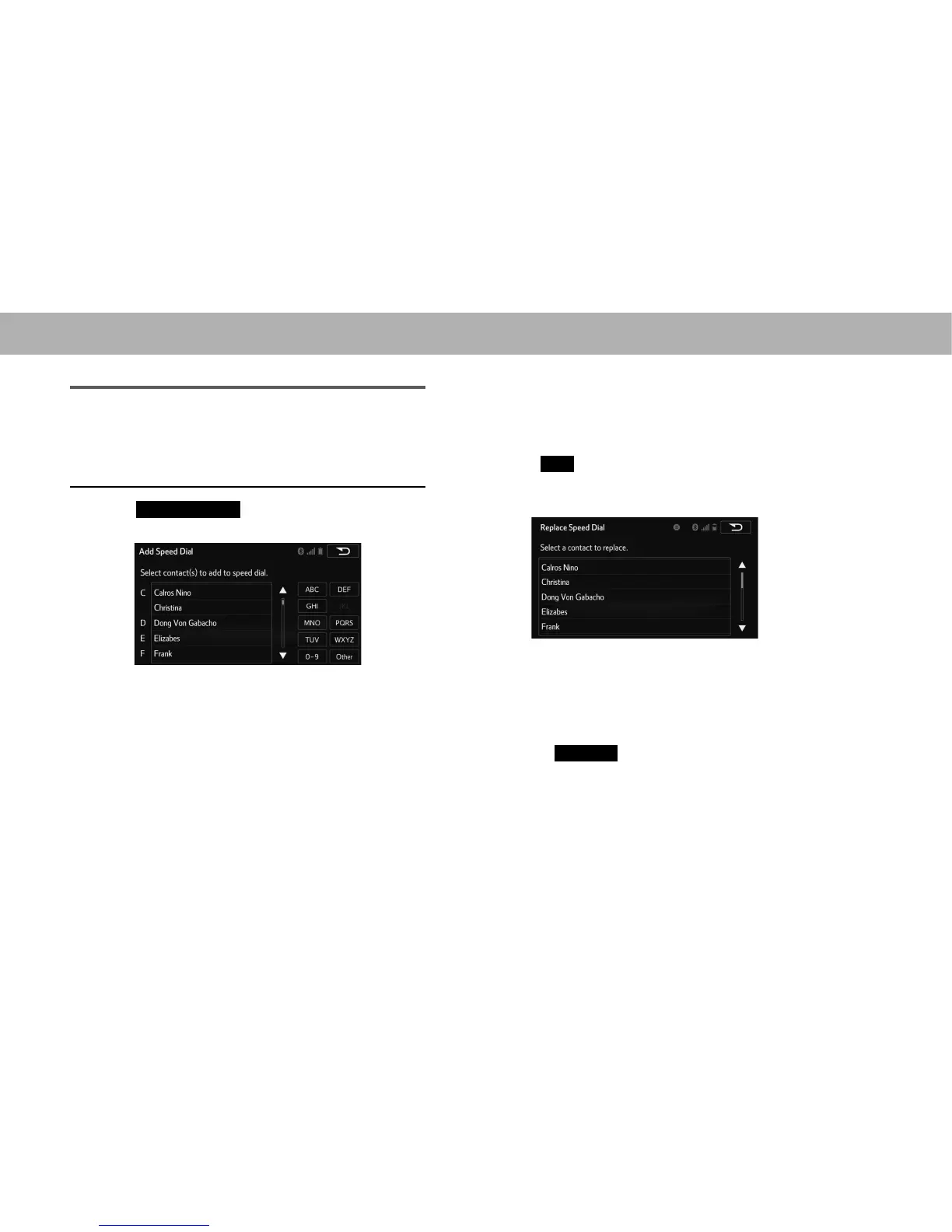
1. Select
Add Speed Dial
(Add Speed Dial).
2. Select the desired contact to add to the speed dial list.
Ɣ Dimmed contacts are already stored as a speed dial.
3. &KHFNWKDWDFRQ¿UPDWLRQVFUHHQLVGLVSOD\HGZKHQWKH
operation is complete.
XWhen 15 contacts have already been registered to
the speed dial list
1. When 15 contacts have already been registered to
the speed dial list, a registered contact needs to be
replaced.
Select
Yes
<HV ZKHQ WKH FRQ¿UPDWLRQ VFUHHQ
appears to replace a contact.
2. Select the contact to be replaced.
3. &KHFNWKDWDFRQ¿UPDWLRQVFUHHQLVGLVSOD\HGZKHQWKH
operation is complete.
XRegistering contacts in the speed dial list in a
different way (from the “Contacts (Contacts)” screen)
1. 'LVSOD\WKHSKRQHWRSVFUHHQĺ3
2. Select the
Contacts
(Contacts) tab.















 To Next Page