SETUP
139
PHONE
4
3. Select
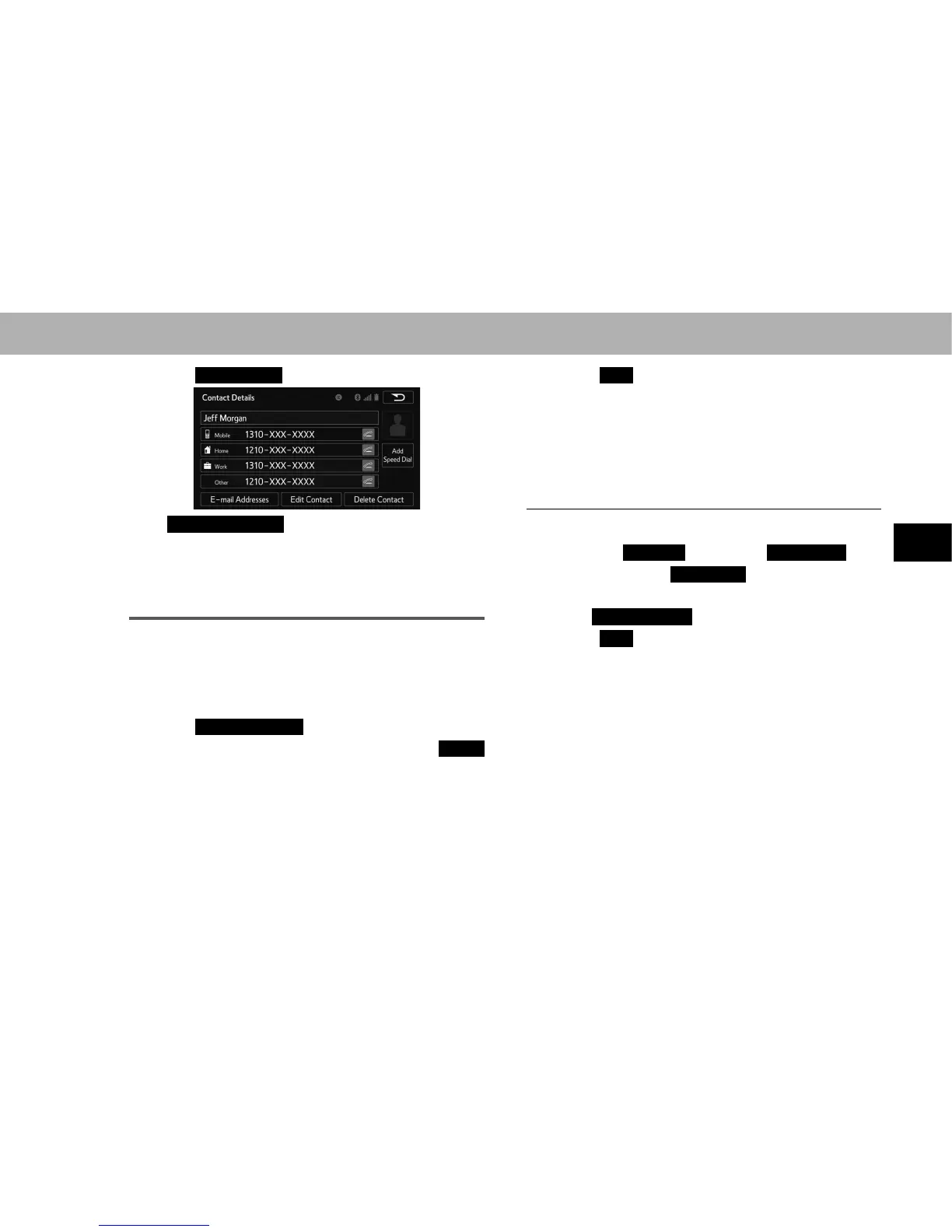
Edit Contact
(Edit Contact).
Ɣ
E-mail Addresses
(E-mail Addresses): Select to
display all registered e-mail addresses for the contact.
4. Follow the steps in “EDITING THE CONTACT DATA”
IURP³67(3´ĺ3
DELETING THE CONTACT DATA
For PBAP compatible Bluetooth phones, this function
is available when “Automatic Contact/History Transfer
(Automatic Contact/History Transfer)” is set to off.
ĺ3
1. Select
Delete Contacts
(Delete Contacts).
2. Select the desired contact and then select
Delete
(Delete).
3. Select
Yes
<HV ZKHQ WKH FRQ¿UPDWLRQ VFUHHQ
appears.
NOTE
O Multiple data can be selected and deleted at the same time.
Q DELETING THE CONTACT IN A DIFFERENT WAY
(FROM THE “Contact Details (Contact Details)”
SCREEN)
1. 'LVSOD\WKHSKRQHWRSVFUHHQĺ3
2. Select the
Contacts
(Contacts),
Call History
(Call
History) tab or the
Speed Dial
(Speed Dial) tab and
then select the desired contact.
3. Select
Delete Contact
(Delete Contact).
4. Select
Yes
<HV ZKHQ WKH FRQ¿UPDWLRQ VFUHHQ
appears.
NOTE
O When a Bluetooth phone is deleted, the contact data will be
deleted at the same time.















 To Next Page