SETTINGS
7
Bluetooth
®
SETTINGS
175
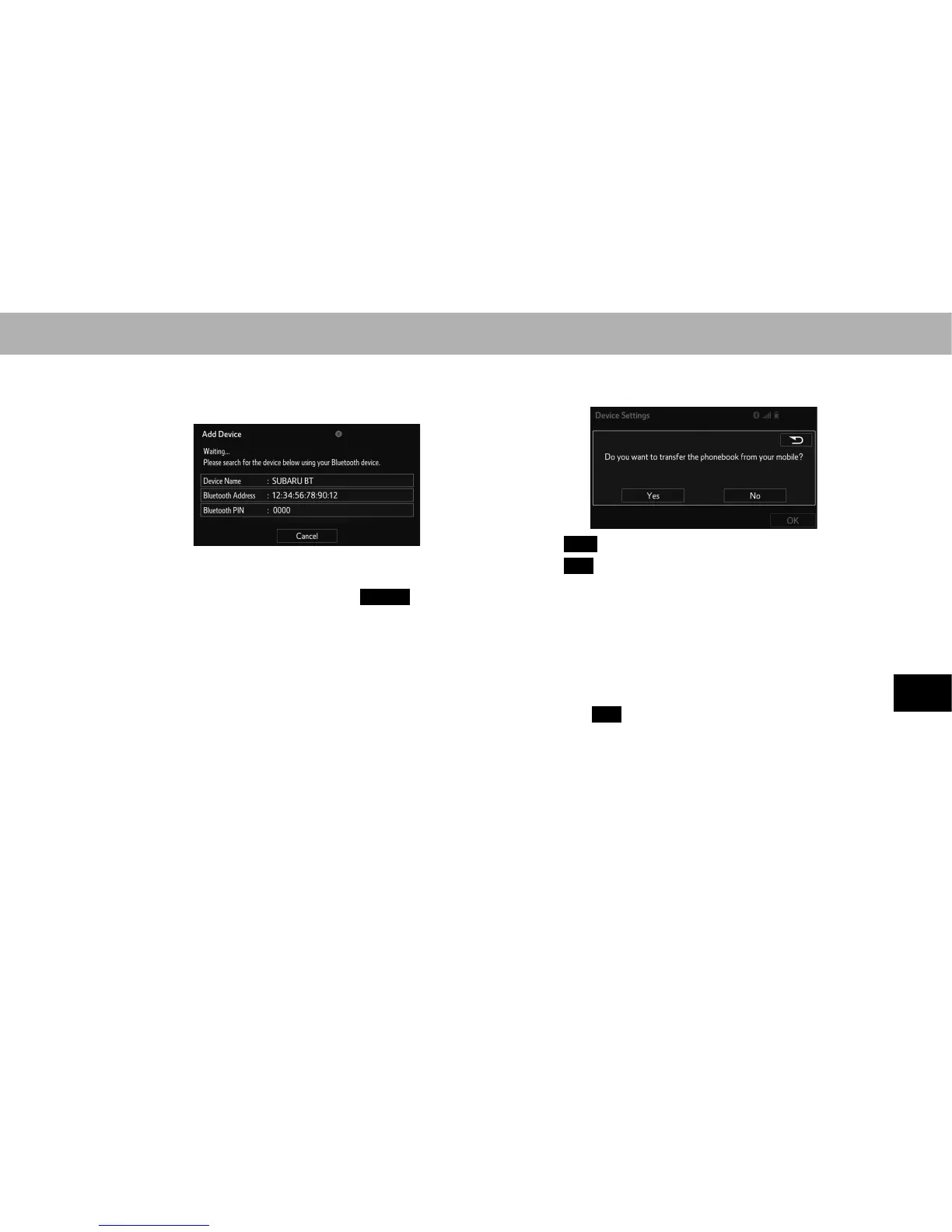
4. When this screen is displayed, search for the device
name displayed on this screen on the screen of your
Bluetooth device.
Ɣ For details about operating the Bluetooth device, see
the manual that comes with it.
Ɣ To cancel the registration, select
Cancel
(Cancel).
5. Register the Bluetooth device using your Bluetooth
device.
Ɣ A PIN-code is not required for SSP (Secure Simple
Pairing) compatible Bluetooth devices. Depending
on the type of Bluetooth device being connected, a
PHVVDJHFRQ¿UPLQJUHJLVWUDWLRQPD\EHGLVSOD\HGRQ
the Bluetooth device’s screen. Respond and operate
WKH %OXHWRRWK GHYLFH DFFRUGLQJ WR WKH FRQ¿UPDWLRQ
message.
XFor PBAP compatible Bluetooth phones
6. Select the desired item.
Ɣ
Yes
(Yes): Transfer contacts from cellular phone.
Ɣ
No
(No): Do not transfer contacts from cellular
phone.
NOTE
O The system waits for connection requests from the registered
device.
O At this stage, Bluetooth functions are not yet available.
O If an error message is displayed, follow the guidance on the
screen and try again.
7. Select
OK
(OK).















 To Next Page